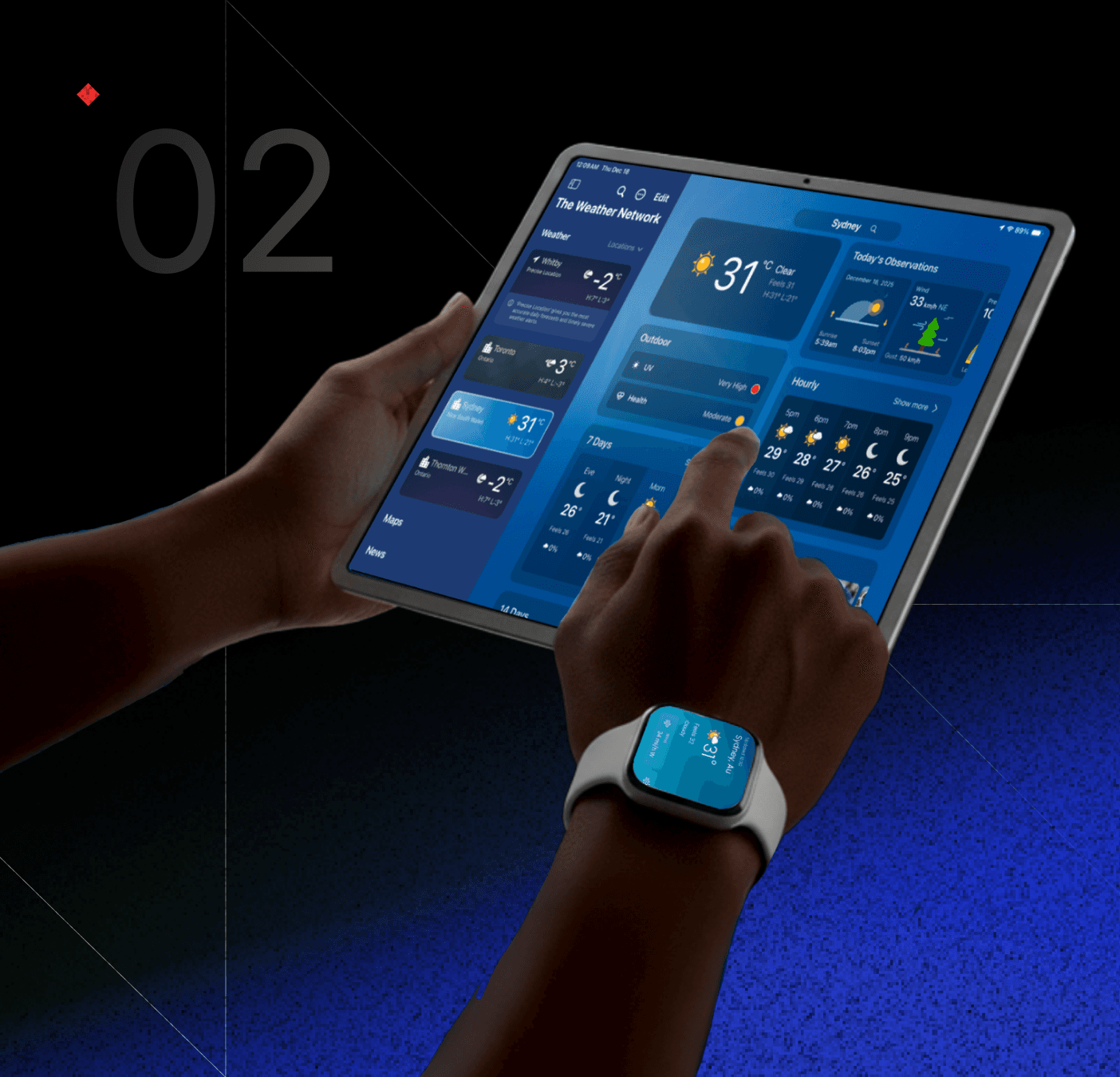
TWN+ Weather (US)
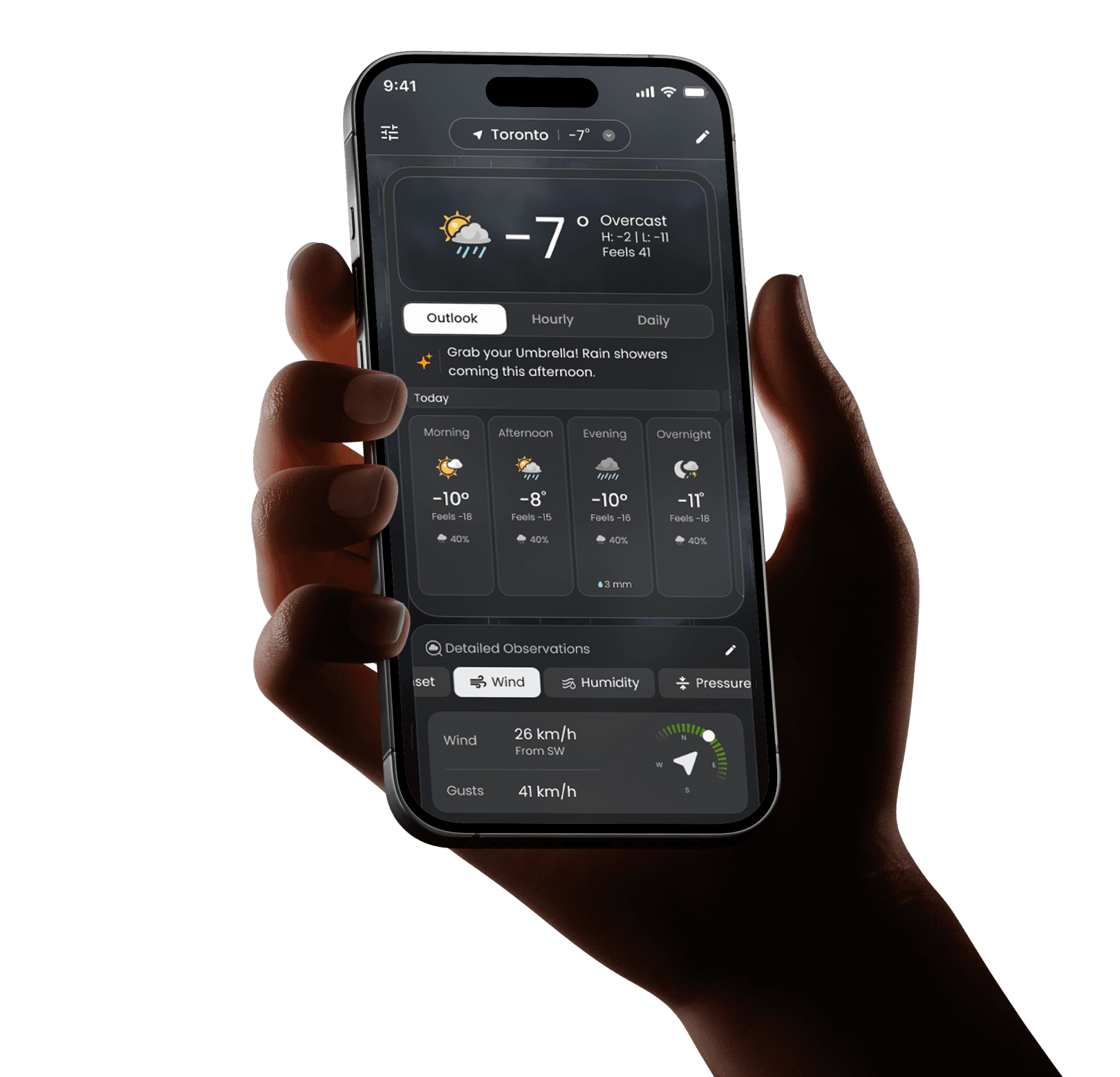
Rethinking how people interact with weather.
Role
Product Designer
Role
Product Designer
Timeline
4 months
Timeline
4 months
Impact
50K+ Downaloads
Impact
50K+ Downaloads
Platform
Android & iOS
Platform
Android & iOS
SCROLL
THE STARTING POINT
01
Why We Built TWN+ for the US
TWN Canada wanted to expand into the US with an experience designed for US behaviours, not a simple port of the Canadian app.
context
TWN Canada wanted to expand into the US with an experience designed for US behaviours, not a simple port of the Canadian app.
context
users would switch if the product made weather feel
The bet
users would switch if the product made weather feel
The bet
More personal

More personal
More actionable

More actionable
Easier to understand

Easier to understand
The goal was to achieve these three pillars without turning the home screen into a busy dashboard.
The goal was to achieve these three pillars without turning the home screen into a busy dashboard.
The Problem
02
Weather Apps Don’t Help People Decide
Current weather apps fail in two ways.
Current weather apps fail in two ways.
Data Overload
Too much noise. Users are buried in technical metrics when they just need a quick update.
Data Overload
Too much noise. Users are buried in technical metrics when they just need a quick update.
Surface Level
Too shallow. Basic temperatures don't provide the confidence needed for real-world decisions.
Surface Level
Too shallow. Basic temperatures don't provide the confidence needed for real-world decisions.
USEr intent
Fast answers to daily life.
Do I need a jacket?
Is it safe to drive?
When will it rain?
Can I run outside?
USEr intent
Fast answers to daily life.
Do I need a jacket?
Is it safe to drive?
When will it rain?
Can I run outside?
USEr intent
Fast answers to daily life.
Do I need a jacket?
Is it safe to drive?
When will it rain?
Can I run outside?
Our challenge was to deliver clarity first, then depth on demand. Without breaking trust.
My Role
03
Design Ownership
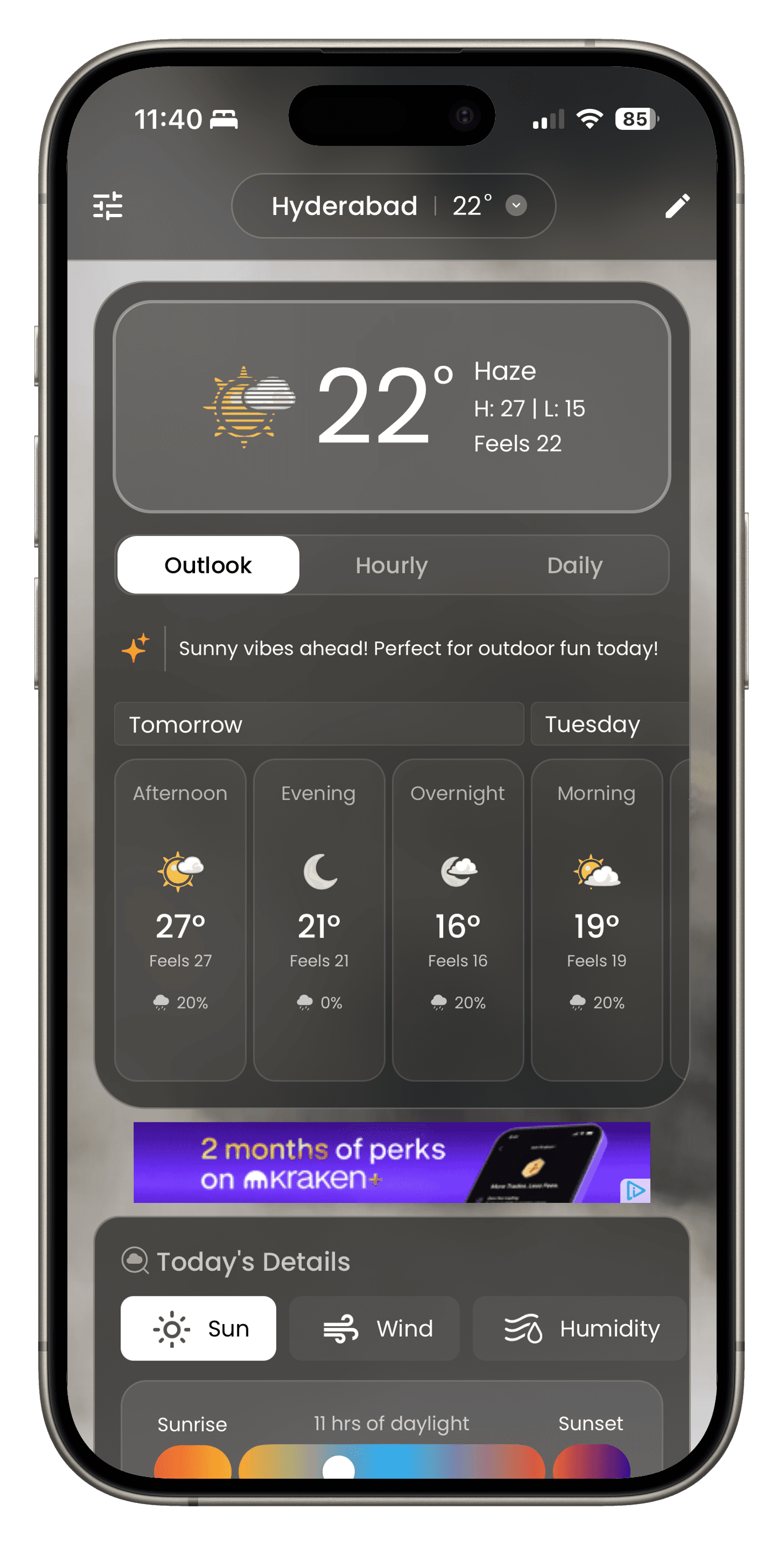
I was responsible for shaping the product from structure to execution, designing how users navigate, understand, and interact with weather data across the app.
Defining the information architecture and navigation model to support quick glances while keeping deeper exploration discoverable.
Designing the dashboard and modular card system including card to modal deep dives.
Designing AI-driven experiences such as daily summaries, a conversational chatbot, and contextual prompts.
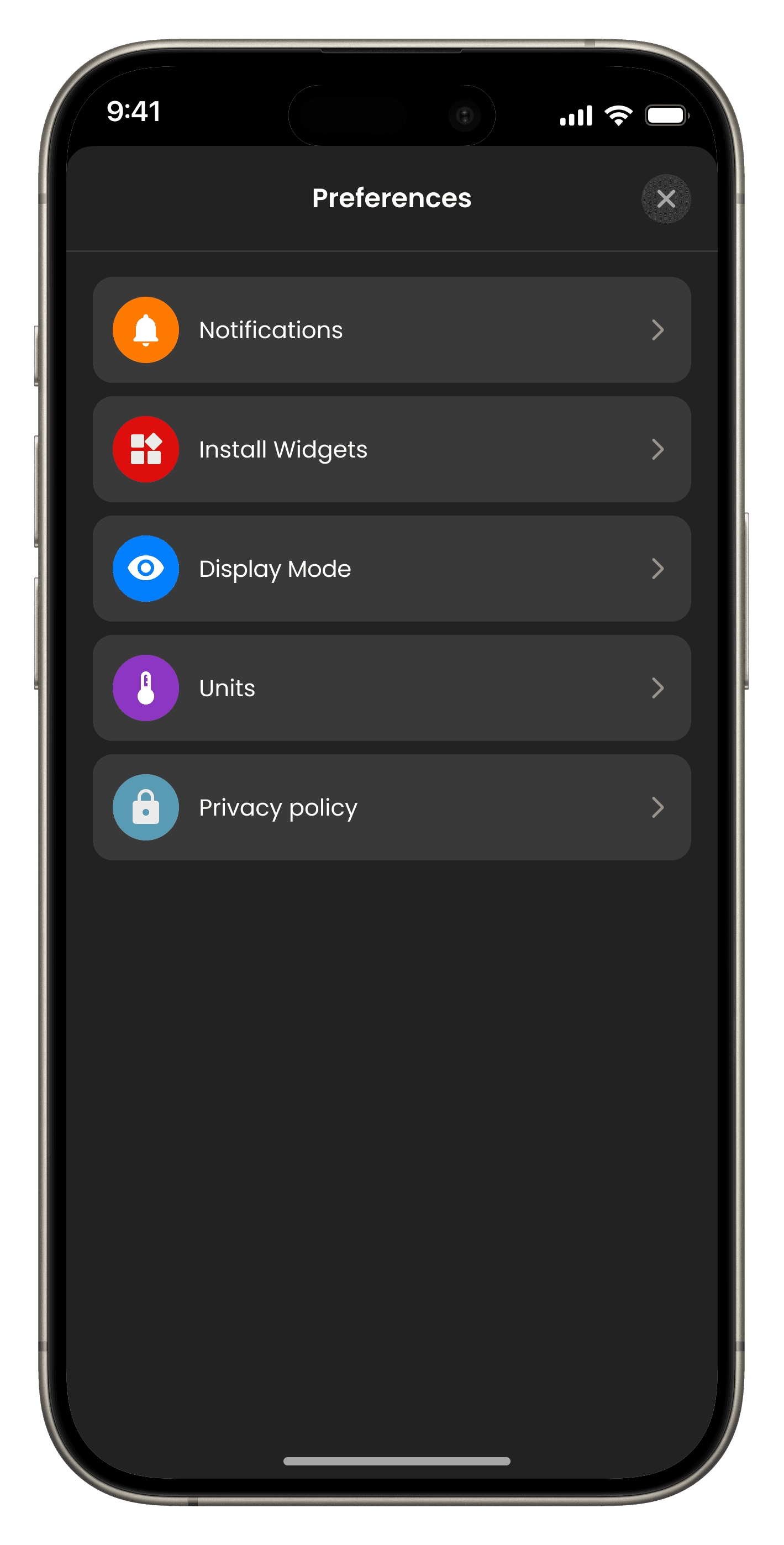
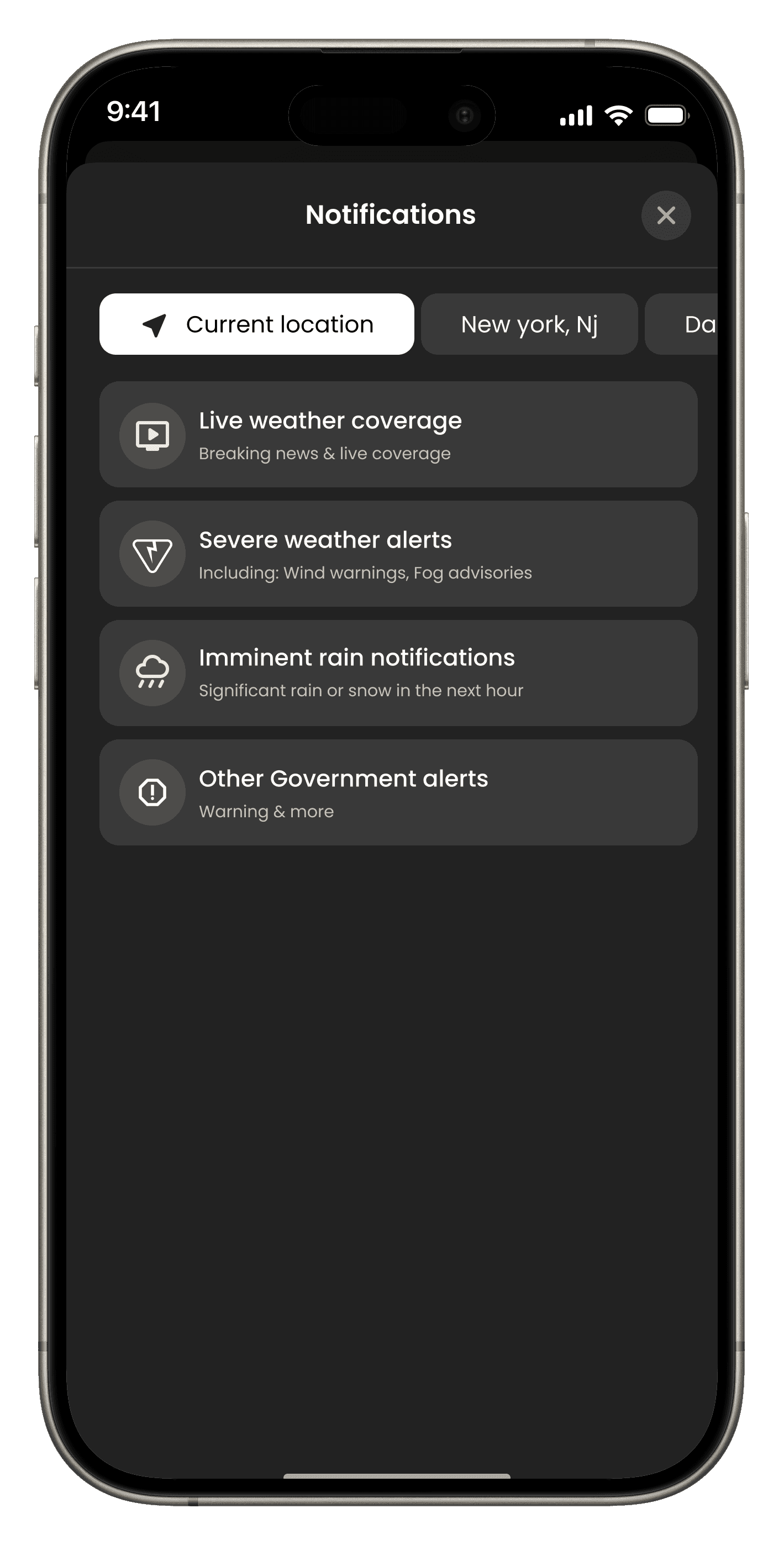
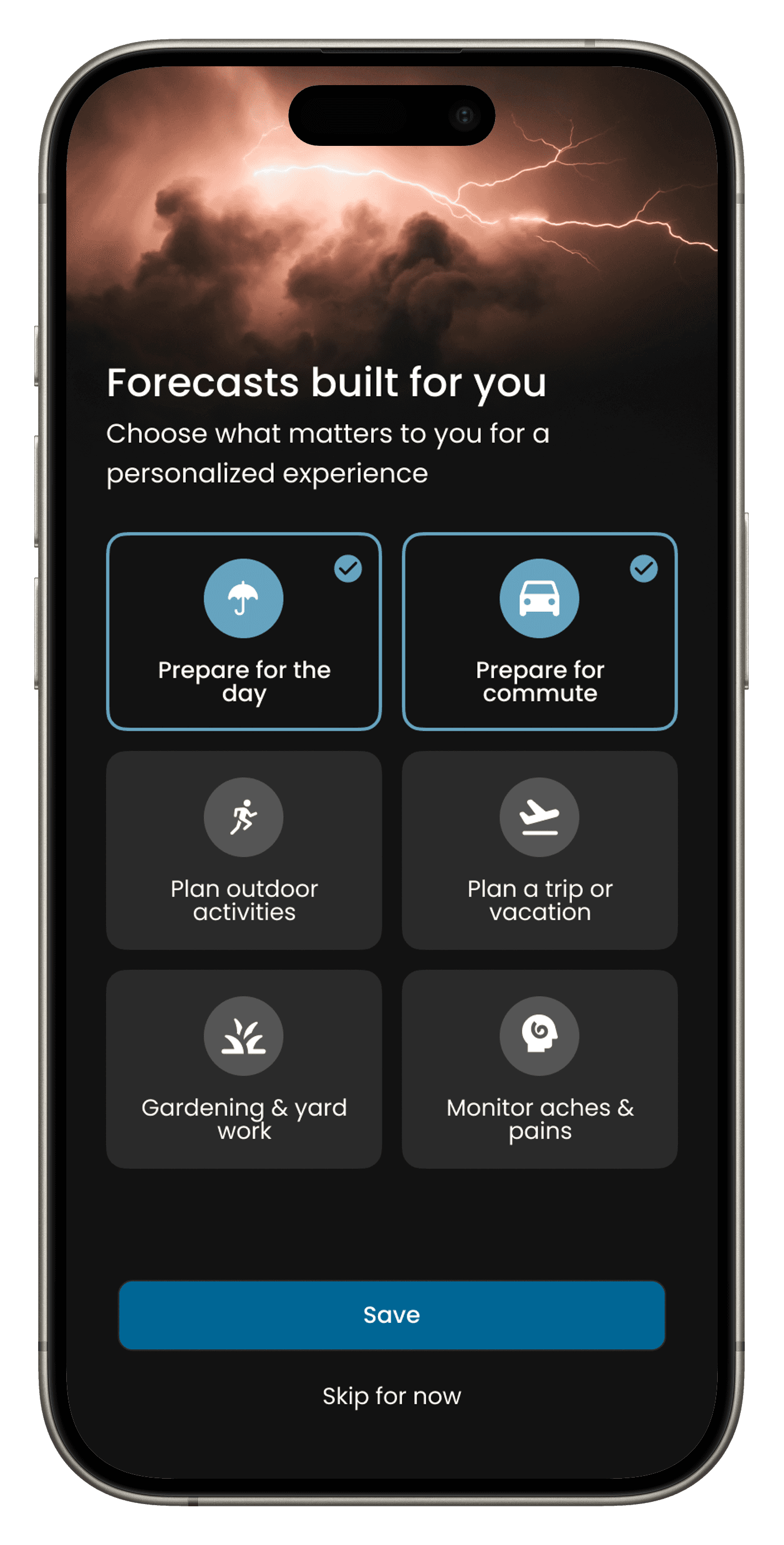
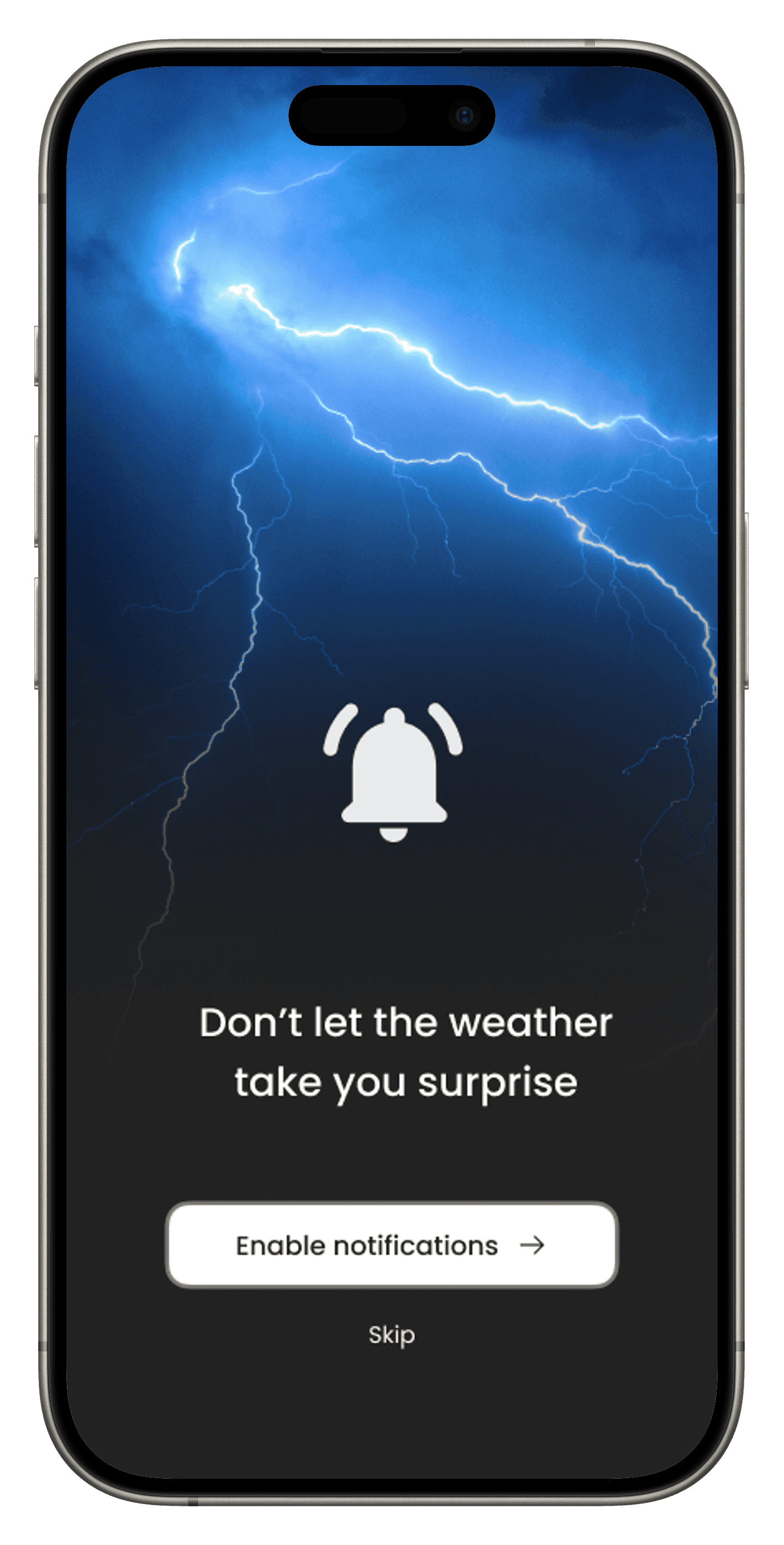
Creating onboarding and personalization flows that translate user inputs into a tailored home experience.
Designing widgets across small, medium, and large formats to extend the experience beyond the app.
Building the React Native design system including tokens, components, and interaction guidelines to ensure consistency and scalability.
Outcome
04
The New Standard for US Weather.
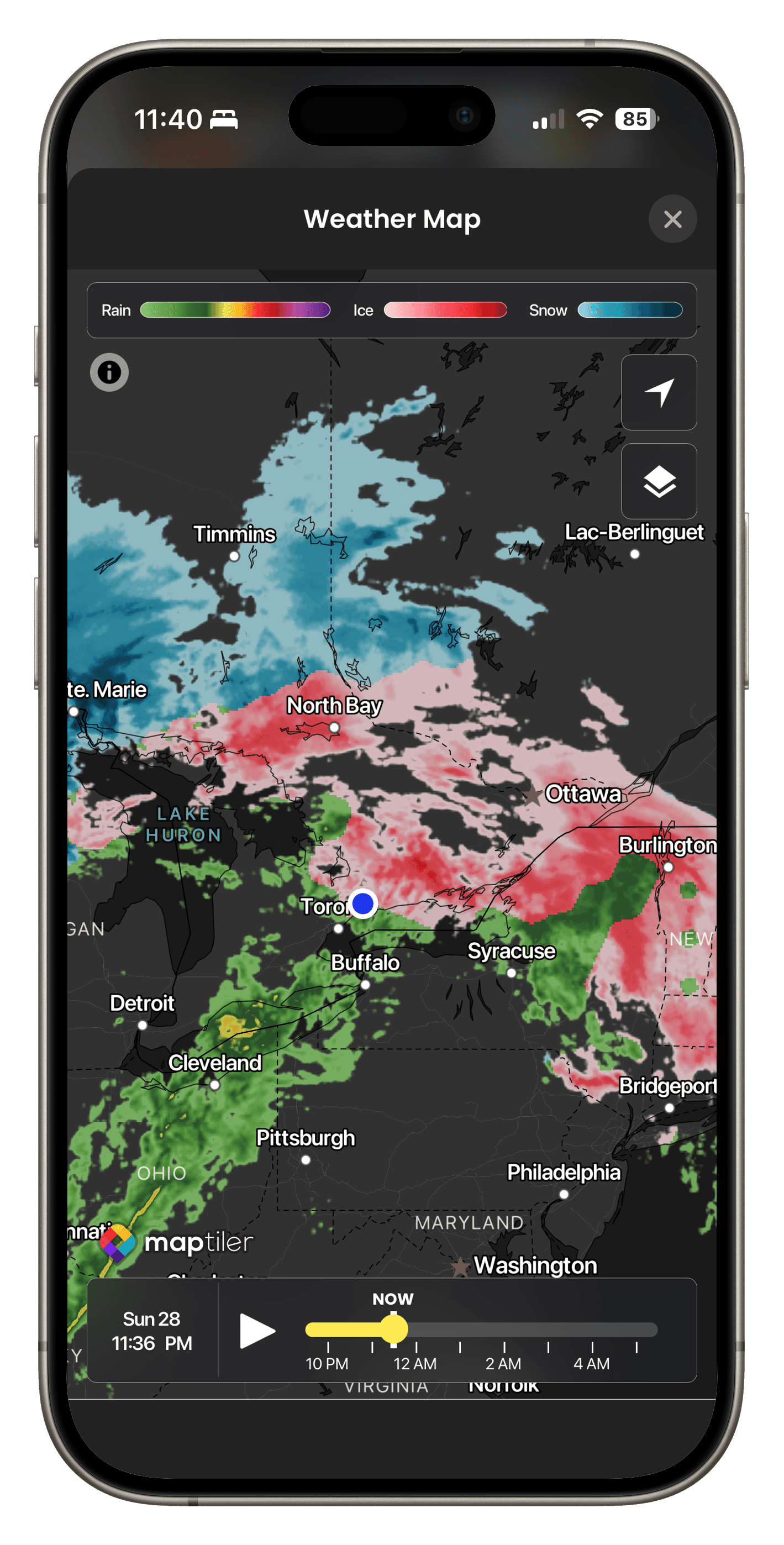
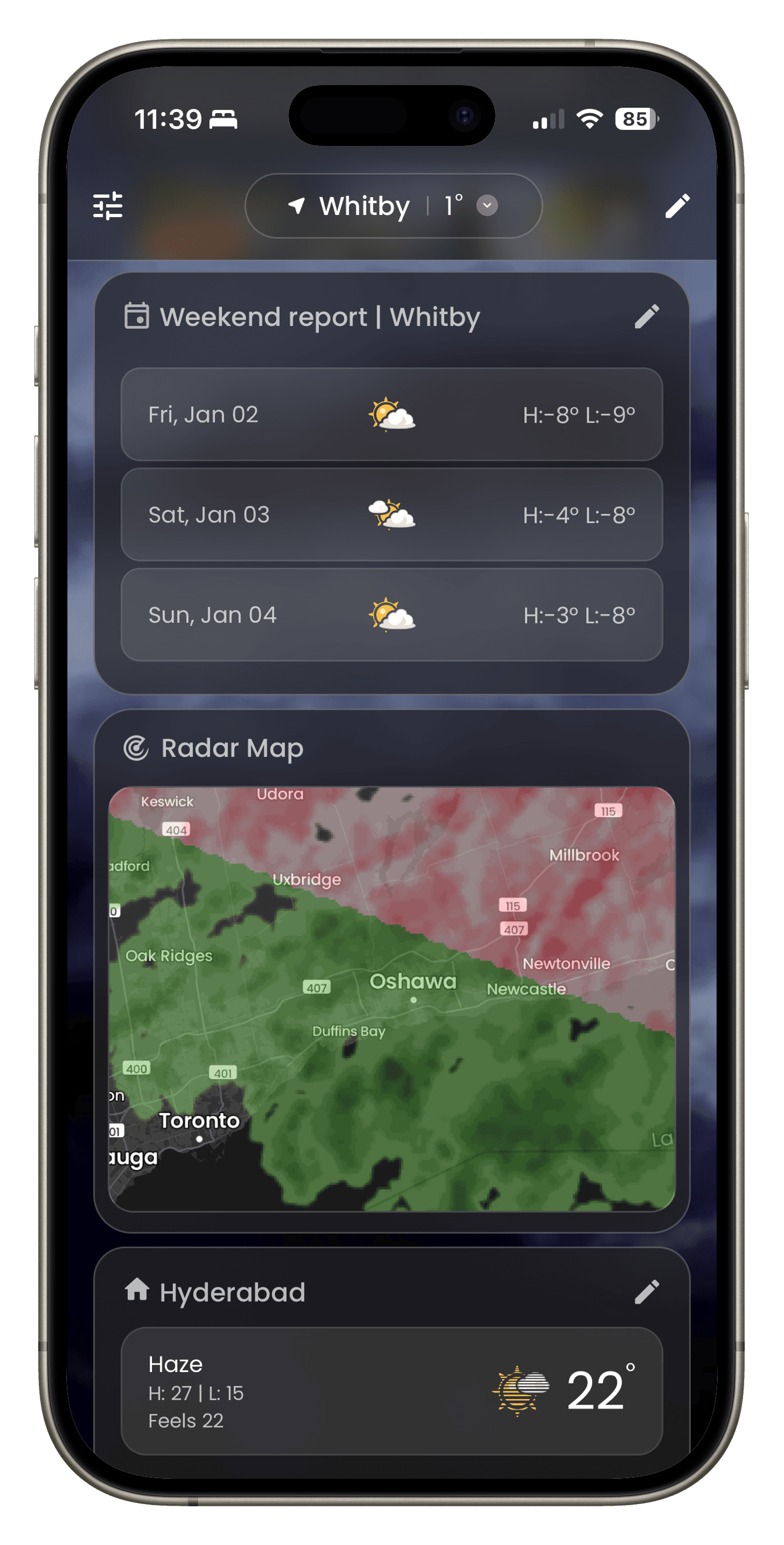
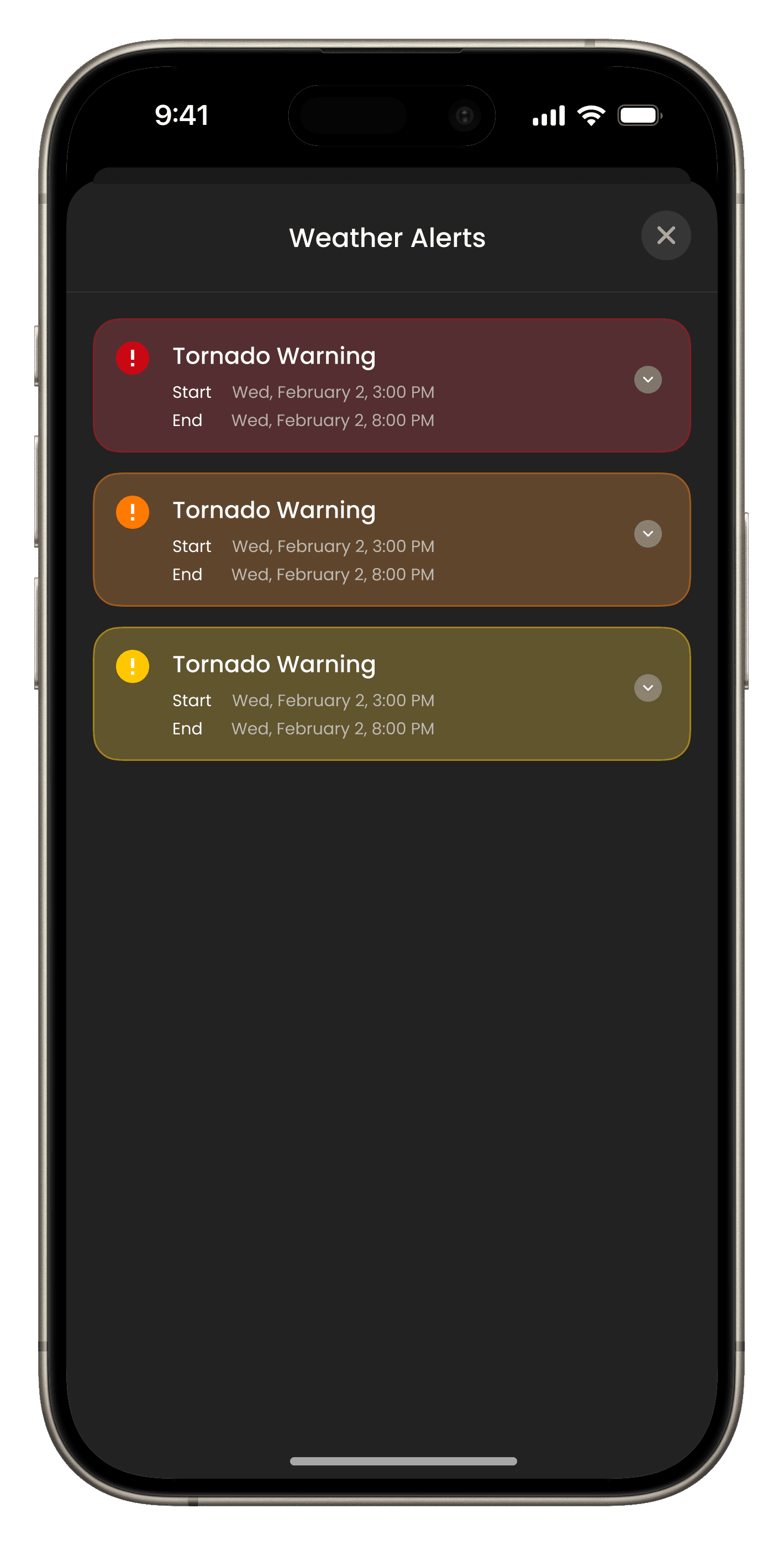
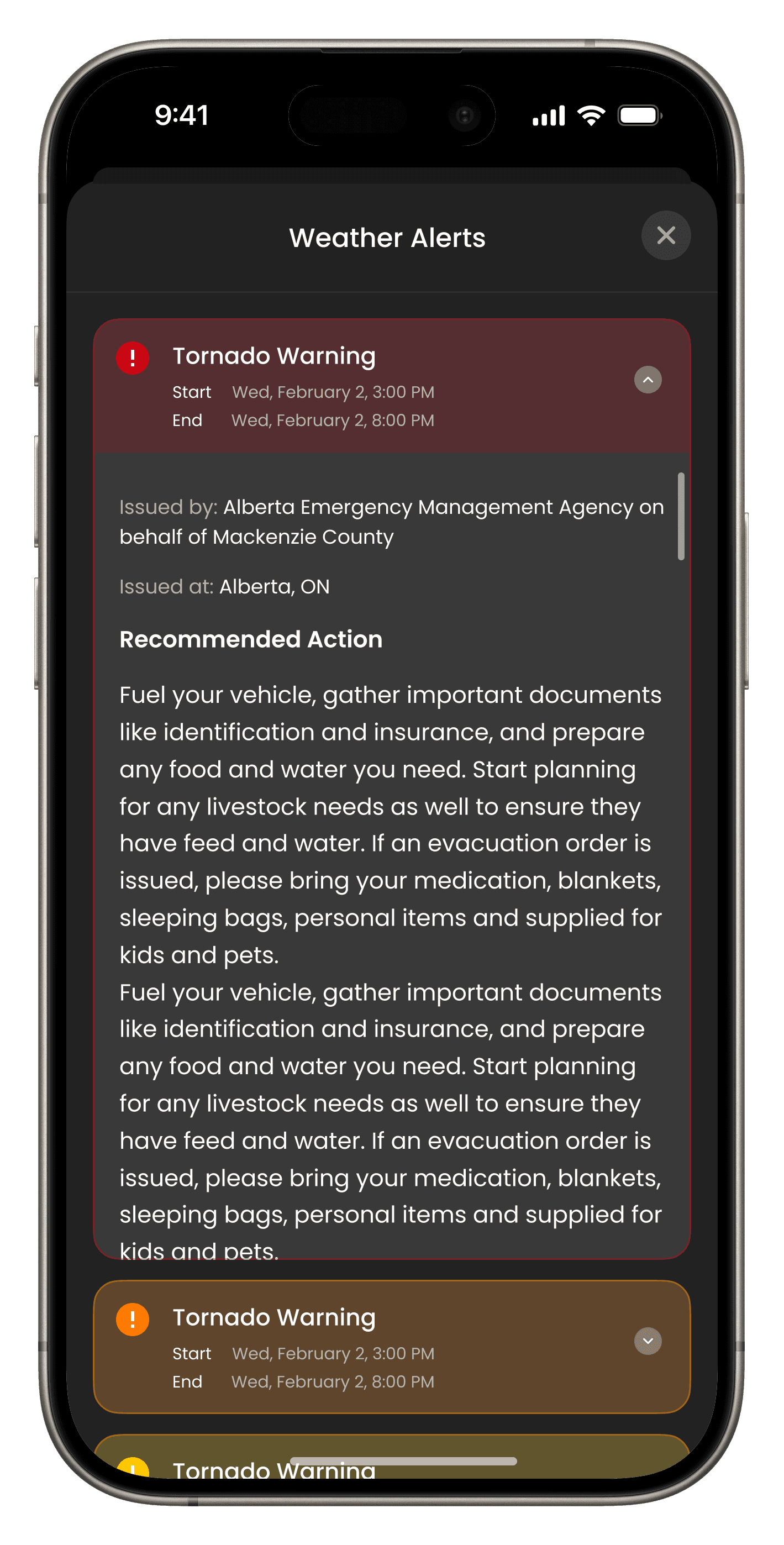
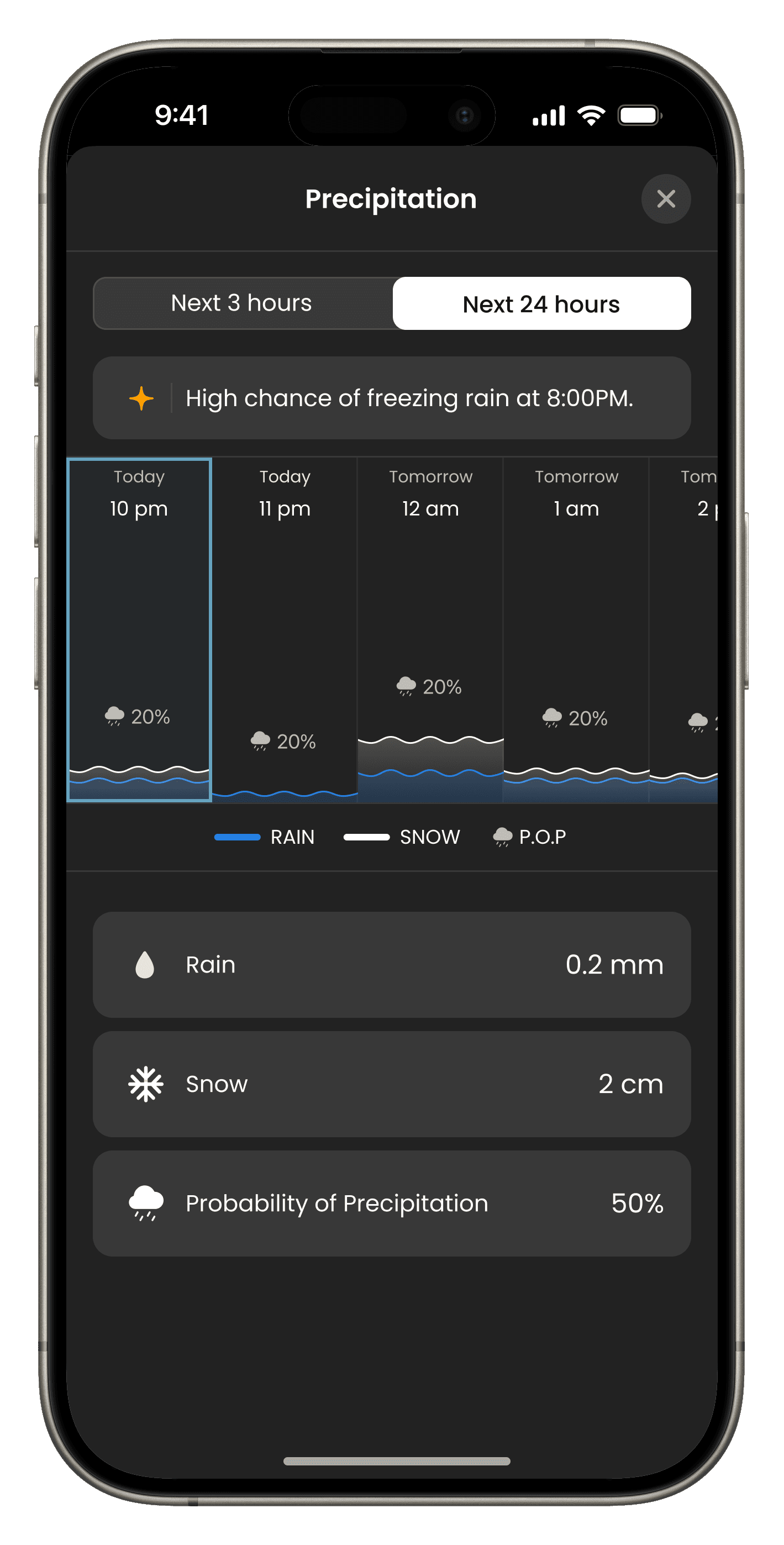
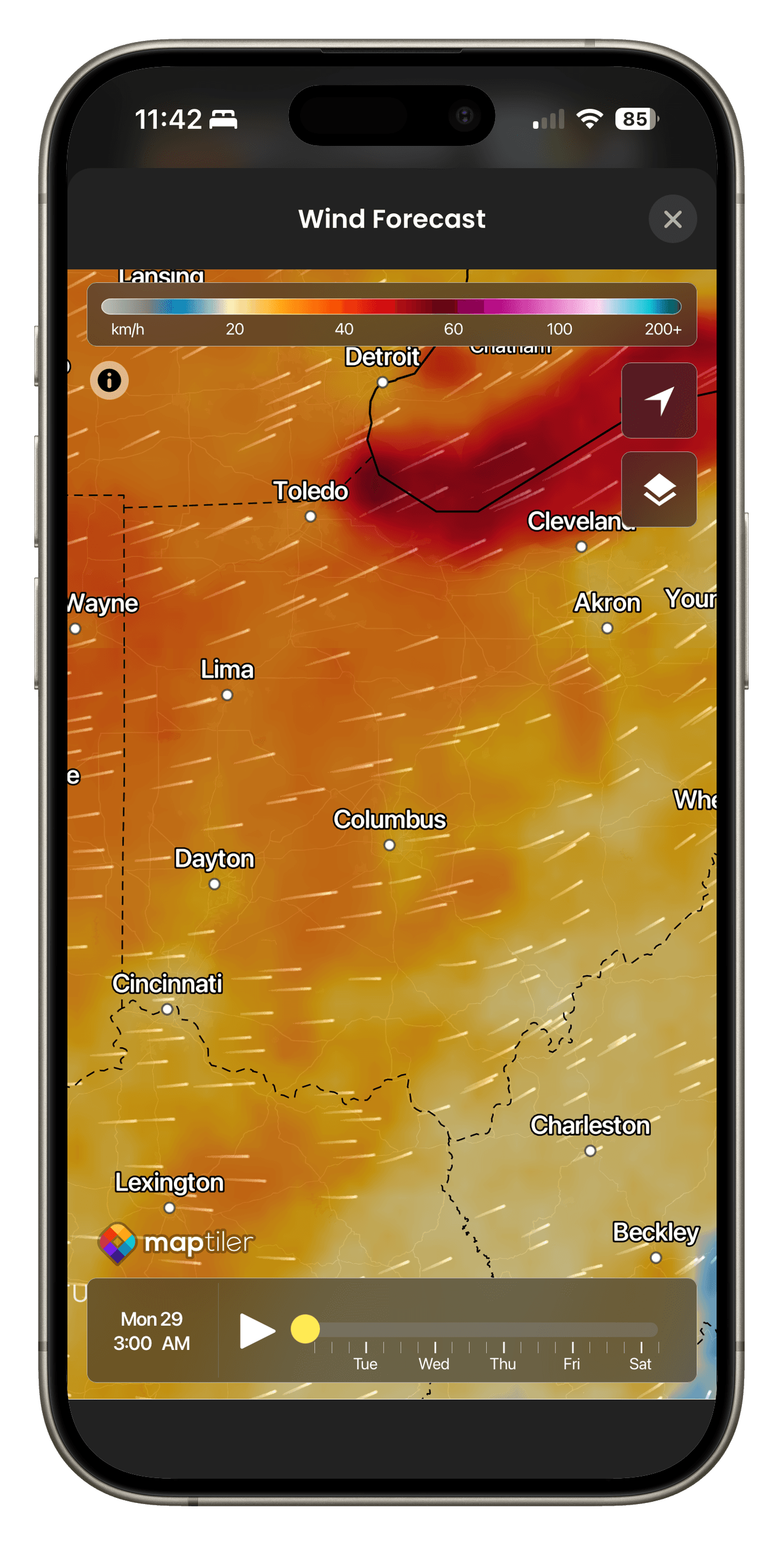
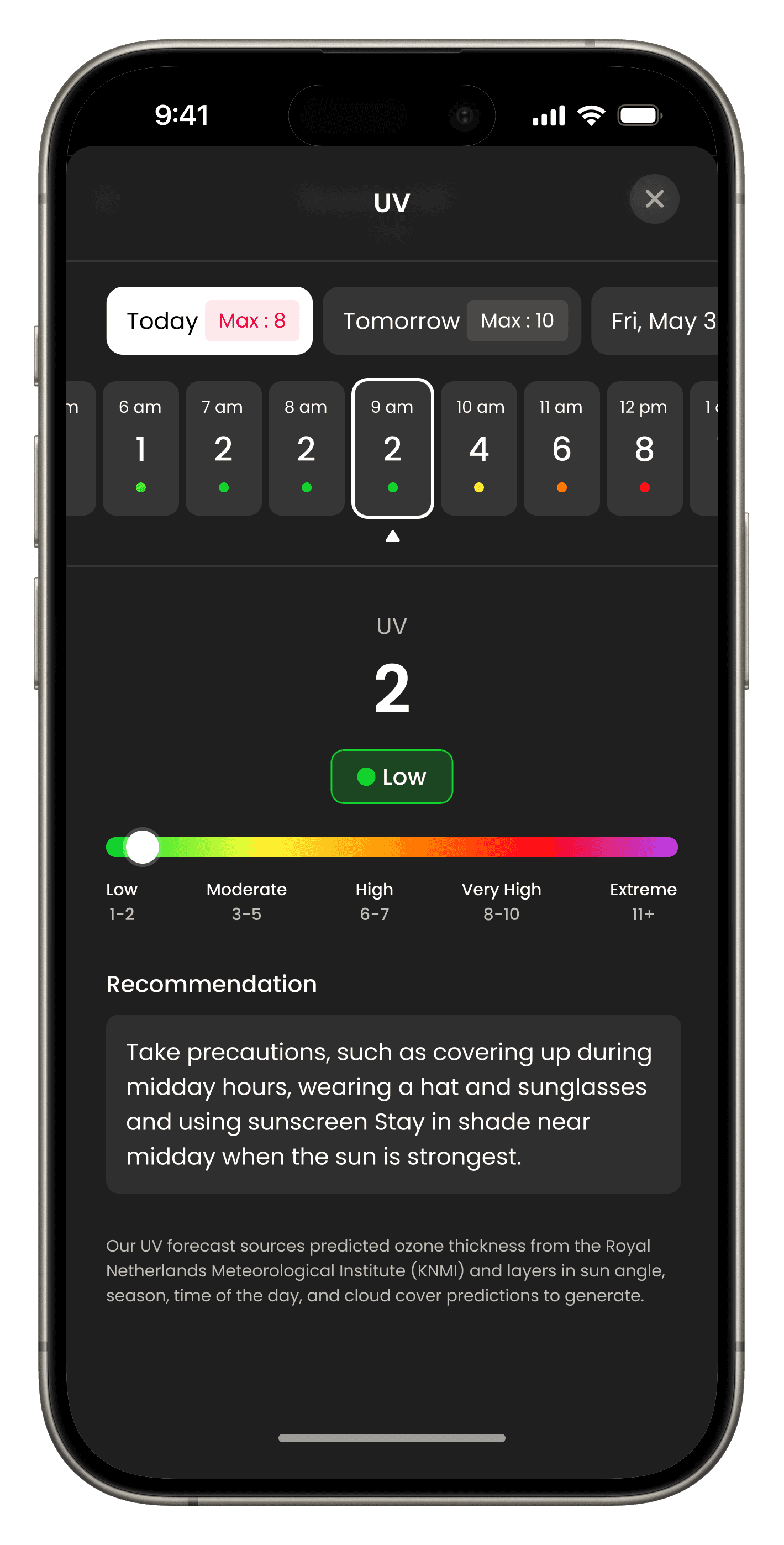
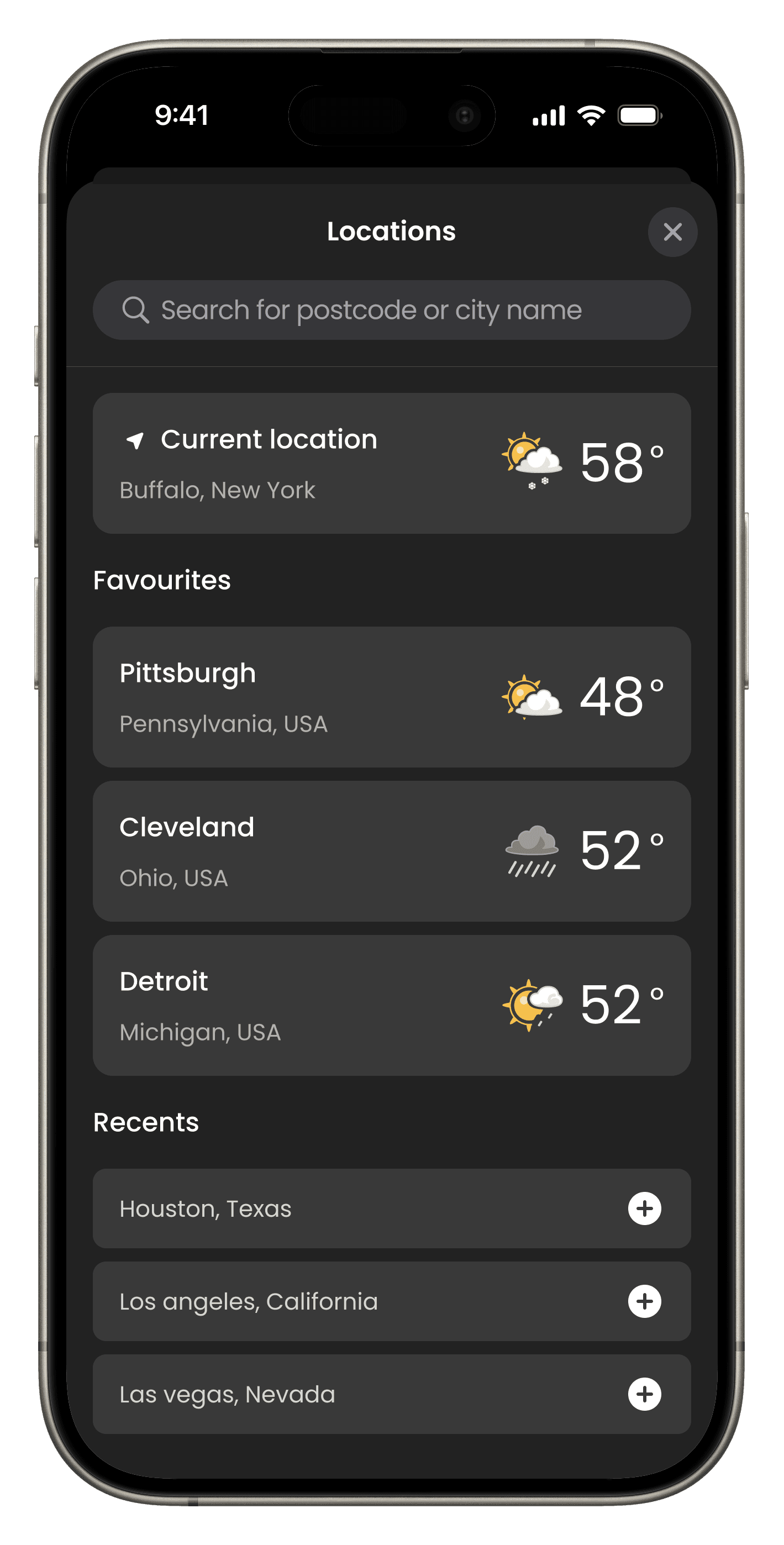
We built TWN+ from scratch. In just 4 months, we transformed a hypothesis into a market-leading expansion, proving that utility beats novelty.
User testing across the US confirmed that our Utility-First positioning wasn't just preferred—it was essential.
SCROLL FOR
FULL LENGTH CASE STUDY
Key moments in the product (Features)
05
Key Features
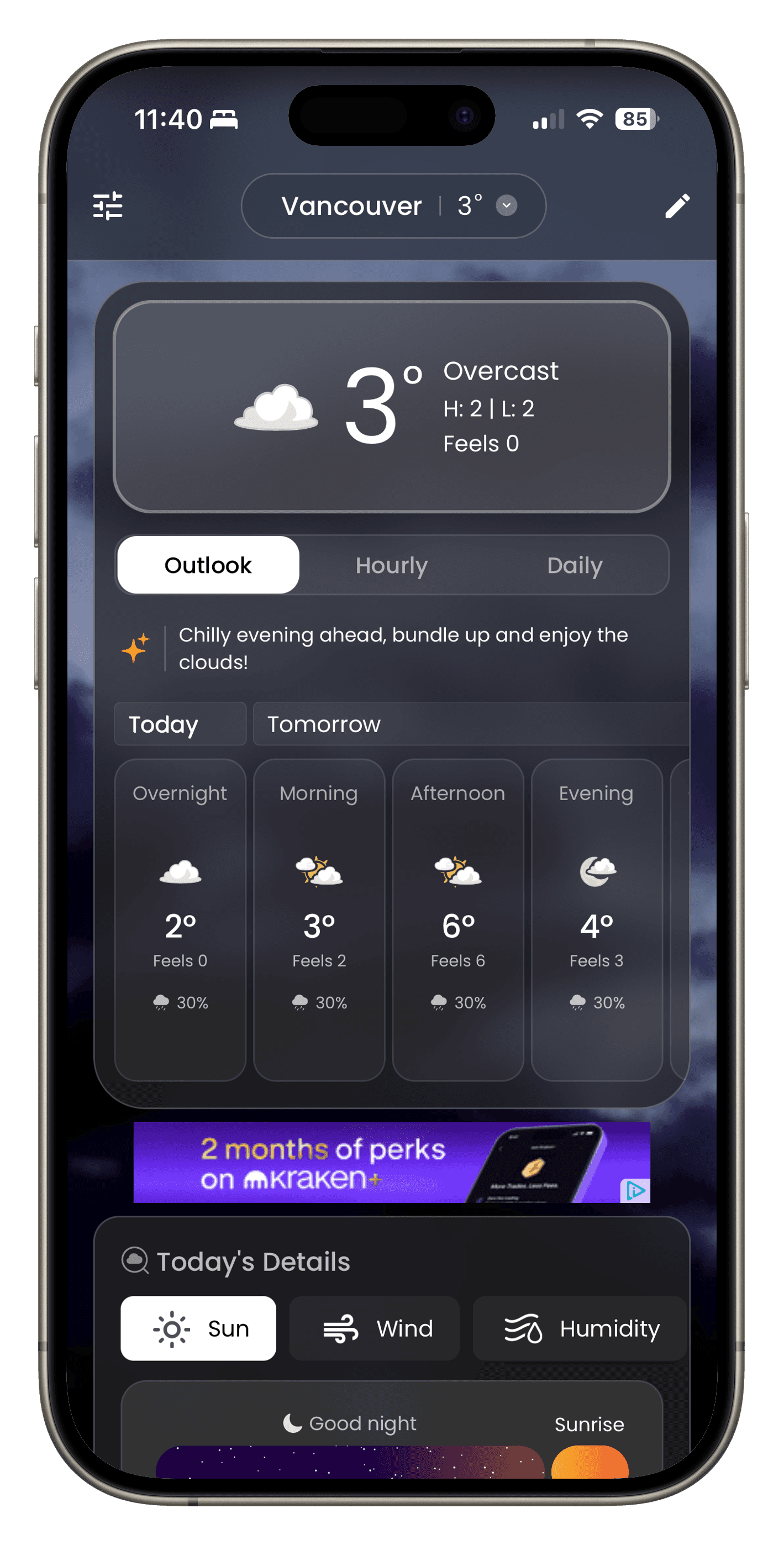
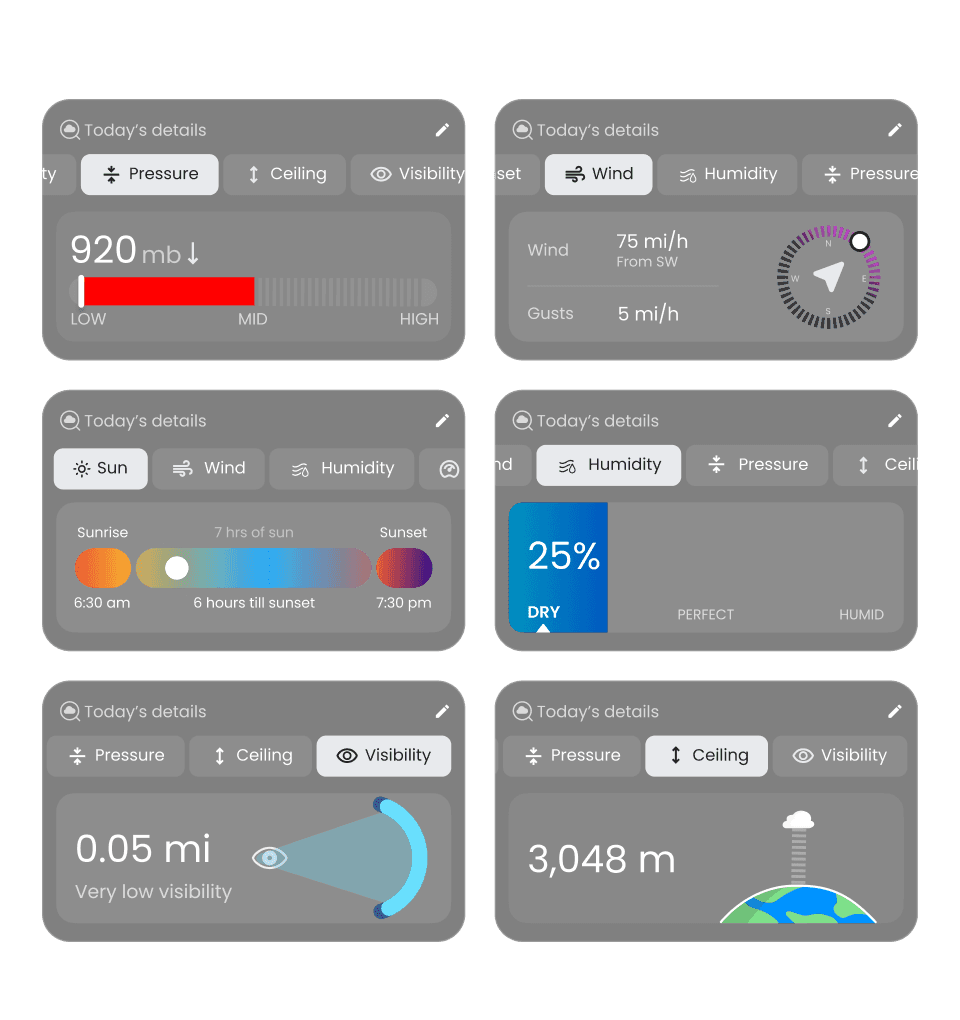
Today's details
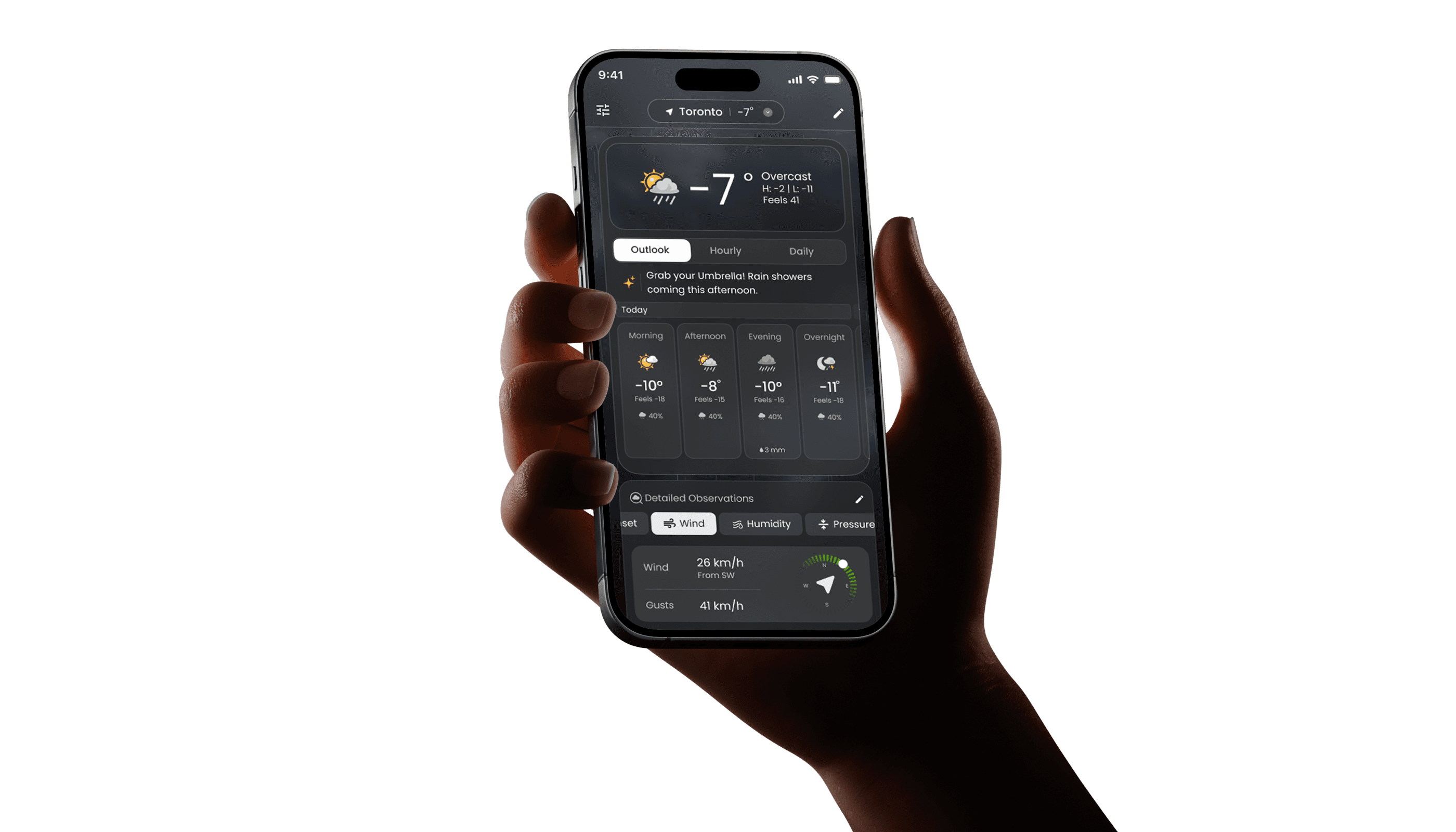
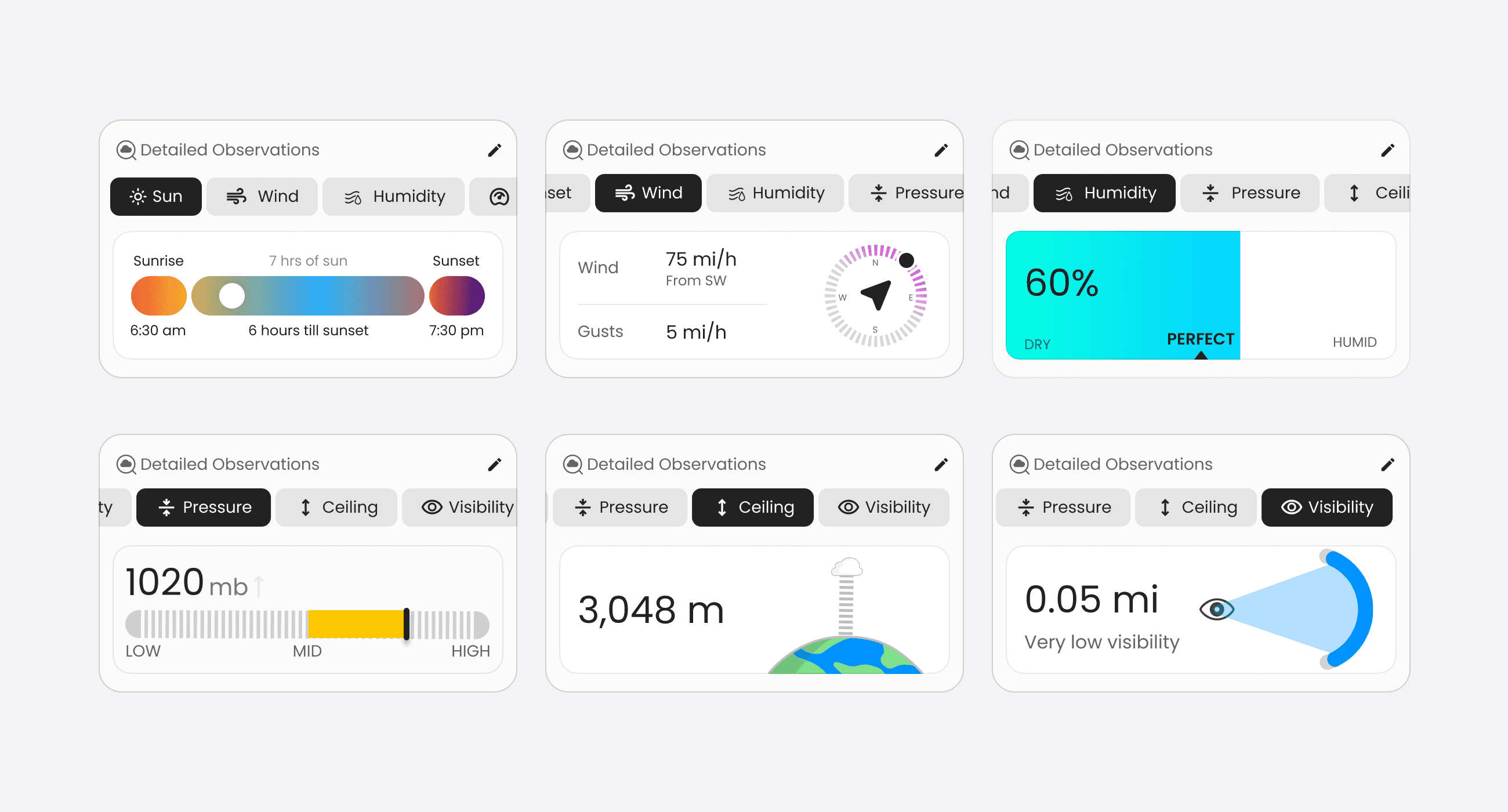
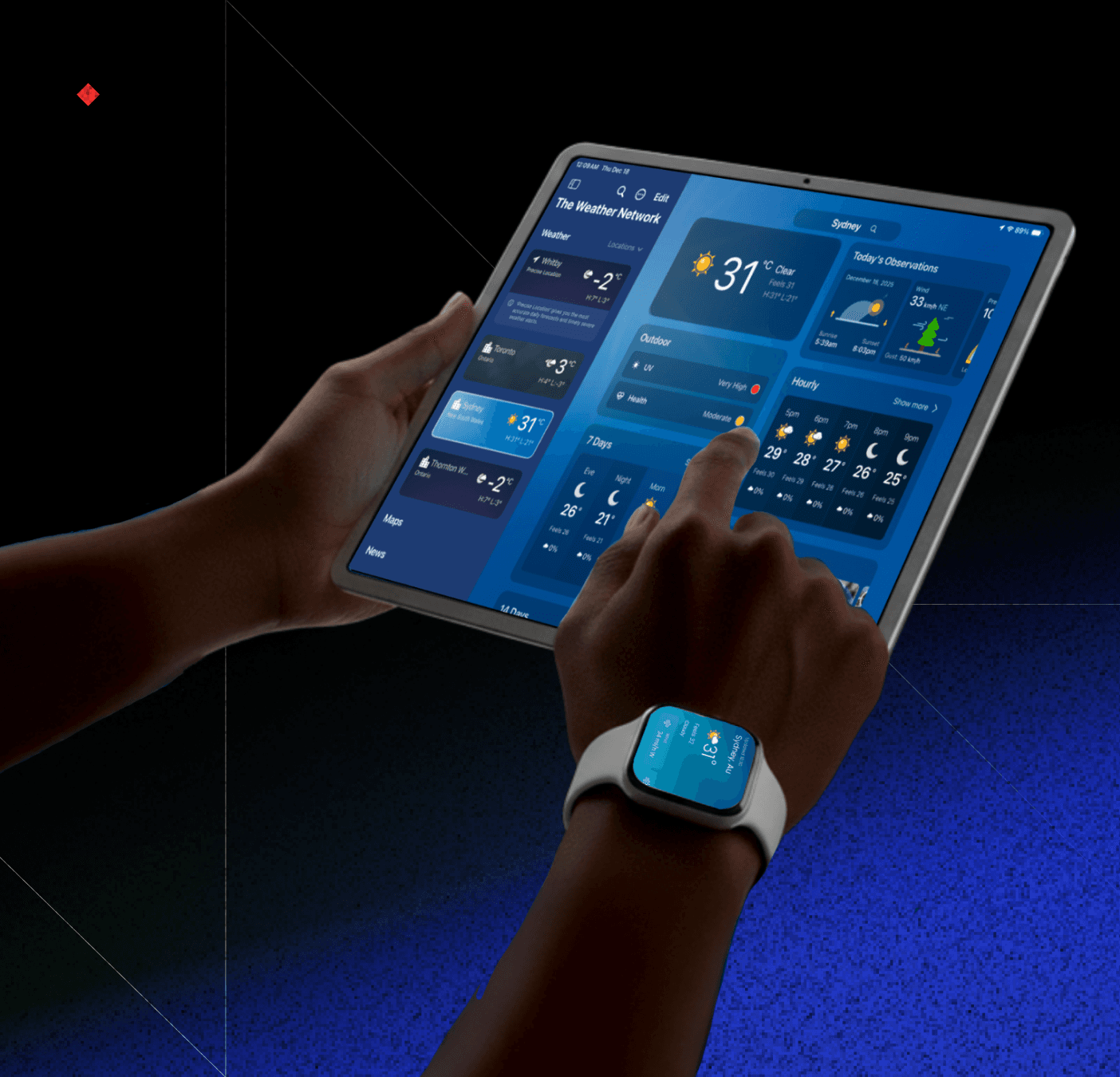
A clear breakdown of today’s atmospheric conditions including sunrise and sunset times, wind, humidity, pressure, visibility, and cloud ceiling so users can quickly understand what the day actually feels like.
Today's details
A clear breakdown of today’s atmospheric conditions including sunrise and sunset times, wind, humidity, pressure, visibility, and cloud ceiling so users can quickly understand what the day actually feels like.
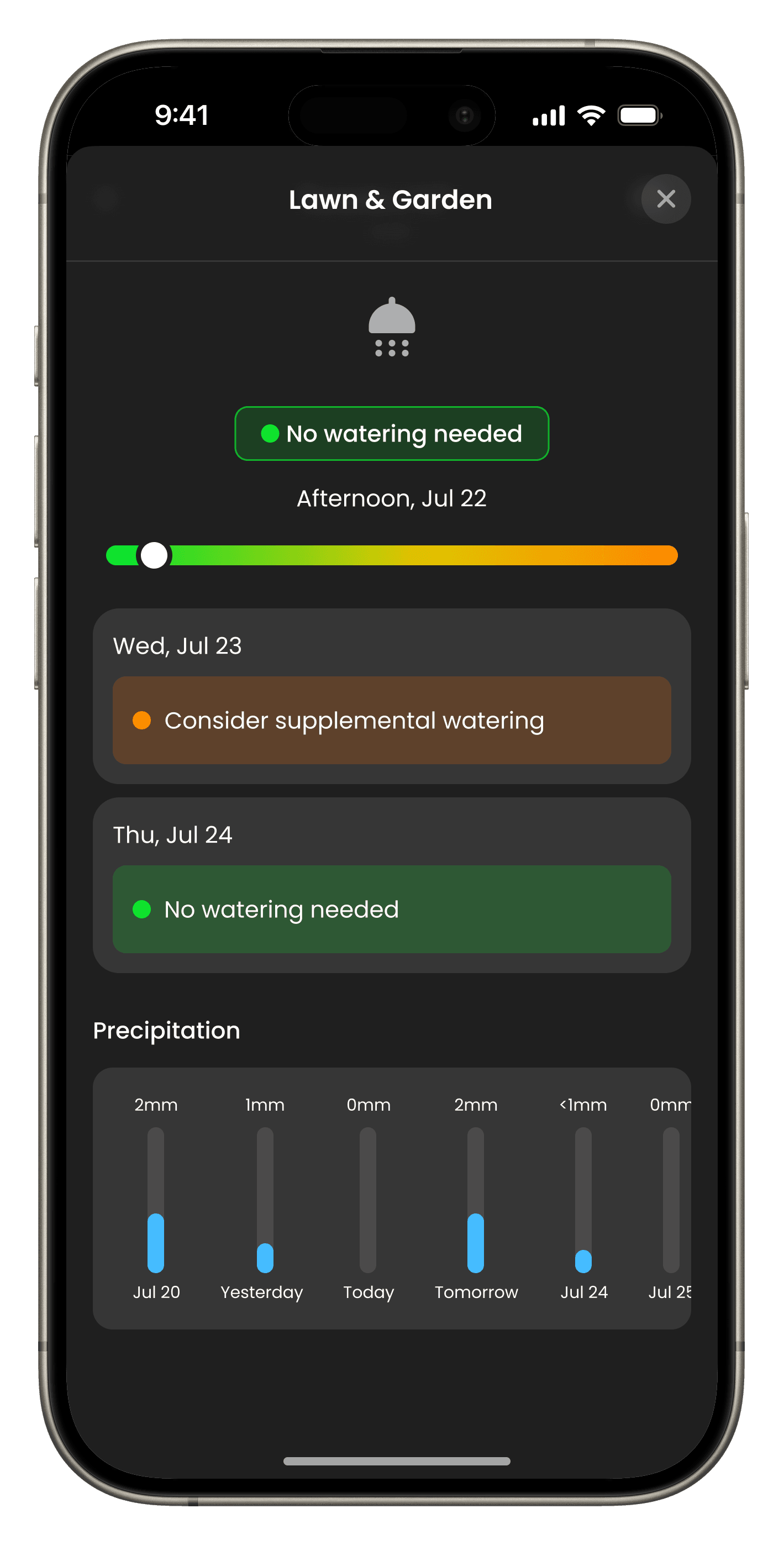
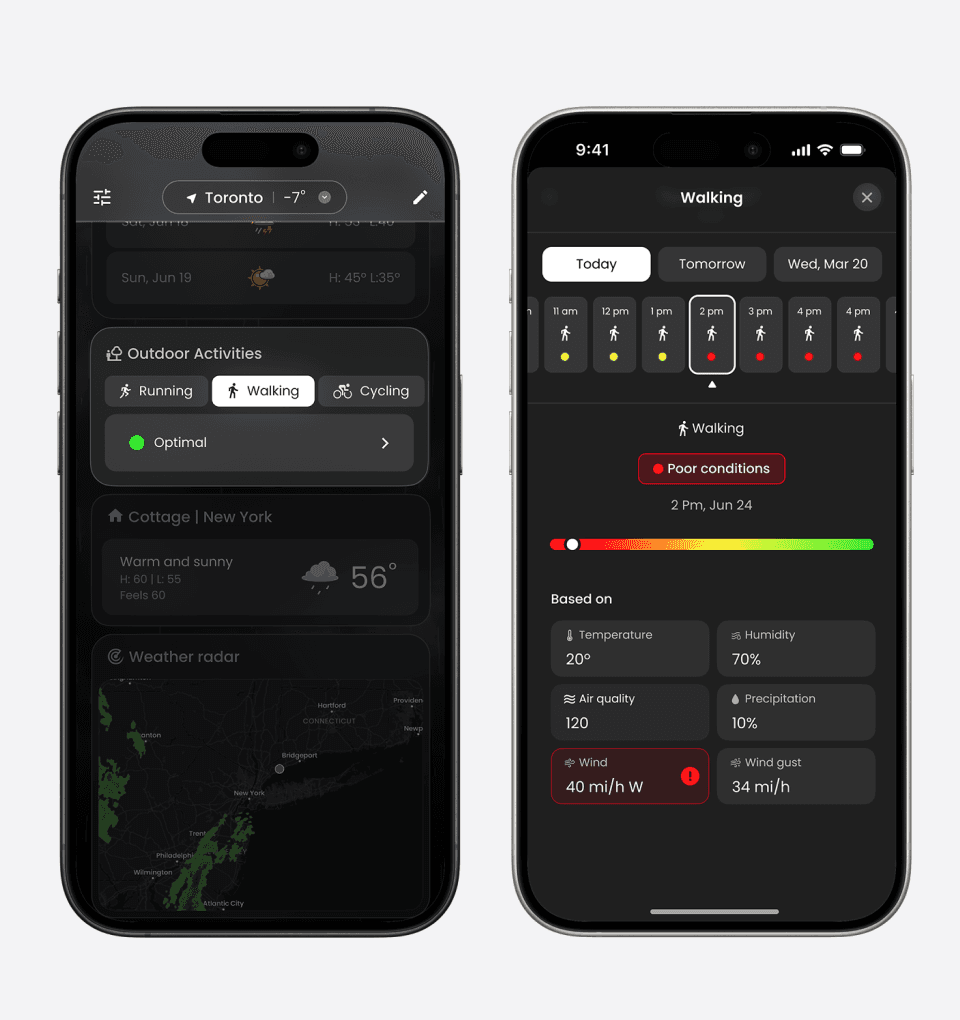
Outdoor Activities
Personalized weather insights for activities like running, cycling, and walking presented in a simplified suitability view so users do not have to interpret raw weather data.
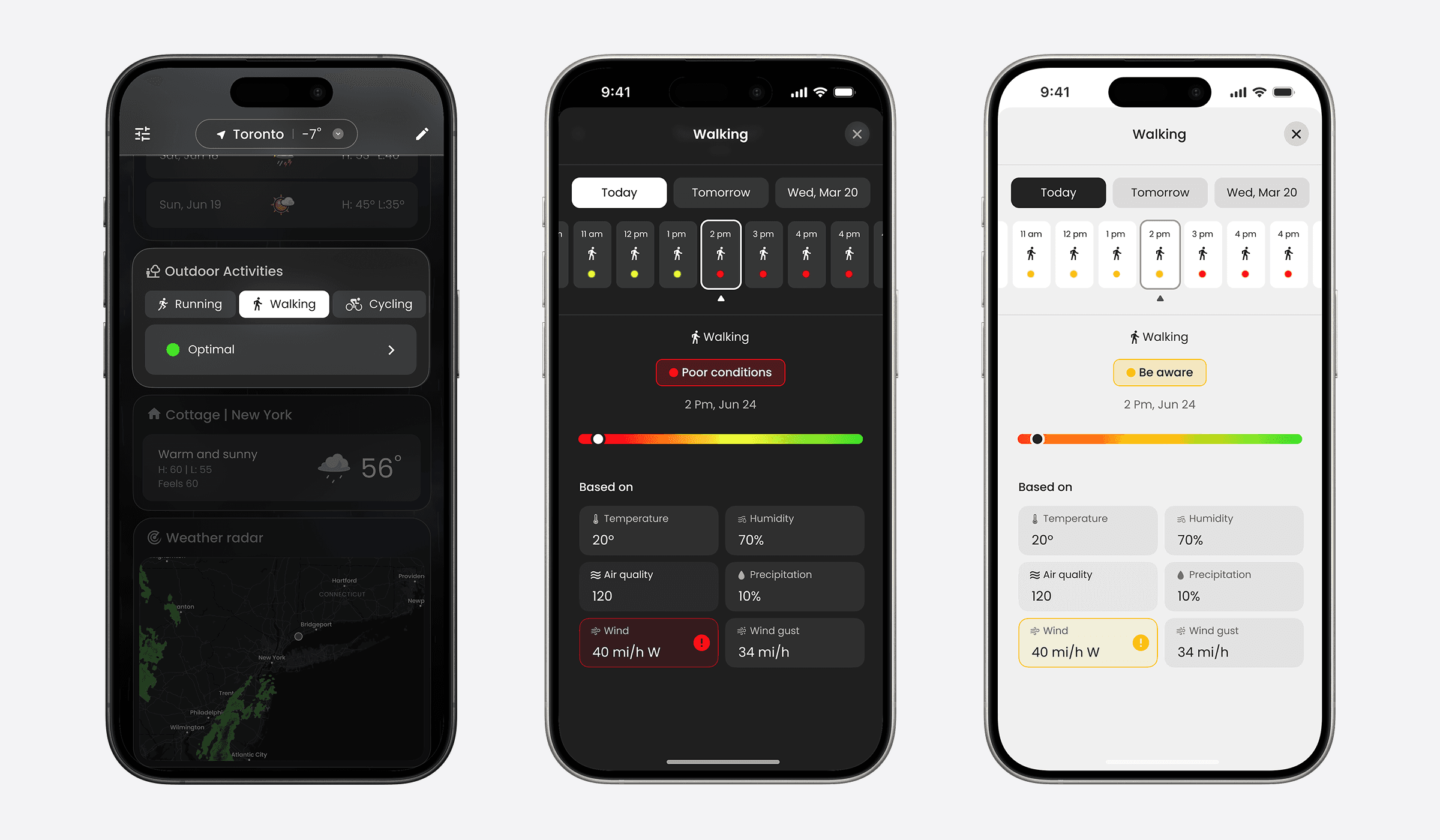
Outdoor Activities
Personalized weather insights for activities like running, cycling, and walking presented in a simplified suitability view so users do not have to interpret raw weather data.
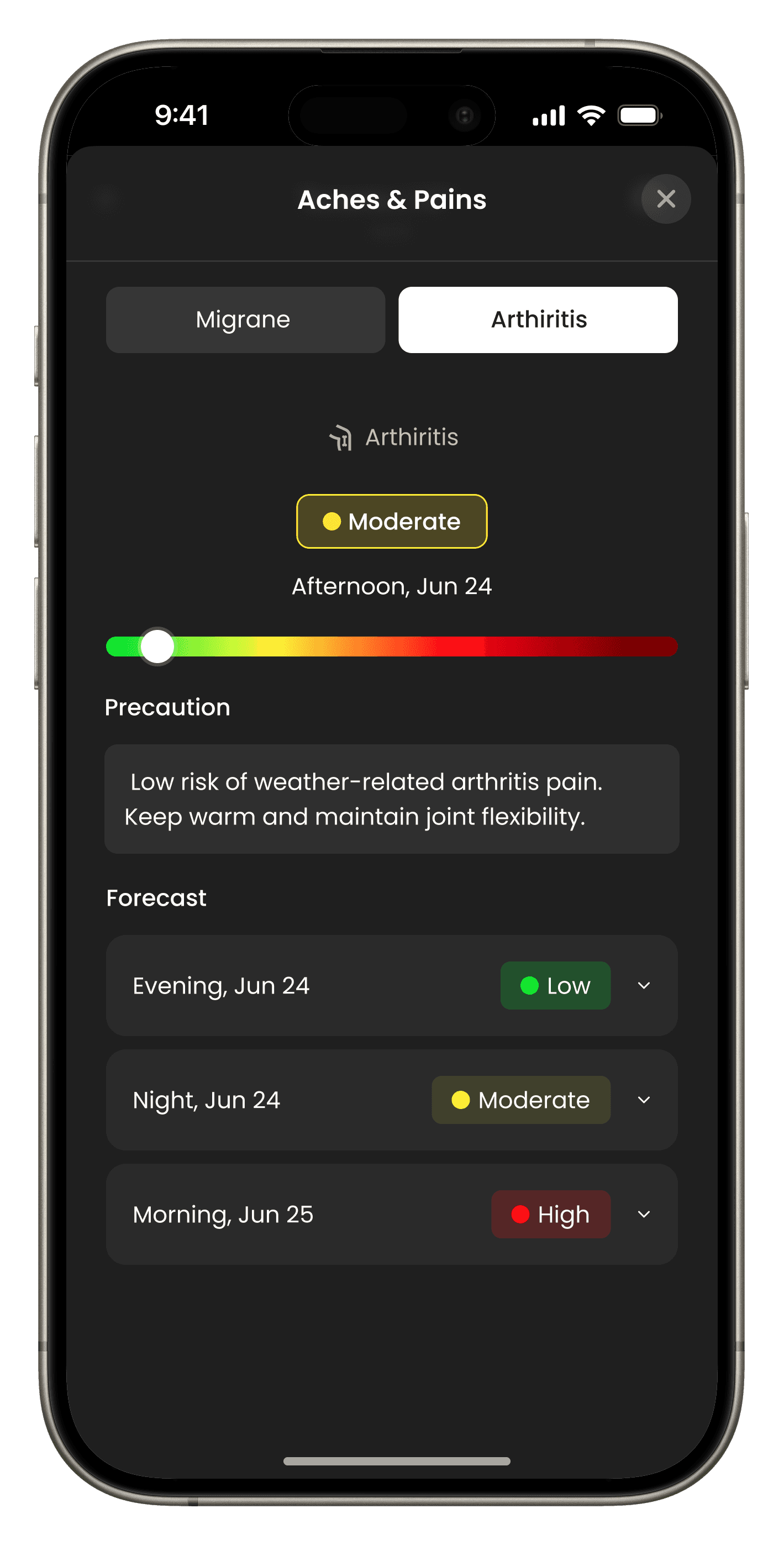
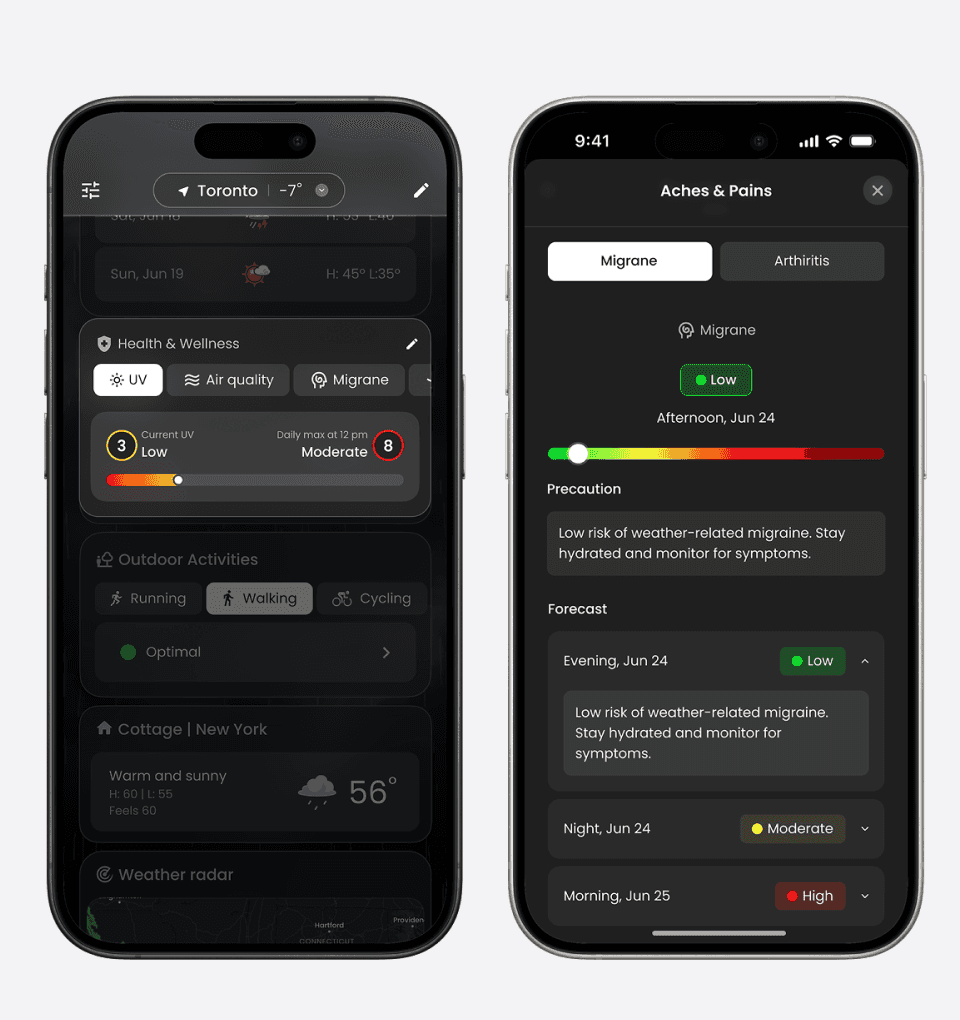
Health Modules
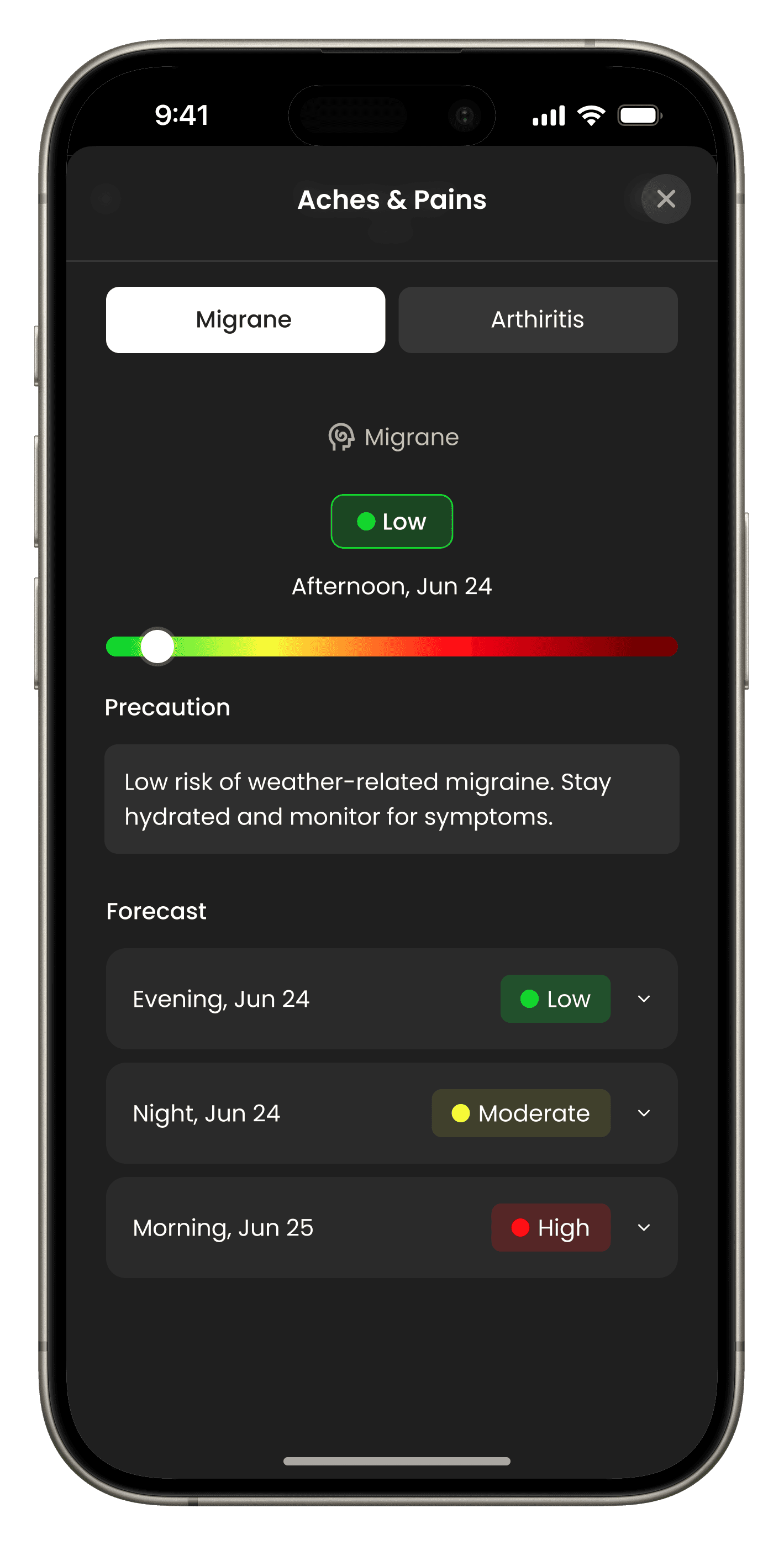
Actionable health insights based on AQI, UV exposure, pollen levels, migraine risk, and arthritis sensitivity helping users understand how weather may impact their well being throughout the day.
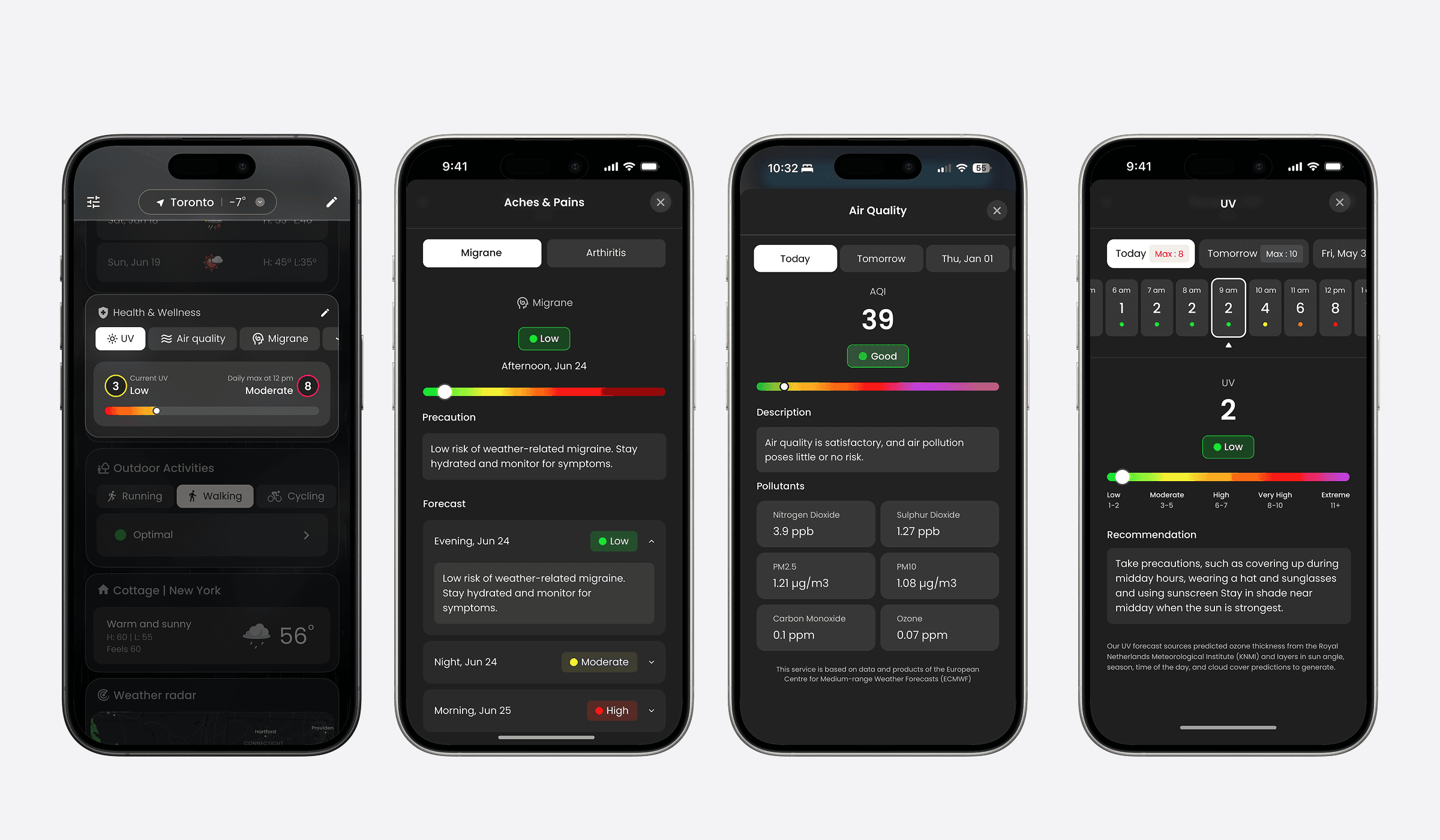
Health Modules
Actionable health insights based on AQI, UV exposure, pollen levels, migraine risk, and arthritis sensitivity helping users understand how weather may impact their well being throughout the day.
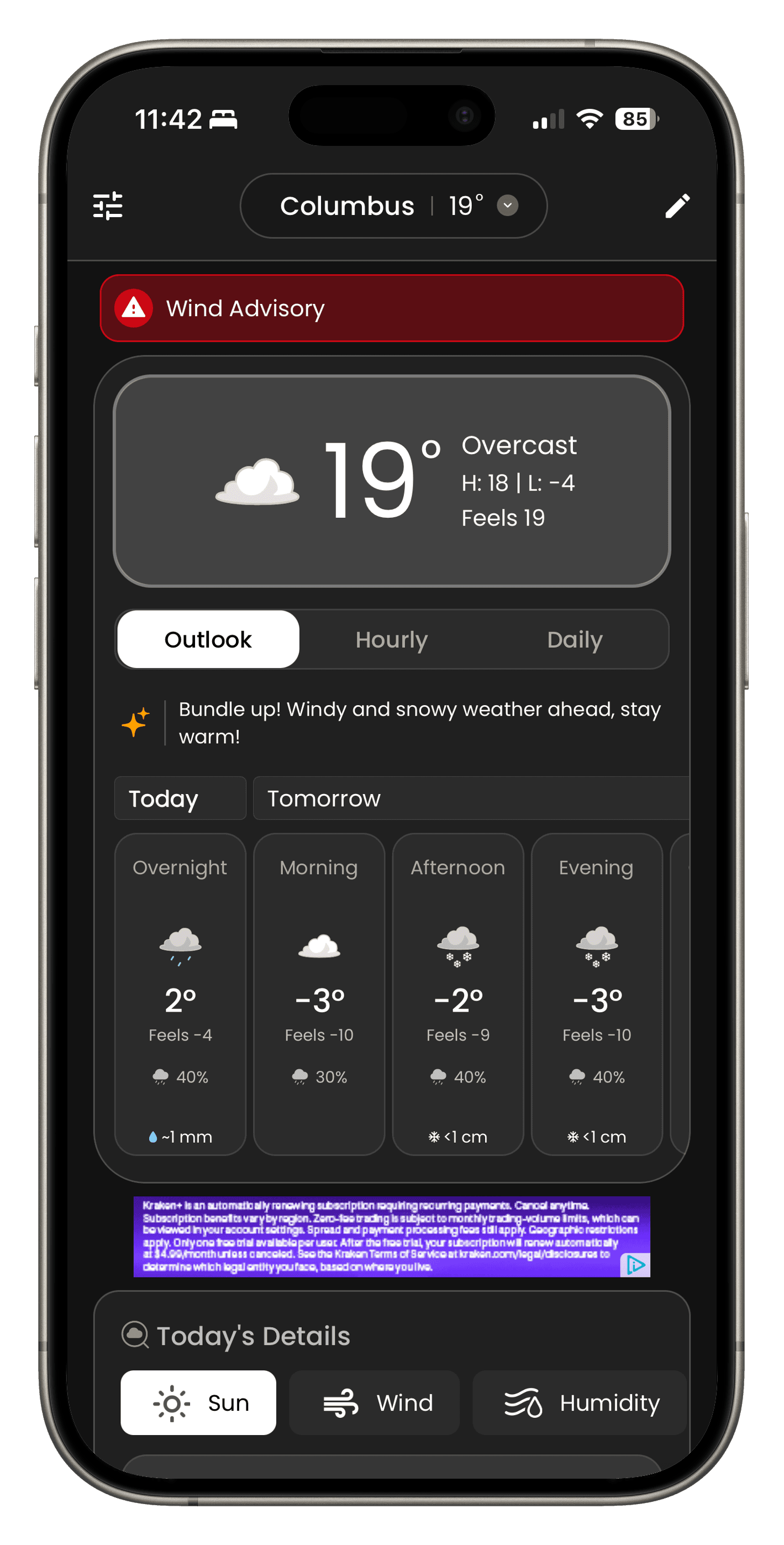
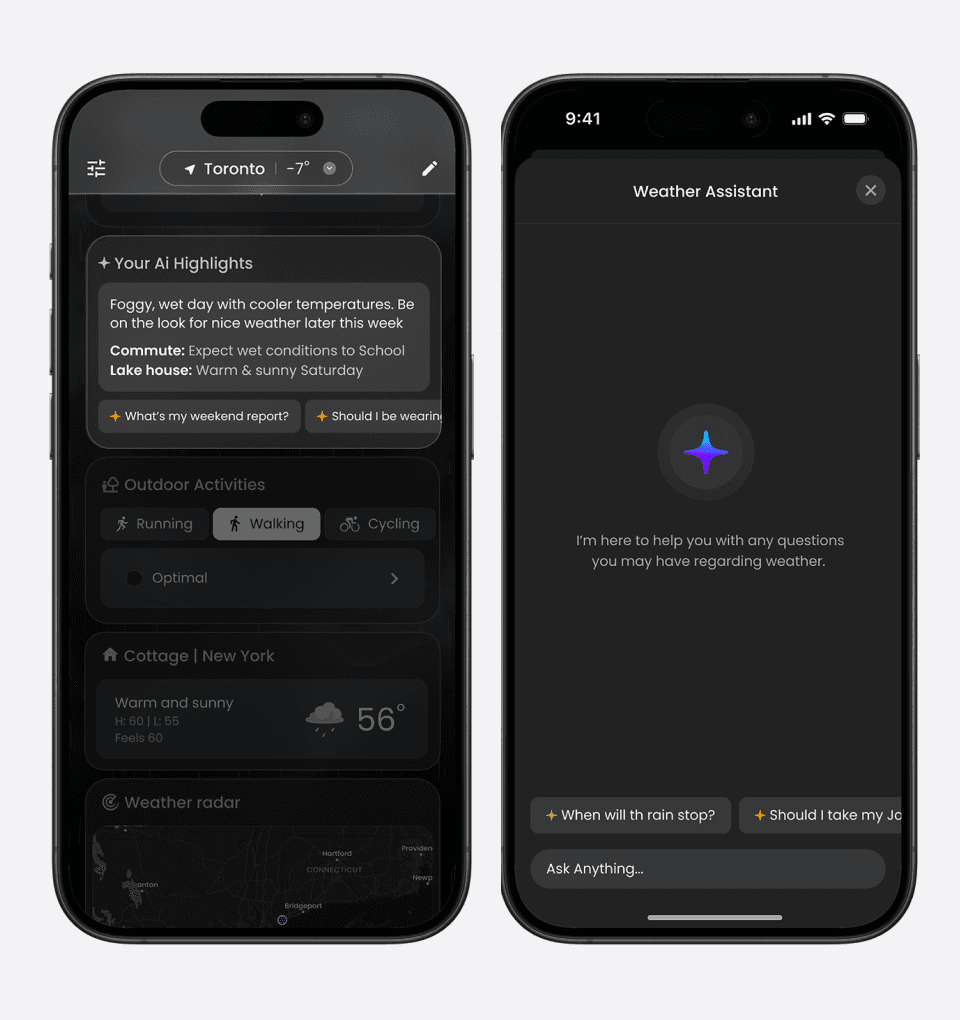
AI Summaries & chatbot
A concise, human readable summary of the day’s weather that turns complex data into clear takeaways so users can understand conditions at a glance.
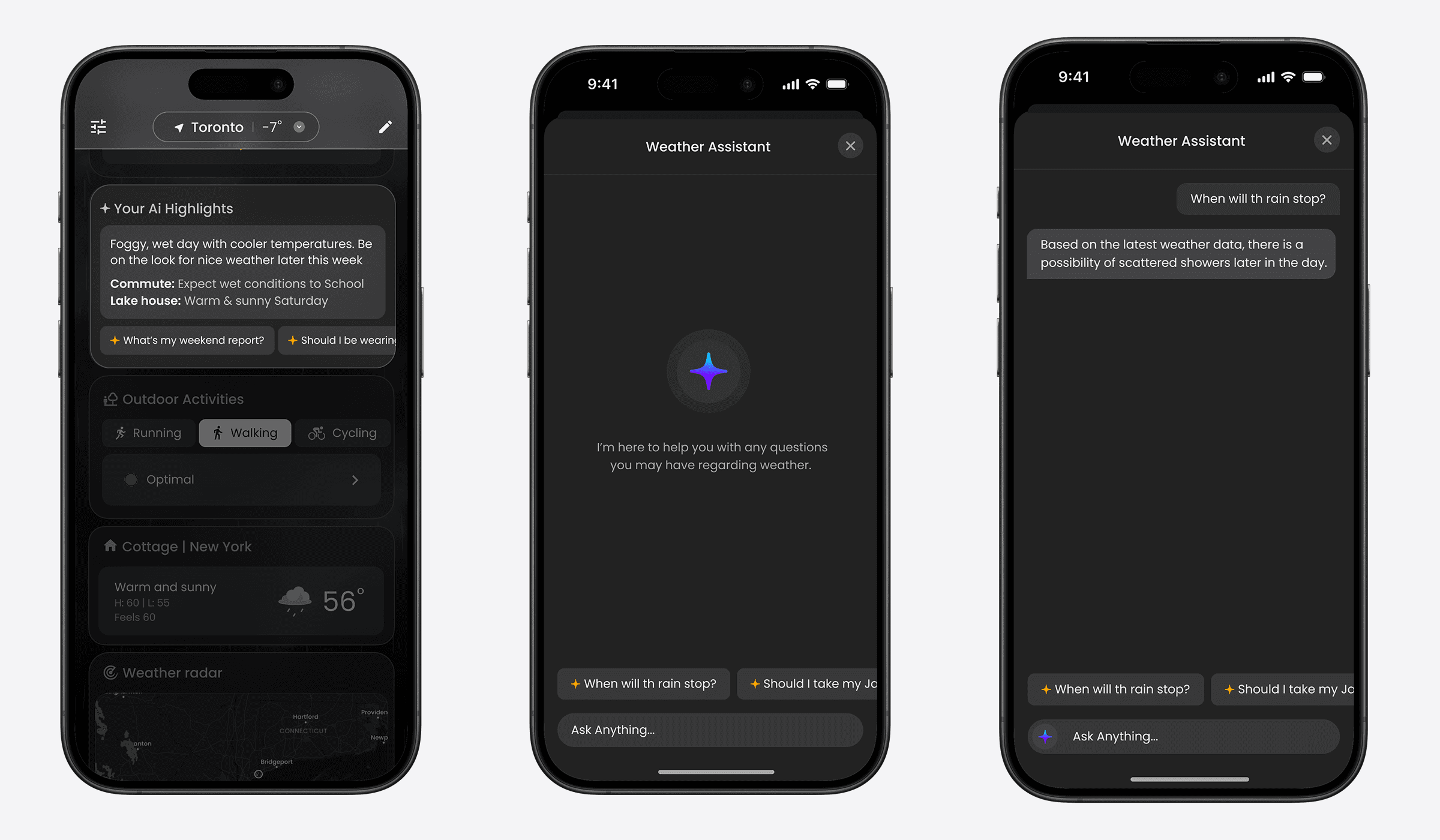
AI Summaries & chatbot
A concise, human readable summary of the day’s weather that turns complex data into clear takeaways so users can understand conditions at a glance.
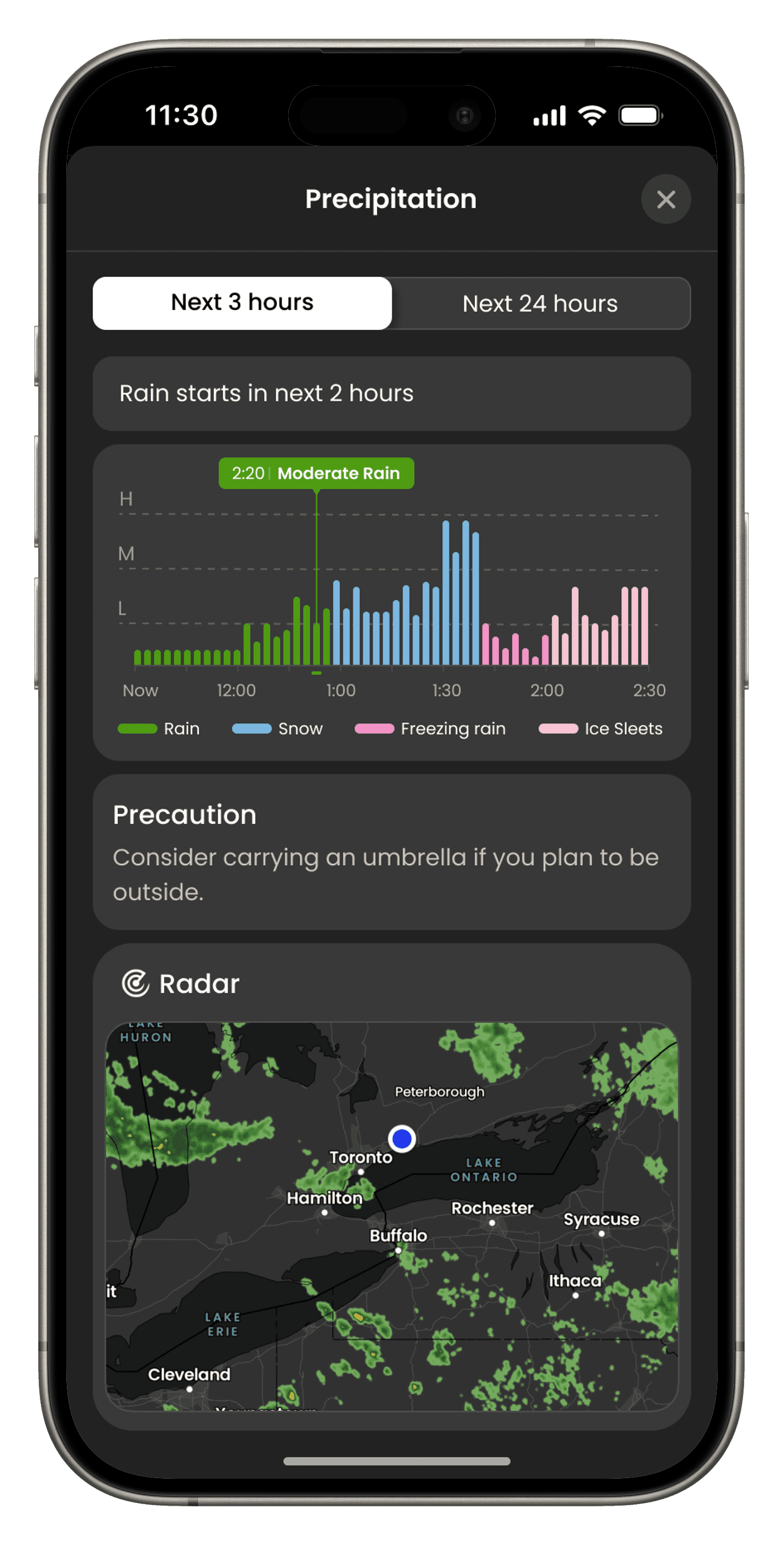
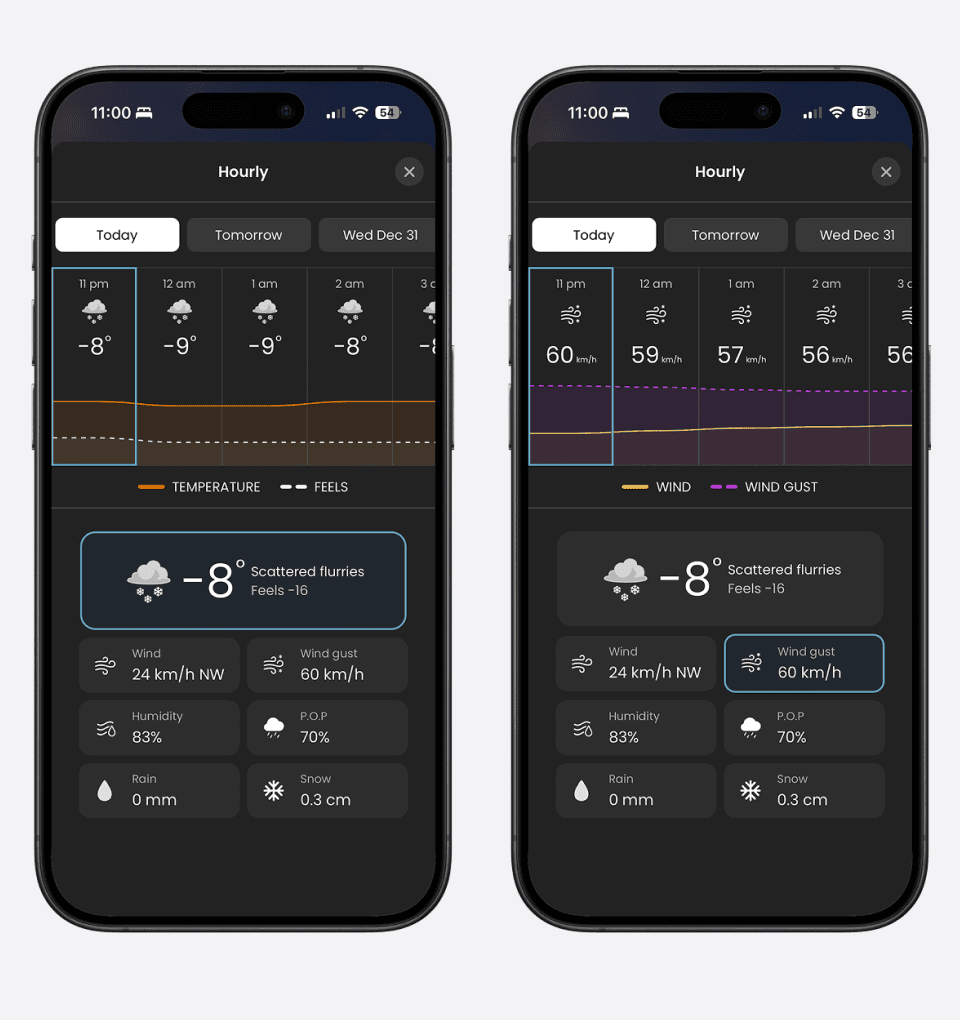
Full Forecast
Explore hourly conditions, short term outlooks, and the 14 day forecast through interactive charts. Tapping on each weather metric updates the visualization in real time making trends easier to understand and compare.
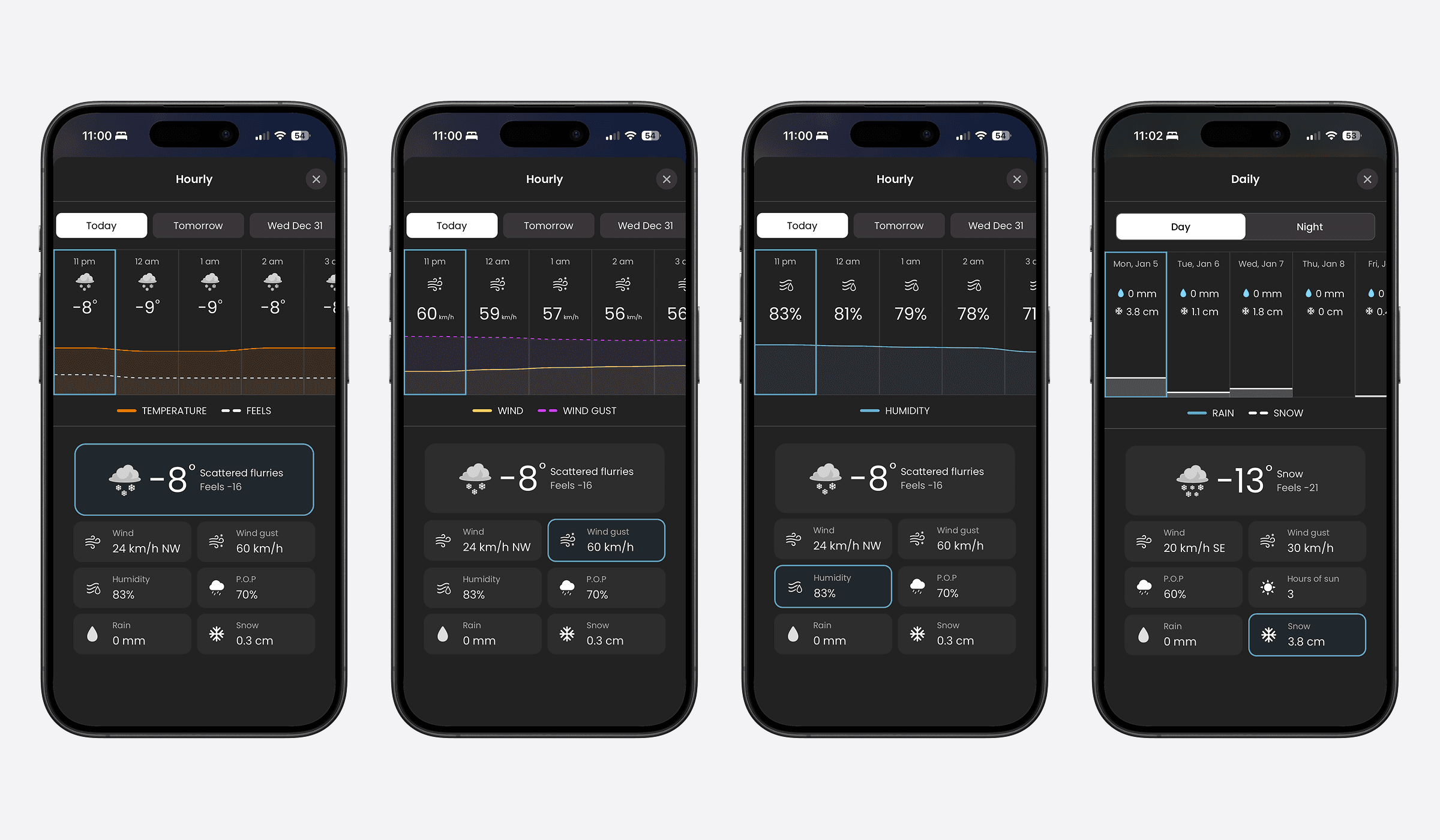
Full Forecast
Explore hourly conditions, short term outlooks, and the 14 day forecast through interactive charts. Tapping on each weather metric updates the visualization in real time making trends easier to understand and compare.
GOALS & SUCCESS
06
Define What “Better” Means
We aligned on goals that were both user-centered and measurable.
Business Goals
context
4 Months
Ship to US

Validate differentiation
Through real user feedback.
Early adoption
Establishing market presence.
User Goals

Get an answer in seconds
Focus on glanceability + hierarchy.
Get an answer in seconds
Focus on glanceability + hierarchy.

Understand change
Hourly → outlook → 14-day flow.
Understand change
Hourly → outlook → 14-day flow.

Feel confident
Timeframe + location context always clear.
Feel confident
Timeframe + location context always clear.
EXPLORATORY RESEARCH
07
Understand the US Weather Habit
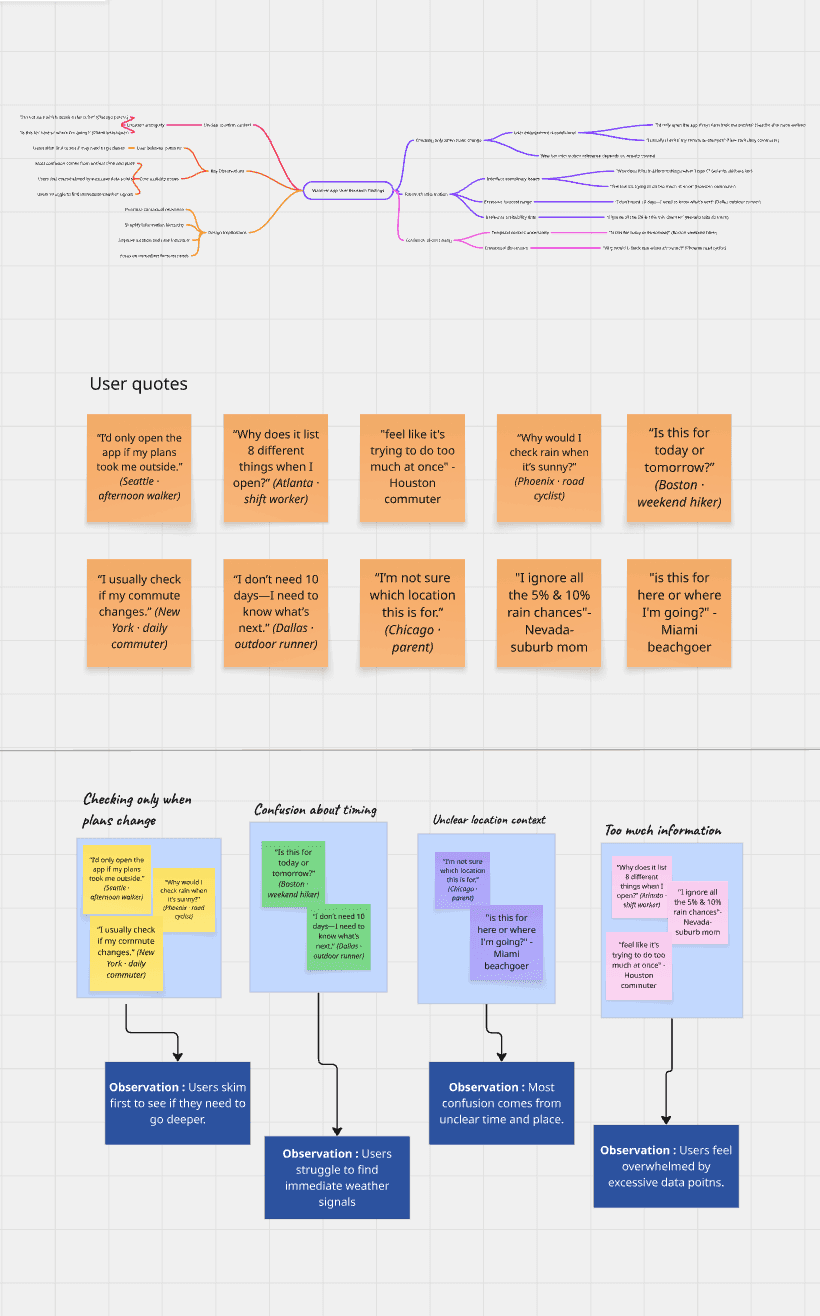
Before locking the system, we grounded the product in how US users actually check weather when, why, and what “confidence” looks like. We used exploratory inputs (existing research, market signals, early interviews/inputs) to answer:
What weather moments matter most?
one
What makes users trust a forecast?
two
Where do other apps create friction?
three
This helped us define what the dashboard needed to do: reduce effort, increase relevance, and keep the UI calm.
solution
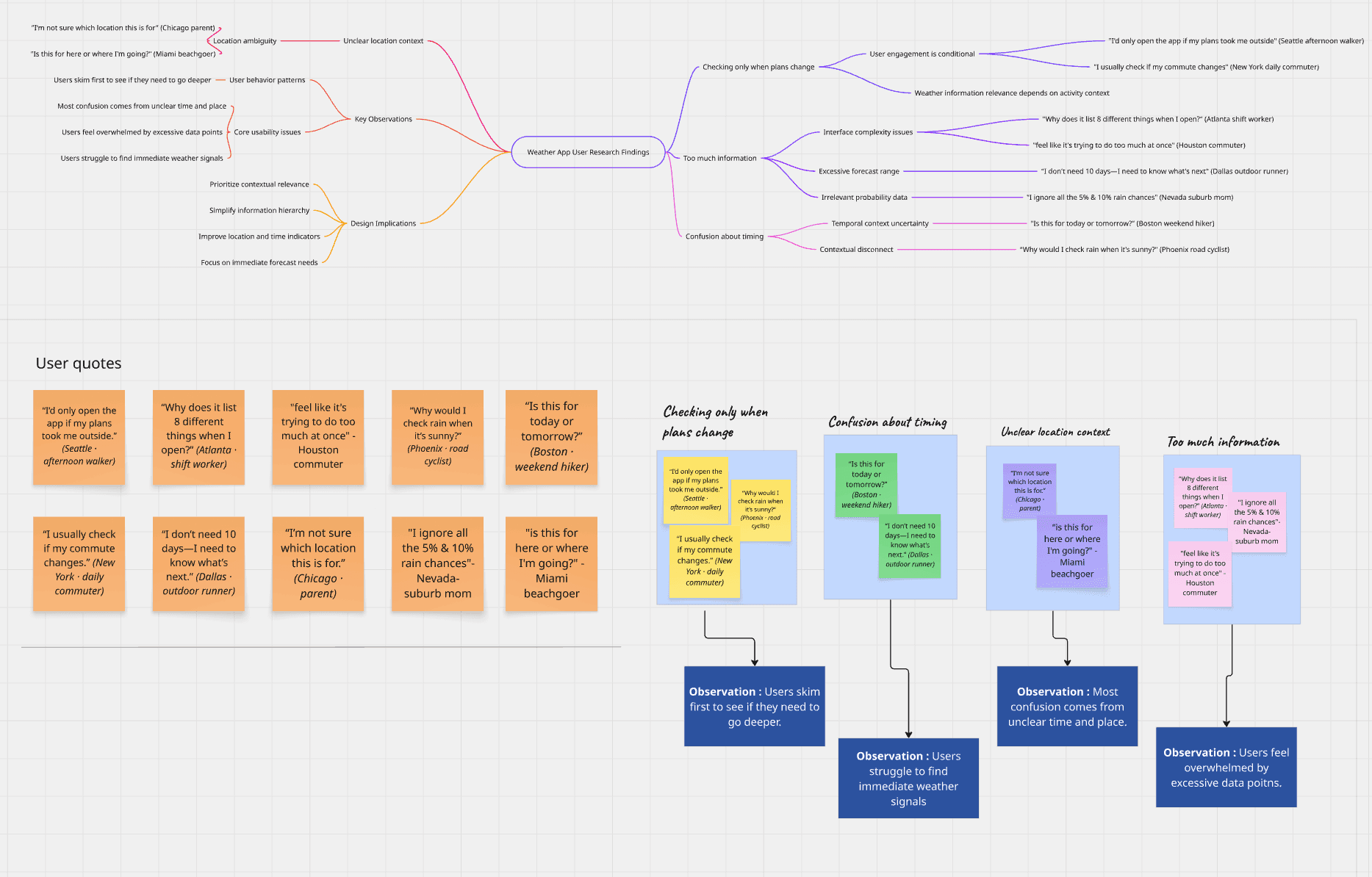
context: Affinity mapping of 12+ exploratory interviews identifying the 'Decision Paralysis' caused by data-heavy weather interfaces.
What we discovered
08
What we discovered
08
The patterns that shaped the product.
Across early research and testing, a few patterns repeated consistently
insight 1
Actionable Weather Insights
Users don’t just want weather data—they want clear, actionable guidance that tells them what to do or plan for based on the forecast.
insight 1
Actionable Weather Insights
Users don’t just want weather data—they want clear, actionable guidance that tells them what to do or plan for based on the forecast.
insight 2
Effortless Navigation
sers want a clean, intuitive interface that delivers weather information quickly and easily, without unnecessary complexity.
insight 2
Effortless Navigation
sers want a clean, intuitive interface that delivers weather information quickly and easily, without unnecessary complexity.
insight 3
Visual clarity matters
users respond better to icons, colors, and charts than raw numbers.
insight 3
Visual clarity matters
users respond better to icons, colors, and charts than raw numbers.
insight 4
AI summaries must always include references.
If an AI summary says "it will rain," it must clearly state the time and location it's referring to.
insight 4
AI summaries must always include references.
If an AI summary says "it will rain," it must clearly state the time and location it's referring to.
Information Architecture
09
Information Architecture
09
Glance First. Depth When You Need It.
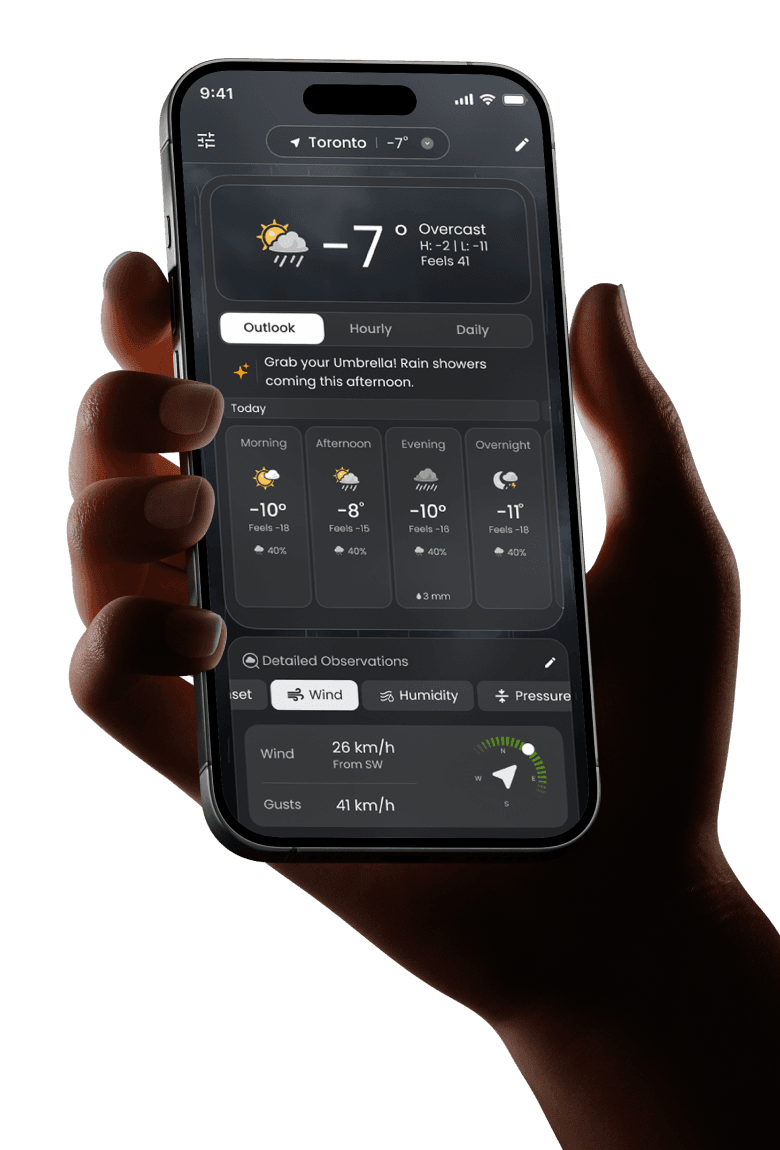
We designed TWN+ around one core behaviour: people don’t want to “browse weather.” They want a fast answer, then optional context without getting lost in screens.
level 1
Dashboard
The home base, designed to be always one tap away.
level 1
Dashboard
The home base, designed to be always one tap away.
LEVEL 2
Modules
Surfacing decision-ready answers for commute, outdoor, health, and planning.
LEVEL 2
Modules
Surfacing decision-ready answers for commute, outdoor, health, and planning.
level 3
Deep Dives
Revealing context and trends using a consistent, predictable pattern.
level 3
Deep Dives
Revealing context and trends using a consistent, predictable pattern.
Level 4
AI Support
Understanding in-the-moment summaries and clarifying questions—not a separate destination.
Step 1
GLANCE
Users open the app to quickly understand current conditions and what’s changing next.
Step 2
DISCOVER
From the overview, users choose the specific weather information that matters to them temperature, rain, wind, or forecasts.
Step 3
DEEP DIVE
A focused view reveals deeper details and context, helping users make a confident decision without overwhelming them.
Step 4
RETURN
Users return to the overview with clarity, ready to check another detail or come back later.
9:41

9:41
Step 1
GLANCE
Users open the app to quickly understand current conditions and what’s changing next.
9:41
Step 2
DISCOVER
From the overview, users choose the specific weather information that matters to them temperature, rain, wind, or forecasts.
9:41
Step 3
DEEP DIVE
A focused view reveals deeper details and context, helping users make a confident decision without overwhelming them.
9:41
Step 4
RETURN
Users return to the overview with clarity, ready to check another detail or come back later.
9:41
PERSONALIZATION LOGIC
10
PERSONALIZATION LOGIC
10
A Dashboard That Adapts to You
Personalization wasn’t “more content.” It was relevance—show the right modules at the right time, and let users control it.
Input Layer
User Inputs
Capturing locations, interests, commute, and health preferences to build the foundation of the profile.
Input Layer
User Inputs
Capturing locations, interests, commute, and health preferences to build the foundation of the profile.
Contextual Layer
Context
Factoring in time of day, forecast shifts, and risk conditions to determine immediate priority.
Contextual Layer
Context
Factoring in time of day, forecast shifts, and risk conditions to determine immediate priority.
Governance Layer
User Control
Empowering users to edit modules, reorder hierarchies, hide irrelevant data, and adjust alerts.
Governance Layer
User Control
Empowering users to edit modules, reorder hierarchies, hide irrelevant data, and adjust alerts.
The goal was simple: the home screen should feel like your weather not a generic dashboard.
ONBOARDING
11
ONBOARDING
11
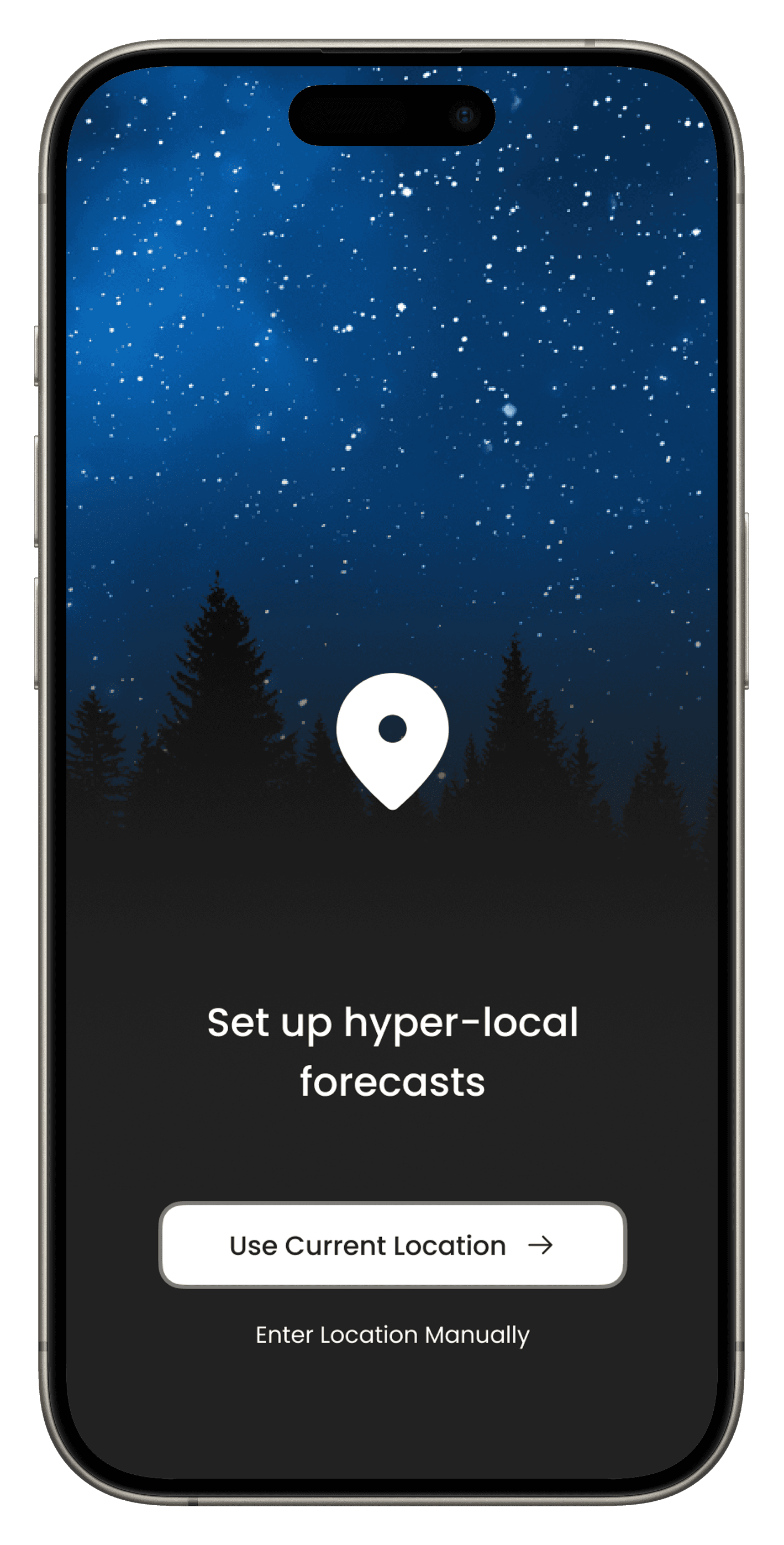
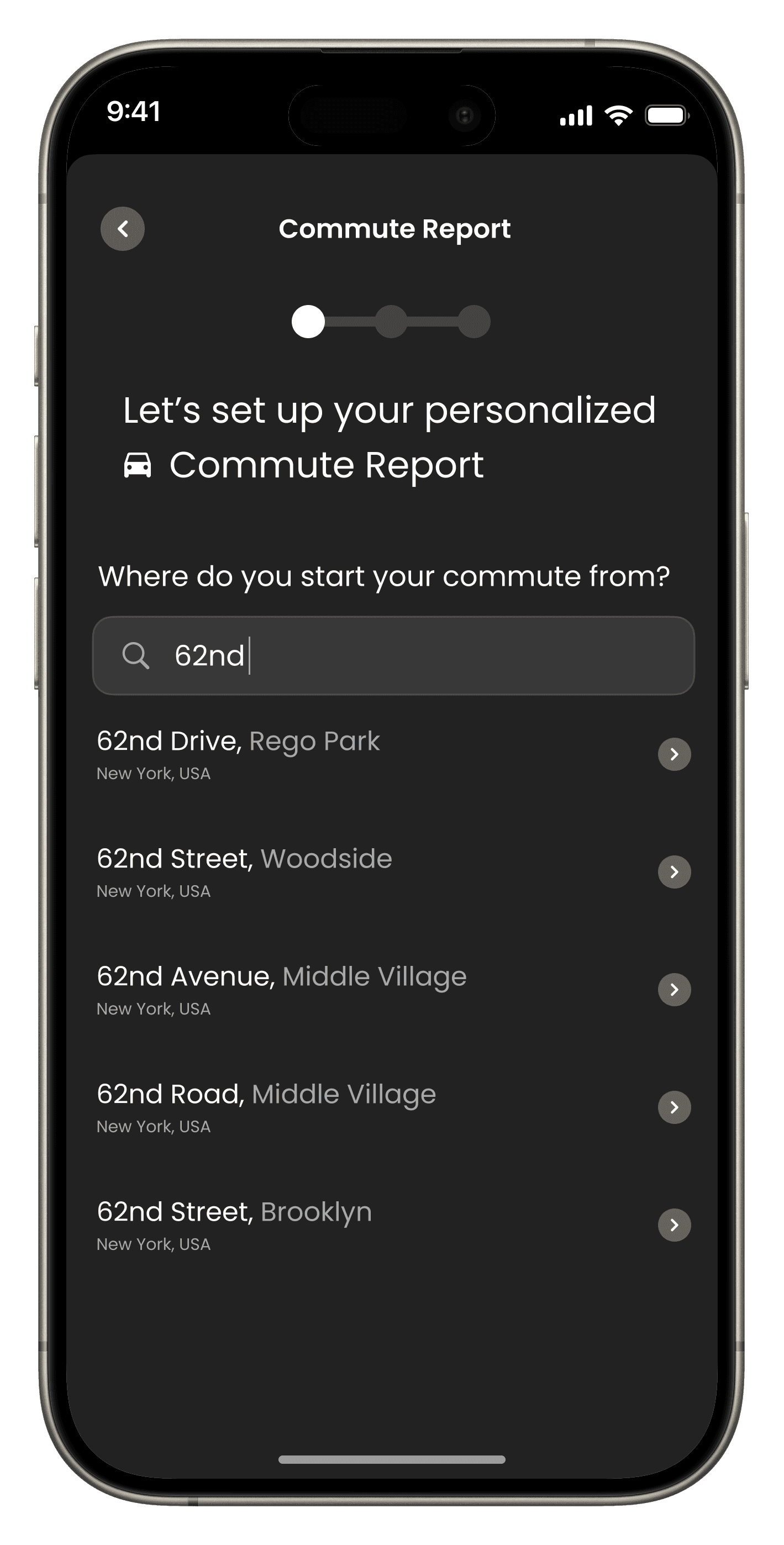
Make Setup Feel Effortless
Personalization only works if onboarding doesn’t feel like work. We kept the setup lightweight, focusing only on high-value inputs.
Location & Units
Setting the foundation for accurate local data.
Location & Units
Setting the foundation for accurate local data.
Interests
Outdoor, health, and planning preferences.
Interests
Outdoor, health, and planning preferences.
Commute Setup
Optional routings for daily travel impact. Notifications
Commute Setup
Optional routings for daily travel impact. Notifications
Notifications
Tailoring alert preferences for relevance.
Notifications
Tailoring alert preferences for relevance.
CONTINUOUS VALIDATION
12
CONTINUOUS VALIDATION
12
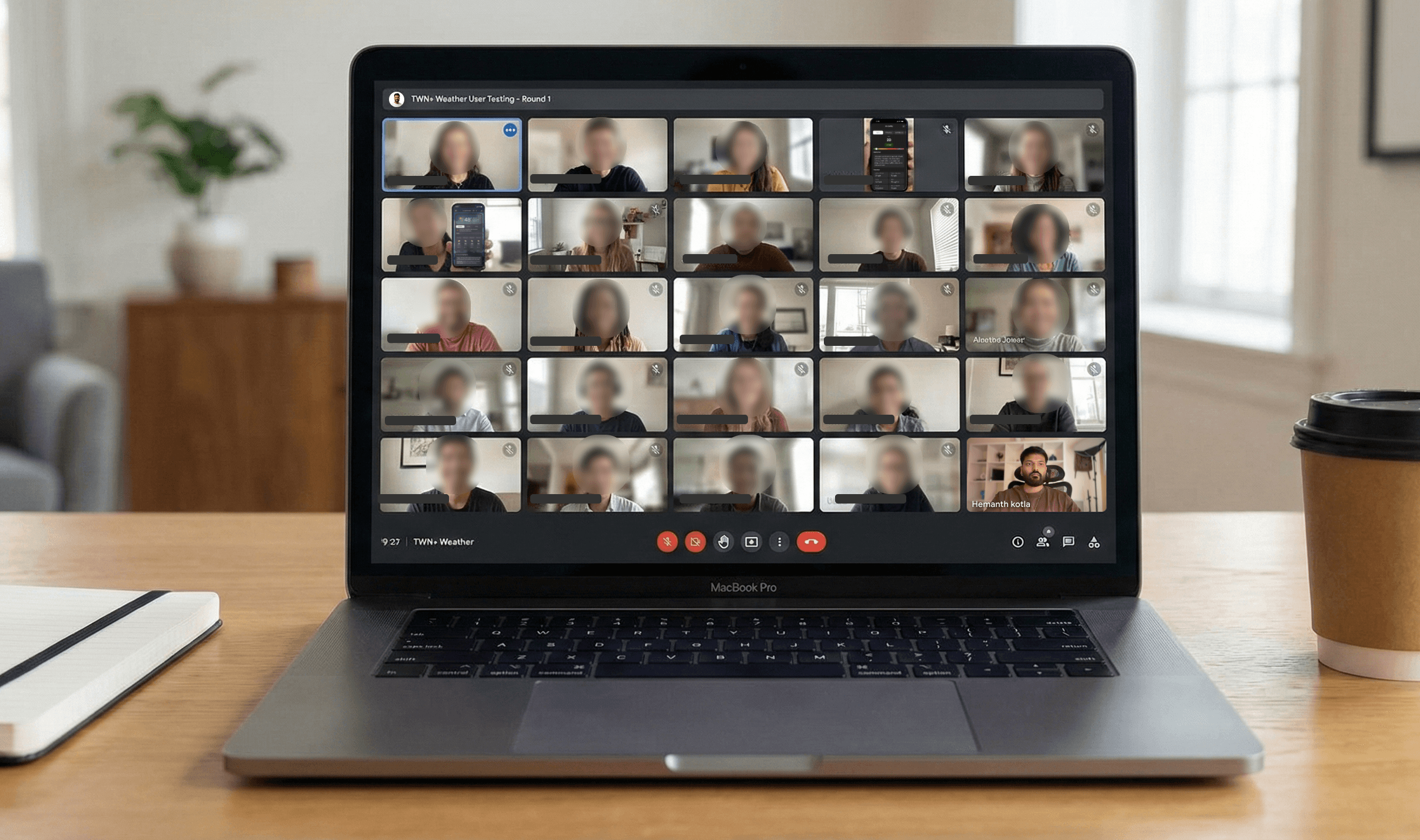
We tested continuously with US users and iterated sprint by sprint.
We tested continuously with US users across the country to ensure every module was meeting the "fast answer" bar before final shipment.
Shipping Pace
2-3
Modules Shipped Per Sprint
Shipping Pace
2-3
Modules Shipped Per Sprint
Testing Group
~25
Real US Users per Iteration
Testing Group
~25
Real US Users per Iteration
ITERATION & FIXES
13
ITERATION & FIXES
13
What Broke
(and How We Fixed It)
Systematic resolution of critical design friction identified during project validation.
Internal jargon caused cognitive load.
Several labels used technical terminology that prevented non-technical users from accurately predicting outcomes.
Humanized Semantics
We simplified labels to align with user mental models, moving from 'Observation' to 'Detail'.
AI summaries lacked anchor context.
Users were unsure when and where AI insights applied, leading to reduced confidence in results.
Mandatory Context Headers
Implemented strict context headers for all generative modules, including explicit date, location, and timeframe stamps to anchor intelligence.
03
Comprehension Depth
Dense data grids were hard to scan.
Core detail sections felt "heavy" and required excessive effort to interpret at a glance for non-technical users.
• THE PROBLEM
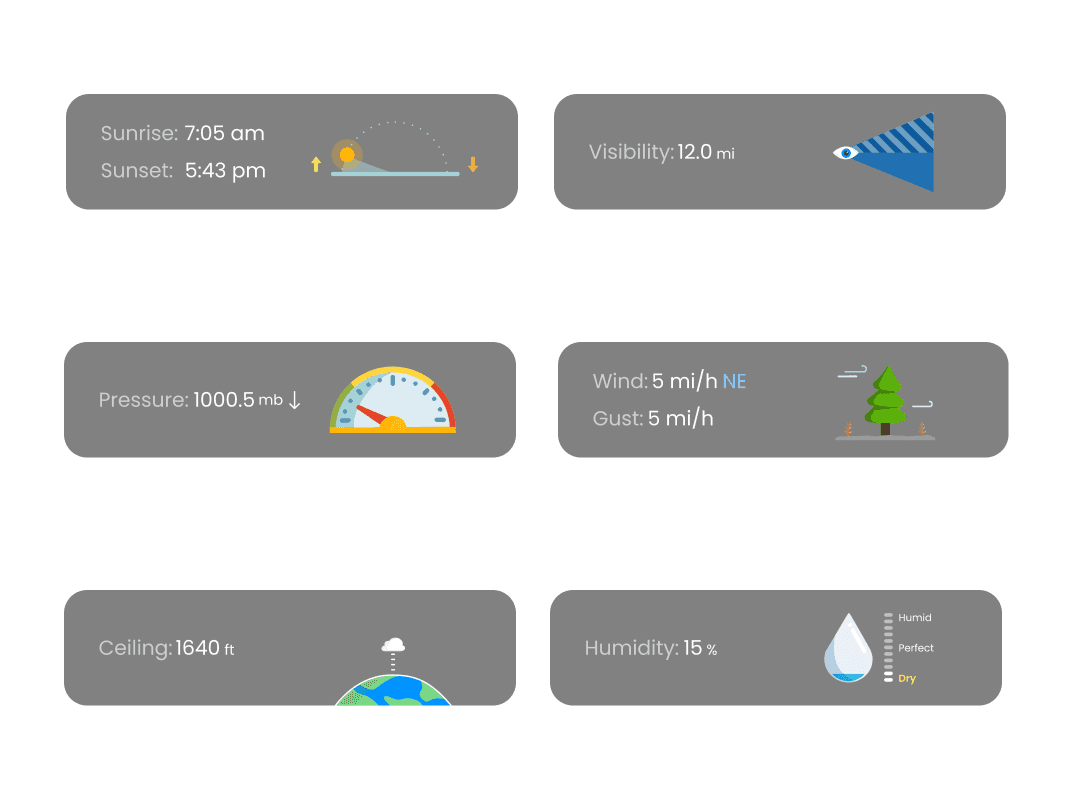
Dense data grids were hard to scan.
Core detail sections felt "heavy" and required excessive effort to interpret at a glance for non-technical users.
• THE PROBLEM
Scannable Infographics
Redesigned "Today’s Details" using clear, infographic-style modules for immediate recognition and faster data processing
• THE FIX
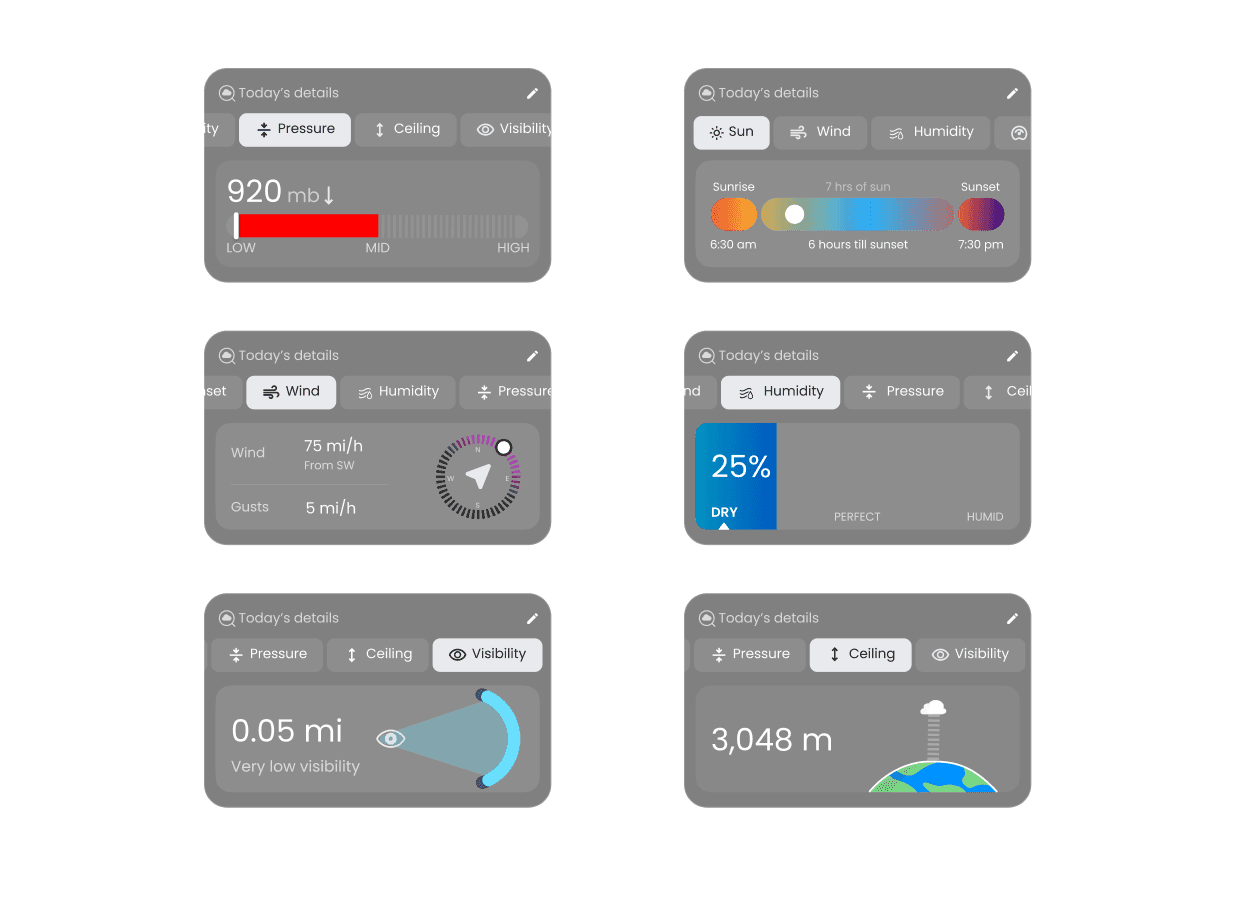
Scannable Infographics
Redesigned "Today’s Details" using clear, infographic-style modules for immediate recognition and faster data processing
• THE FIX
04
Visual Integrity
Module backgrounds obscured data.
Setting the foundation for accurate local data.
• THE PROBLEM
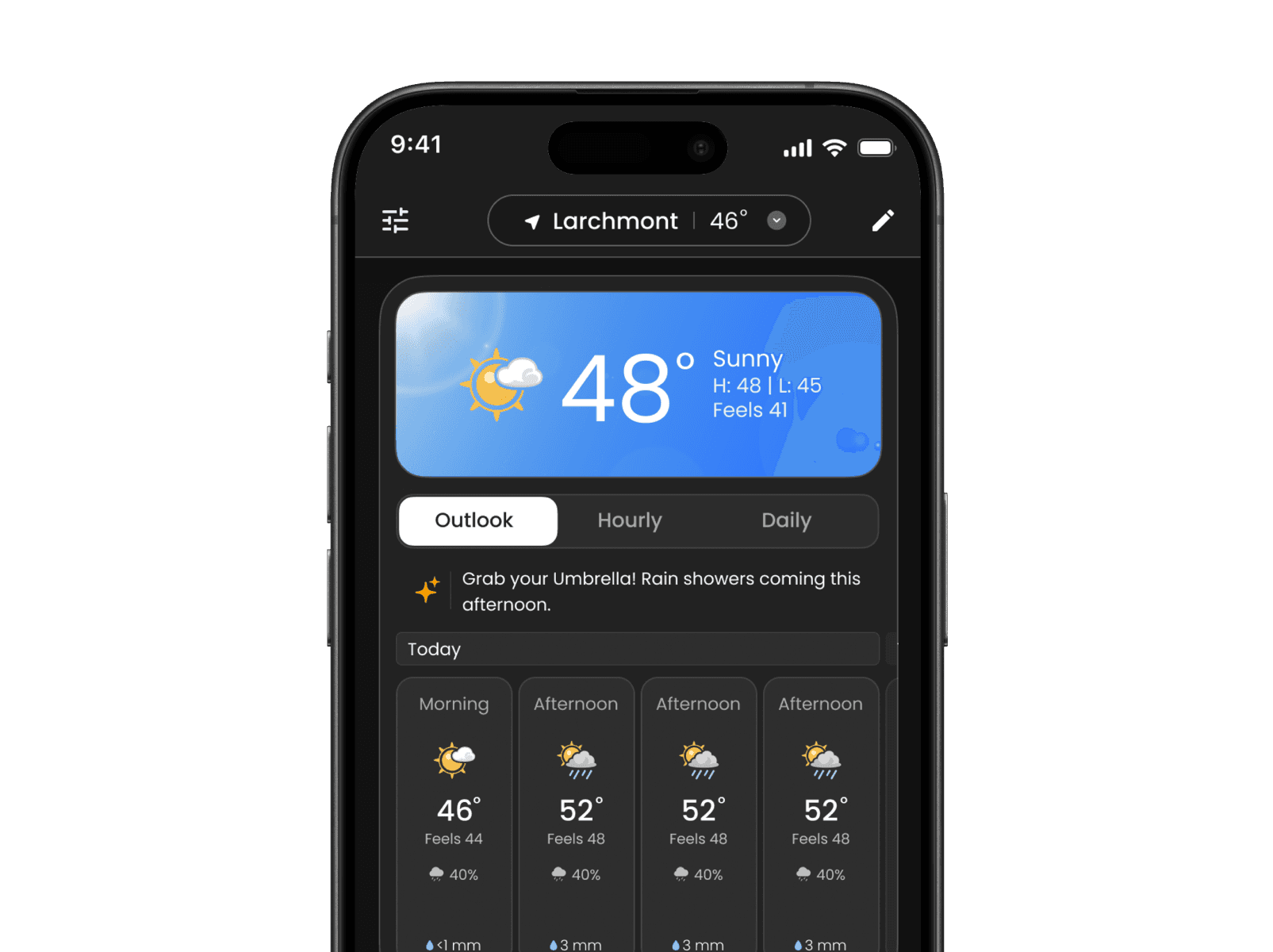
Module backgrounds obscured data.
Setting the foundation for accurate local data.
• THE PROBLEM
Atmospheric Separation
Moved weather visuals to the page background, keeping the module itself clean and high-contrast for readability.
• THE FIX
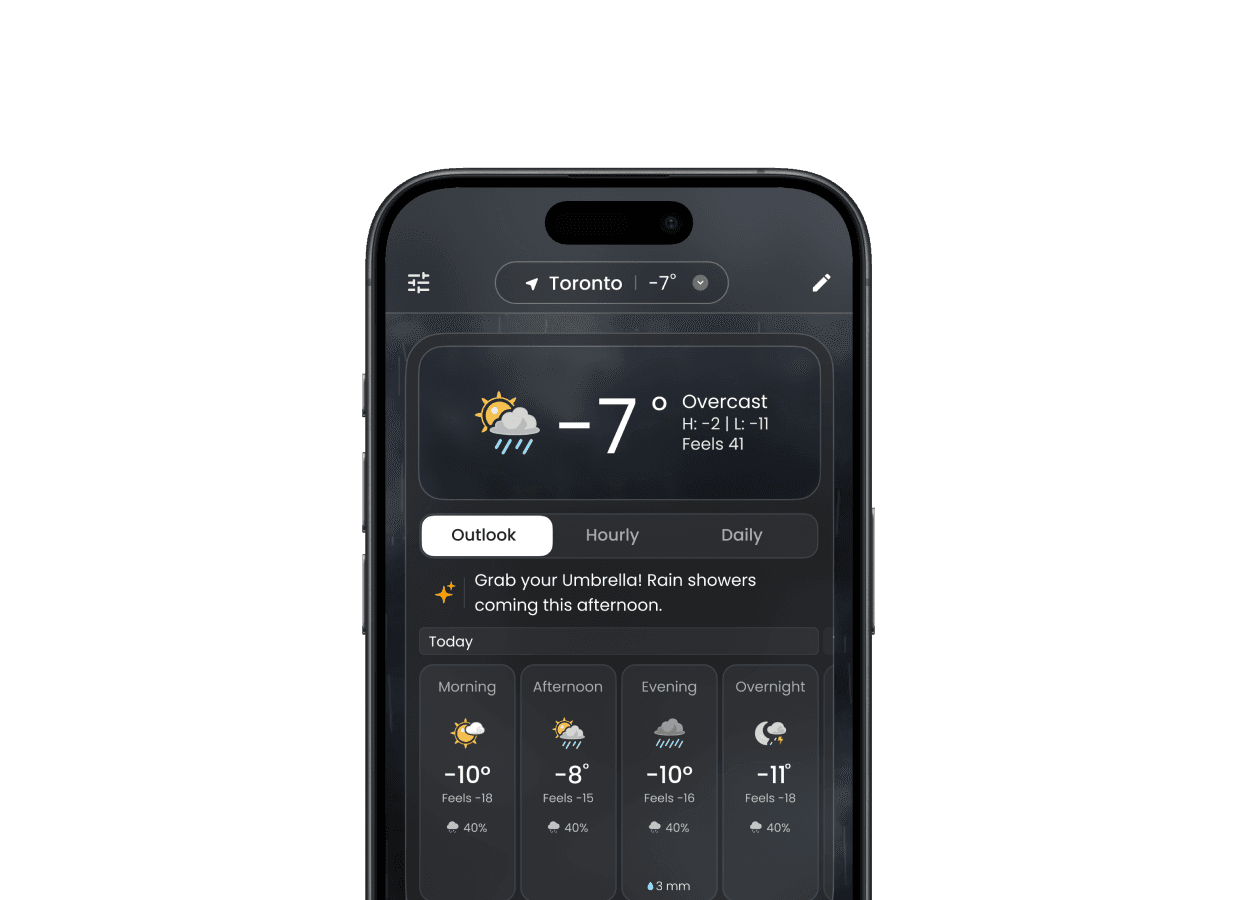
Atmospheric Separation
Moved weather visuals to the page background, keeping the module itself clean and high-contrast for readability.
• THE FIX
05
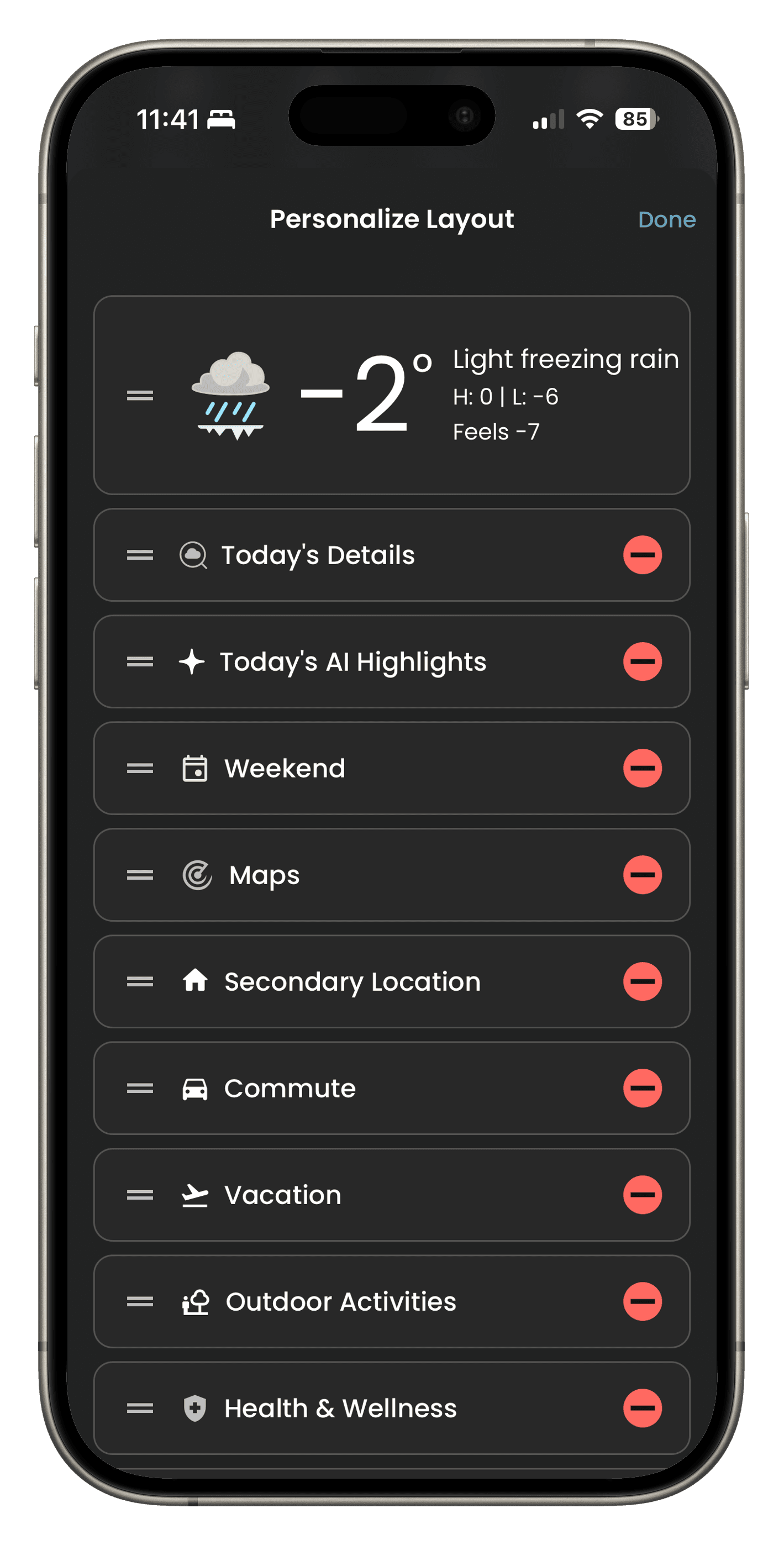
Tactile Precision
Rearranging modules felt imprecise
Dragging and rearranging modules on the overview screen was error-prone, frustrating, and lacked placement accuracy.
• THE PROBLEM
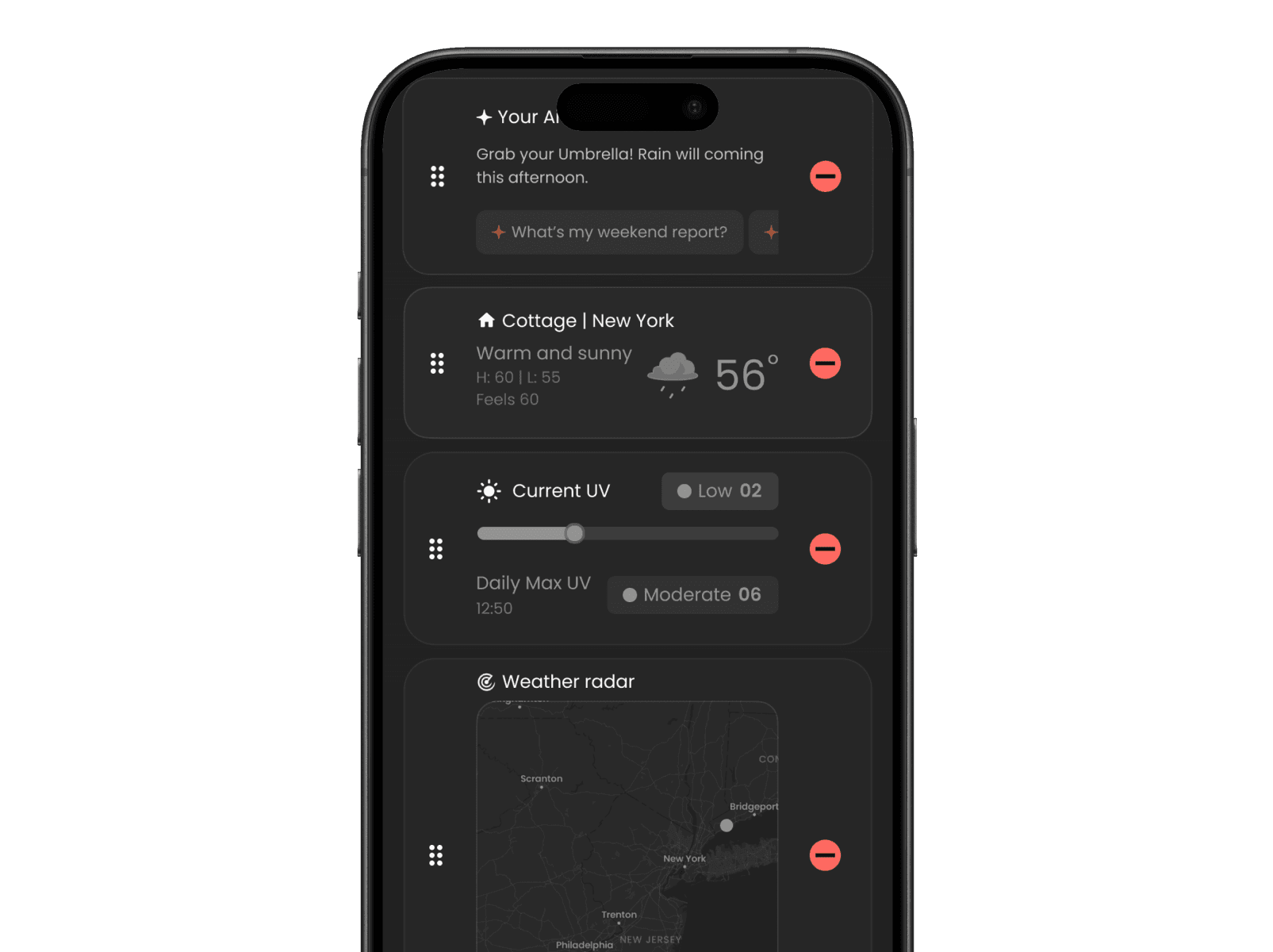
Rearranging modules felt imprecise
Dragging and rearranging modules on the overview screen was error-prone, frustrating, and lacked placement accuracy.
• THE PROBLEM
Surgical Edit Mode
Introduced a dedicated edit mode with single-line module tiles, significantly improving control and arrangement accuracy.
• THE FIX
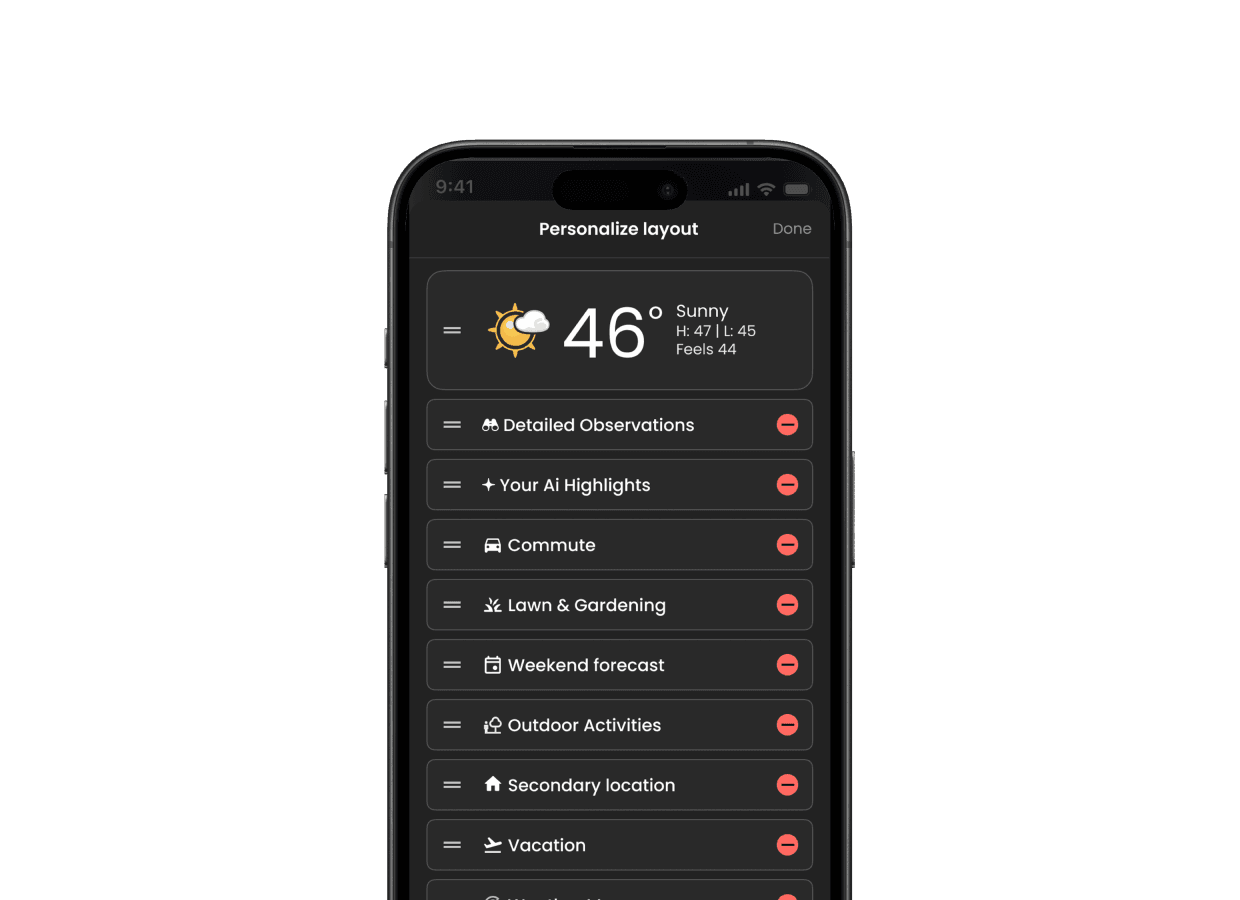
Surgical Edit Mode
Introduced a dedicated edit mode with single-line module tiles, significantly improving control and arrangement accuracy.
• THE FIX
06
Trend Analysis
Interval tiles were hard to scan.
Forecast interval tiles were too small and information-dense, making it difficult to understand weather trends quickly.
• THE PROBLEM
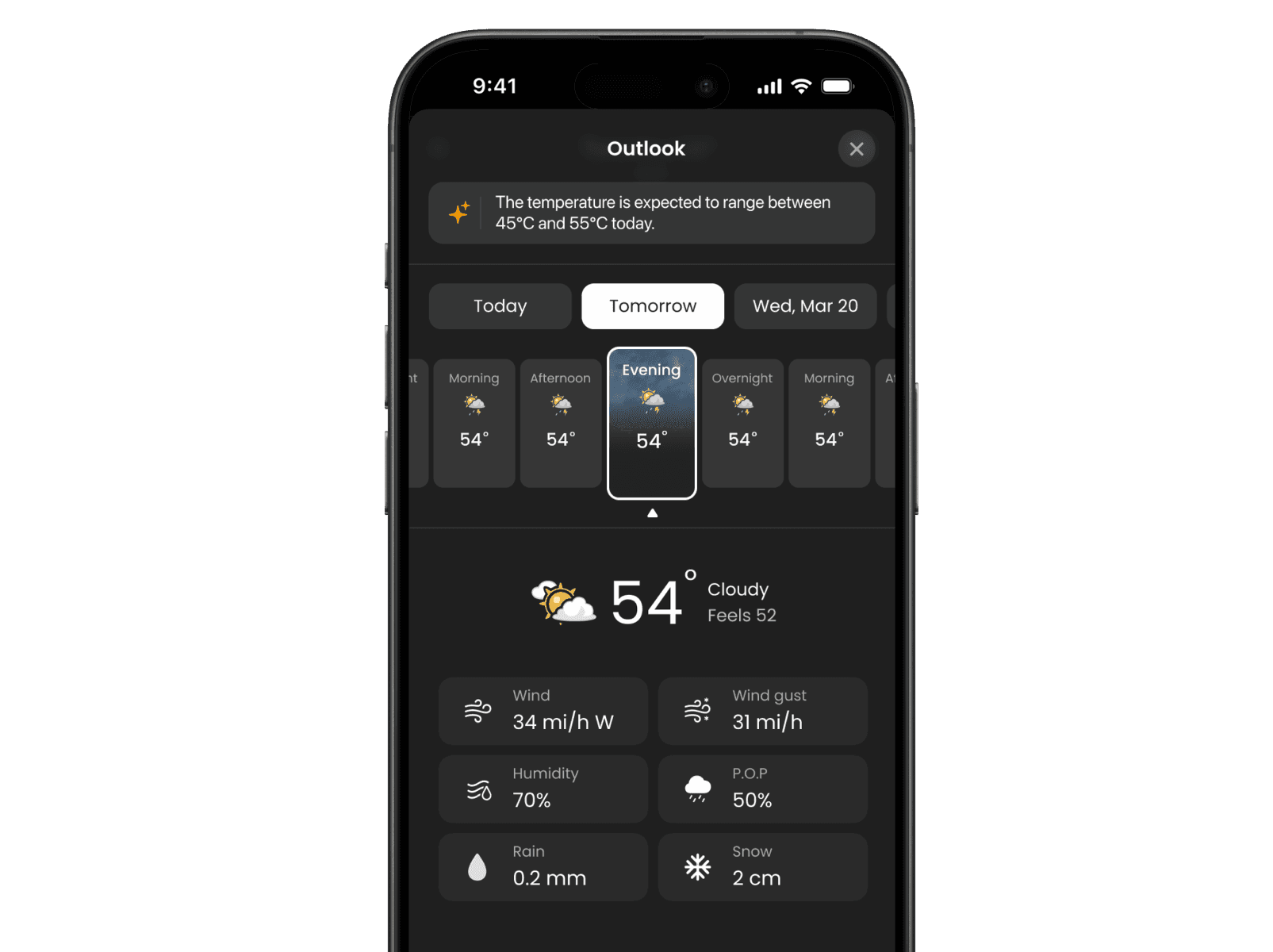
Interval tiles were hard to scan.
Forecast interval tiles were too small and information-dense, making it difficult to understand weather trends quickly.
• THE PROBLEM
Dynamic Chart Visualizations
Replaced tiles with chart-based visualizations. Users can now tap metrics to see the trends update dynamically.
• THE FIX
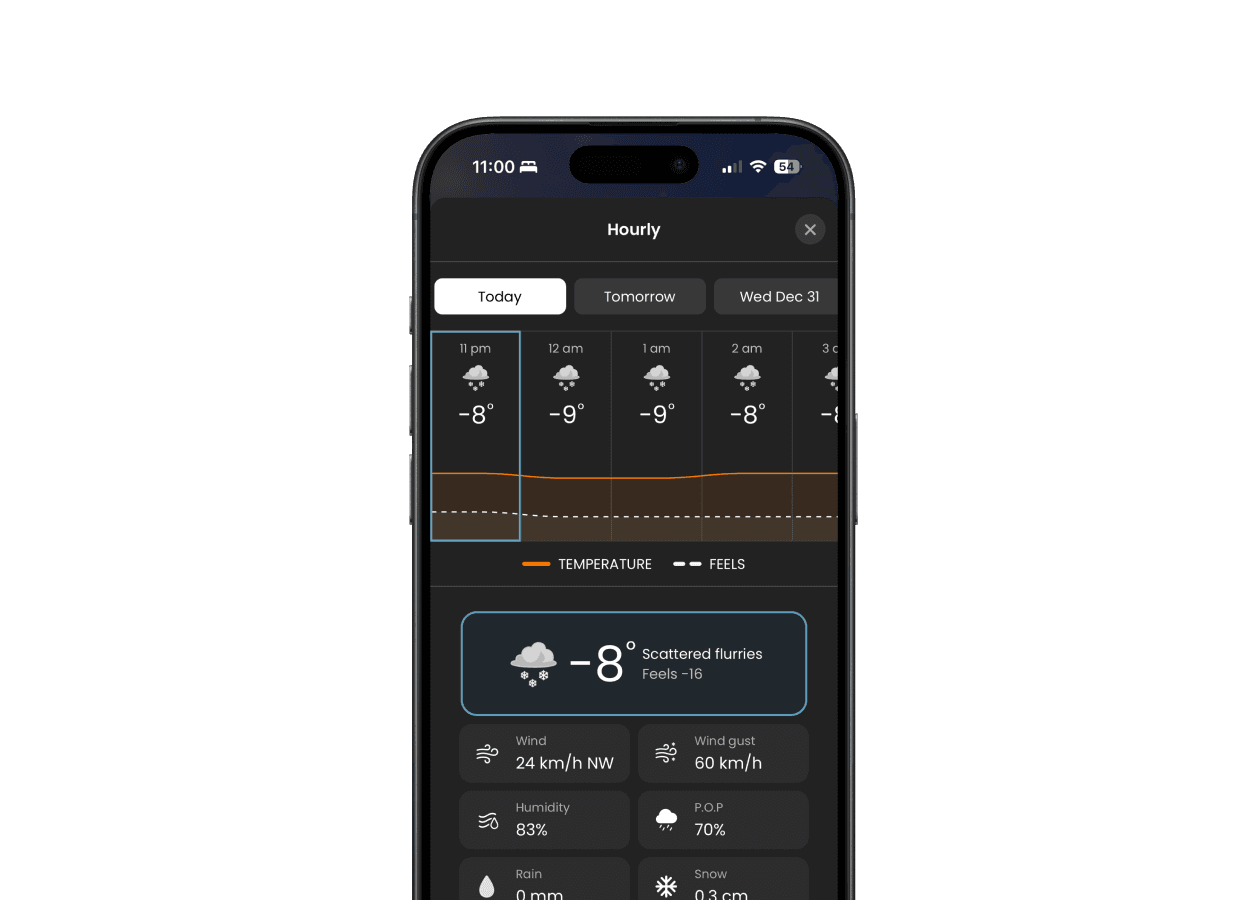
Dynamic Chart Visualizations
Replaced tiles with chart-based visualizations. Users can now tap metrics to see the trends update dynamically.
• THE FIX
WIDGETS
14
WIDGETS
14
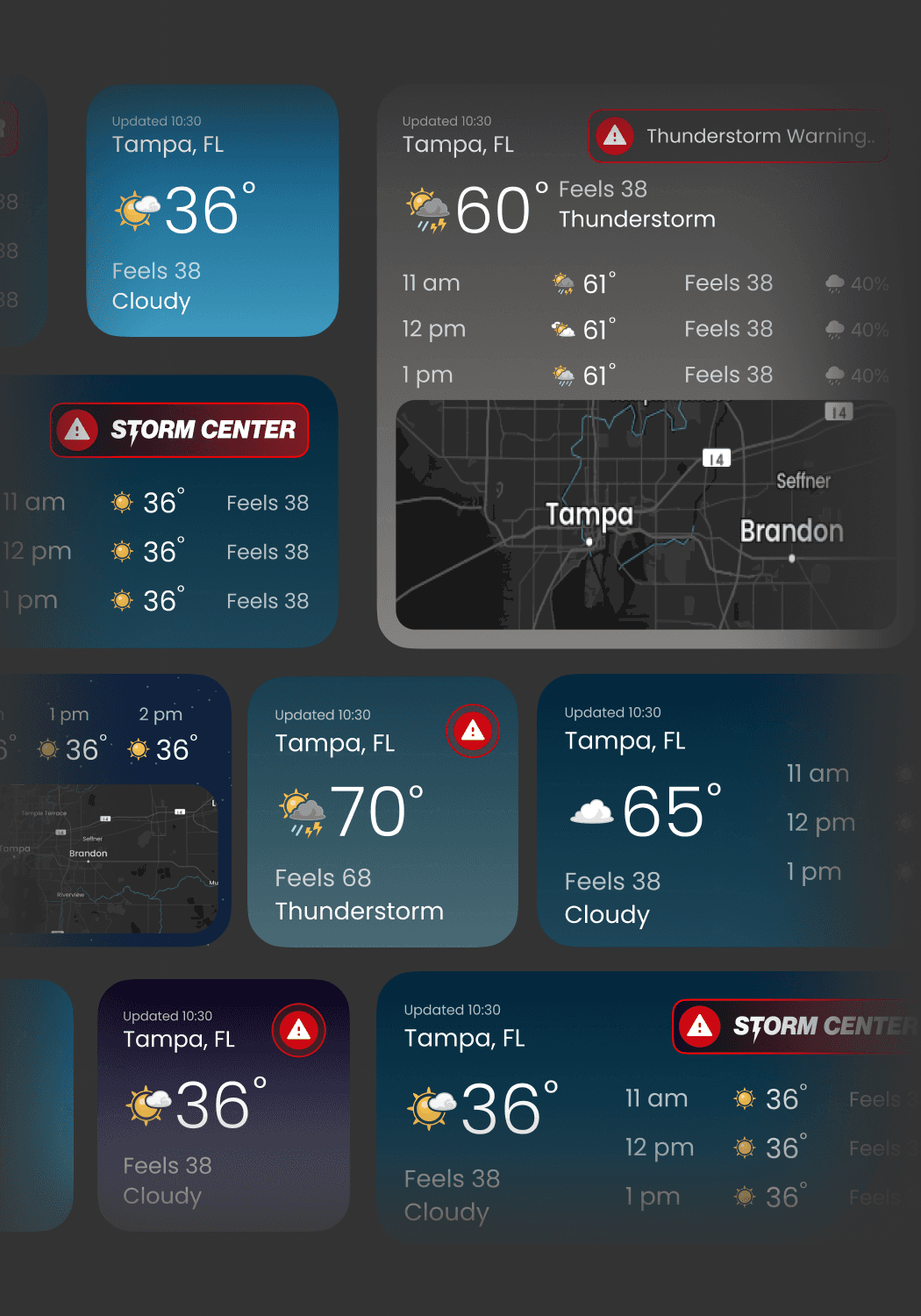
Win the Habit Loop.
Widgets meet users where the habit already is: the home screen. Every widget deep-links into the most relevant spot in the app so the experience stays fast.
Small
Right now + quick condition. Designed for immediate glanceability of current conditions.
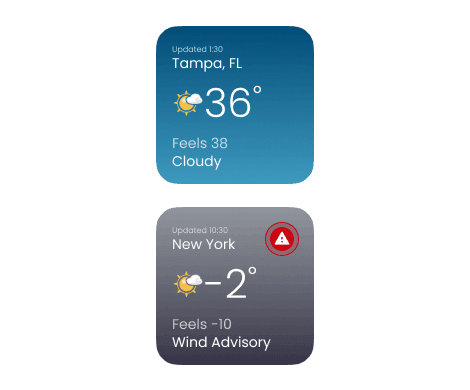
Small
Right now + quick condition. Designed for immediate glanceability of current conditions.
Medium
Next few hours + the "change" signal. Focuses on atmospheric transitions.
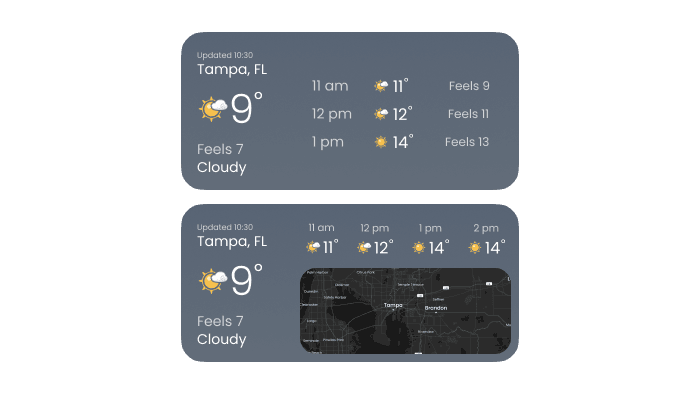
Medium
Next few hours + the "change" signal. Focuses on atmospheric transitions.
Large
Day planning + key shifts + relevant module preview.
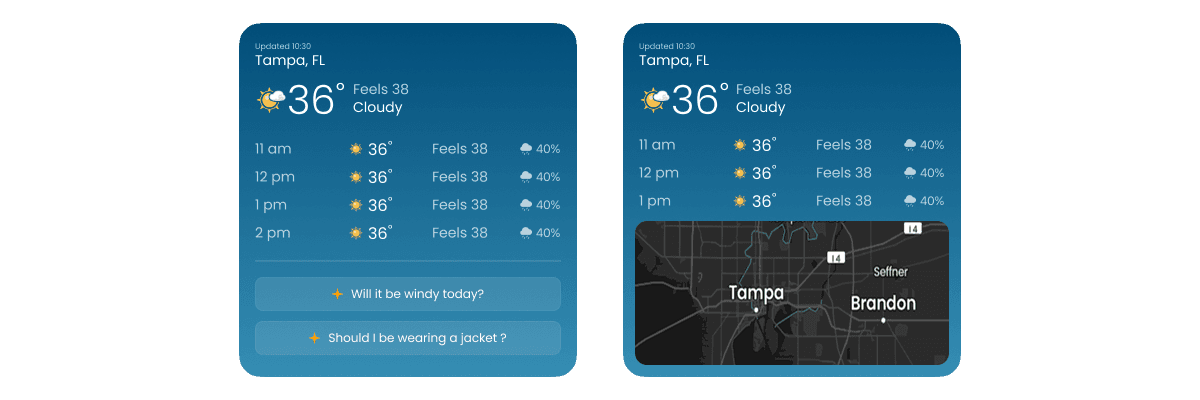
Large
Day planning + key shifts + relevant module preview.


VISUAL SYSTEM & ICONOGRAPHY
15
VISUAL SYSTEM & ICONOGRAPHY
15
System that Scales.
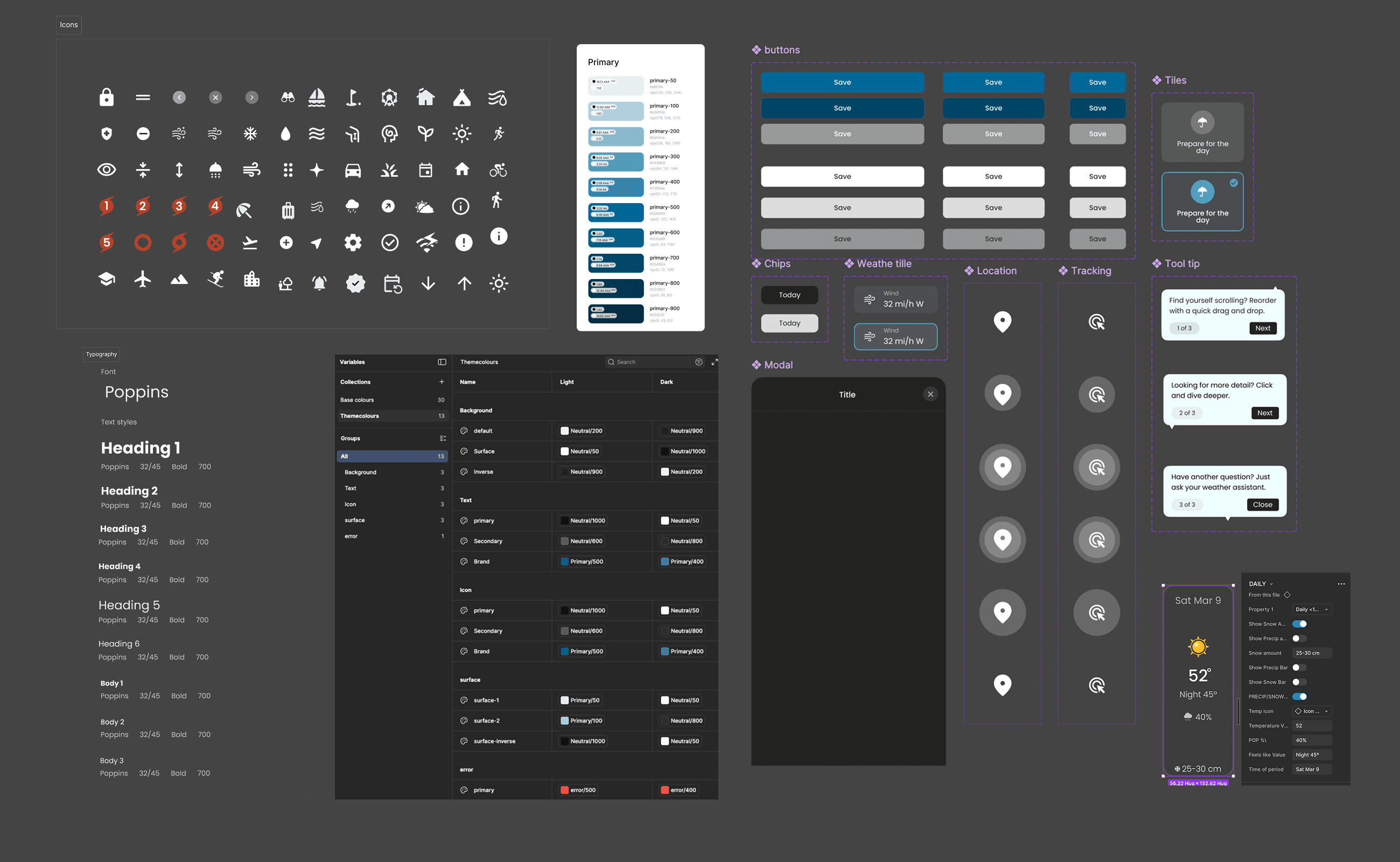
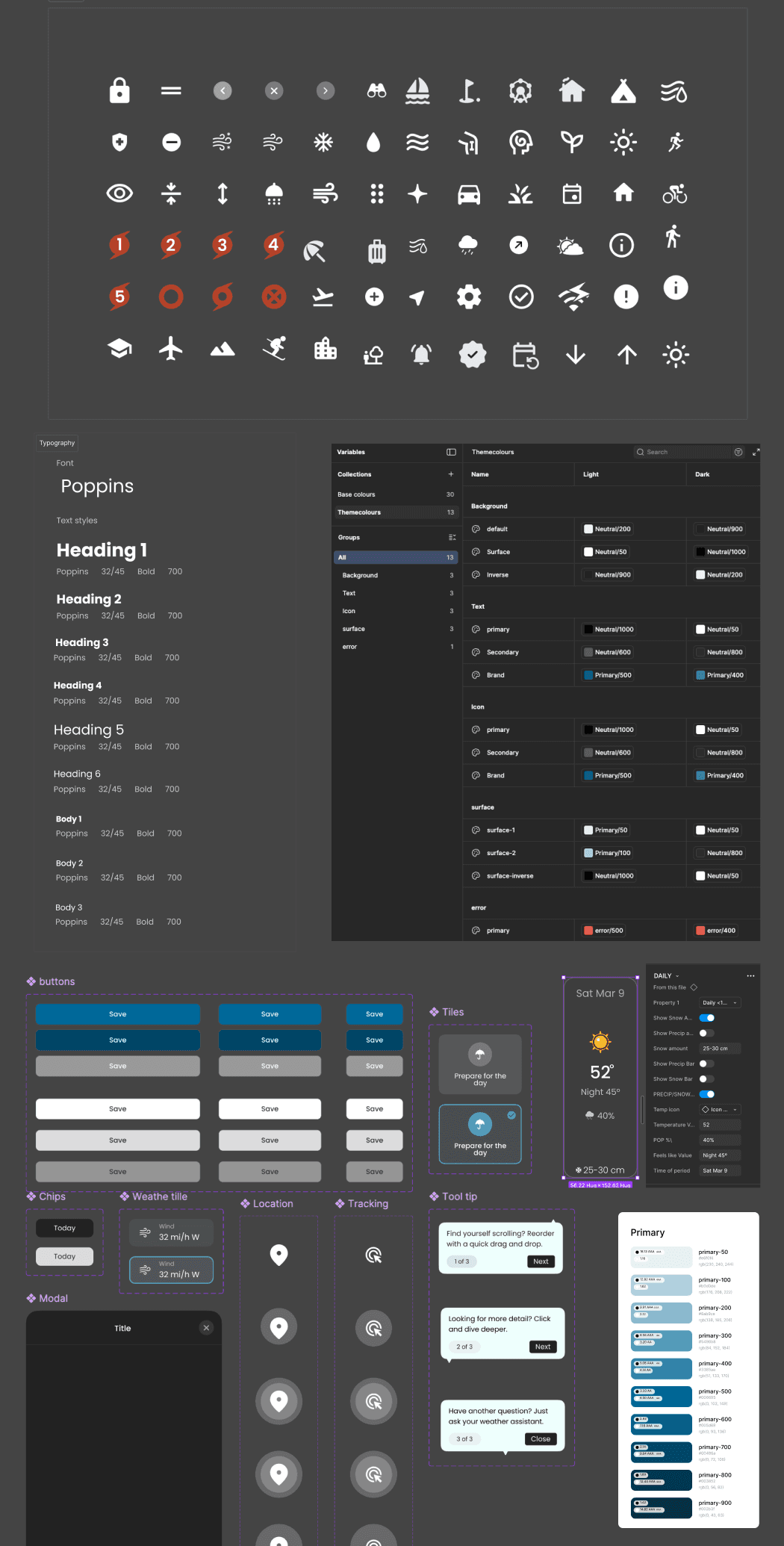
To maintain cohesiveness across platforms, I established a compact RN-ready system. This technical foundation allowed us to ship complex features without compromising the user experience.
Structure
Rigid typography scales and spacing tokens ensure legibility and balance across every device.
Foundation
Structure
Rigid typography scales and spacing tokens ensure legibility and balance across every device.
Foundation
Modularity
A library of reusable cards, charts, and states that allowed for rapid feature assembly.
Library
Modularity
A library of reusable cards, charts, and states that allowed for rapid feature assembly.
Library
Behavior
Standardized interaction patterns for taps, transitions, and feedback to ground the user.
Interaction
Behavior
Standardized interaction patterns for taps, transitions, and feedback to ground the user.
Interaction
Iconography
I designed 42 illustration style weather icons, optimized for clarity at small sizes and consistent meaning across the app.
Assets
Iconography
I designed 42 illustration style weather icons, optimized for clarity at small sizes and consistent meaning across the app.
Assets
Learnings and next steps
16
Learnings and next steps
16
The Horizon
The following areas outline what worked, what needs validation, and where the product should evolve next.
Perceived Accuracy
CriticalDeveloping proprietary metrics for long-term user retention and habit switching.
Context Boundaries
Ensuring commute models stay weather-pure to avoid routing noise.
Personalization Depth
Analyzing if current LLM models are sufficient for permanent habituation.
AI Optimization
Optimizing token efficiency for low-latency highlights.
Clarity + Context Pass
In ProgressPolishing micro-copy and tooltips based on audit results.
Data Visualization
Building high-fidelity charts for extreme-weather enthusiasts.
Regional Specialization
Deploying specialized modules for pollen, smoke, and hurricanes.
Architectural Governance
Synchronizing component libraries across the entire platform.
The biggest learning was that confidence and clarity matter more than precision when users make everyday decisions.
The biggest learning was that confidence and clarity matter more than precision when users make everyday decisions.
Final Thoughts
17
Final Thoughts
17
The Takeaway
Designing weather isn’t about adding features it’s about removing doubt.
We shipped a US-first experience in 4 months and proved that personalization and clarity can create switching motivation.
The Execution
We shipped a US-first experience in 4 months and proved that personalization and clarity can create switching motivation.
The Execution
We focused on signal over noise. We explained what the data means so people get clear insight without feeling overwhelmed.
THE philosphy
We focused on signal over noise. We explained what the data means so people get clear insight without feeling overwhelmed.
THE philosphy
The UI must do the interpretive work for the user. show the signal, explain the change, and let them dive deeper only when they want to.
THE LESSON
The UI must do the interpretive work for the user. show the signal, explain the change, and let them dive deeper only when they want to.
THE LESSON
Thanks For Scrolling.
Jump to
TWN+ Weather (US)
Rethinking how people interact with weather.
Role
Product Designer
Timeline
4 months
Impact
50K+ Downaloads
Platform
Android & iOS
SCROLL
THE STARTING POINT
01
Why We Built TWN+ for the US
TWN Canada wanted to expand into the US with an experience designed for US behaviours, not a simple port of the Canadian app.
context
users would switch if the product made weather feel
The bet
More personal
More actionable
Easier to understand
The goal was to achieve these three pillars without turning the home screen into a busy dashboard.
The Problem
02
Weather Apps Don’t Help People Decide
Current weather apps fail in two ways.
Current weather apps fail in two ways.
Data Overload
Too much noise. Users are buried in technical metrics when they just need a quick update.
Surface Level
Too shallow. Basic temperatures don't provide the confidence needed for real-world decisions.
USEr intent
Fast answers to daily life.
Do I need a jacket?
Is it safe to drive?
When will it rain?
Can I run outside?
USEr intent
Fast answers to daily life.
Do I need a jacket?
Is it safe to drive?
When will it rain?
Can I run outside?
Our challenge was to deliver clarity first, then depth on demand. Without breaking trust.
My Role
03
Design Ownership
I was responsible for shaping the product from structure to execution, designing how users navigate, understand, and interact with weather data across the app.
Defining the information architecture and navigation model to support quick glances while keeping deeper exploration discoverable.
Designing the dashboard and modular card system including card to modal deep dives.
Designing AI-driven experiences such as daily summaries, a conversational chatbot, and contextual prompts.
Creating onboarding and personalization flows that translate user inputs into a tailored home experience.
Designing widgets across small, medium, and large formats to extend the experience beyond the app.
Building the React Native design system including tokens, components, and interaction guidelines to ensure consistency and scalability.
Outcome
04
The New Standard for US Weather.
We built TWN+ from scratch. In just 4 months, we transformed a hypothesis into a market-leading expansion, proving that utility beats novelty.
User testing across the US confirmed that our Utility-First positioning wasn't just preferred—it was essential.
SCROLL FOR
FULL LENGTH CASE STUDY
Key moments in the product (Features)
05
Key Features
Today's details
A clear breakdown of today’s atmospheric conditions including sunrise and sunset times, wind, humidity, pressure, visibility, and cloud ceiling so users can quickly understand what the day actually feels like.
Outdoor Activities
Personalized weather insights for activities like running, cycling, and walking presented in a simplified suitability view so users do not have to interpret raw weather data.
Health Modules
Actionable health insights based on AQI, UV exposure, pollen levels, migraine risk, and arthritis sensitivity helping users understand how weather may impact their well being throughout the day.
AI Summaries & chatbot
A concise, human readable summary of the day’s weather that turns complex data into clear takeaways so users can understand conditions at a glance.
Full Forecast
Explore hourly conditions, short term outlooks, and the 14 day forecast through interactive charts. Tapping on each weather metric updates the visualization in real time making trends easier to understand and compare.
GOALS & SUCCESS
06
Define What “Better” Means
We aligned on goals that were both user-centered and measurable.
Business Goals
context
4 Months
Ship to US
Validate differentiation
Through real user feedback.
Early adoption
Establishing market presence.
User Goals
Get an answer in seconds
Focus on glanceability + hierarchy.
Understand change
Hourly → outlook → 14-day flow.
Feel confident
Timeframe + location context always clear.
EXPLORATORY RESEARCH
07
Understand the US Weather Habit
Before locking the system, we grounded the product in how US users actually check weather when, why, and what “confidence” looks like. We used exploratory inputs (existing research, market signals, early interviews/inputs) to answer:
What weather moments matter most?
one
What makes users trust a forecast?
two
Where do other apps create friction?
three
This helped us define what the dashboard needed to do: reduce effort, increase relevance, and keep the UI calm.
solution
context: Affinity mapping of 12+ exploratory interviews identifying the 'Decision Paralysis' caused by data-heavy weather interfaces.
What we discovered
08
The patterns that shaped the product.
Across early research and testing, a few patterns repeated consistently
insight 1
Actionable Weather Insights
Users don’t just want weather data—they want clear, actionable guidance that tells them what to do or plan for based on the forecast.
insight 2
Effortless Navigation
sers want a clean, intuitive interface that delivers weather information quickly and easily, without unnecessary complexity.
insight 3
Visual clarity matters
users respond better to icons, colors, and charts than raw numbers.
insight 4
AI summaries must always include references.
If an AI summary says "it will rain," it must clearly state the time and location it's referring to.
Information Architecture
09
Glance First. Depth When You Need It.
We designed TWN+ around one core behaviour: people don’t want to “browse weather.” They want a fast answer, then optional context without getting lost in screens.
level 1
Dashboard
The home base, designed to be always one tap away.
LEVEL 2
Modules
Surfacing decision-ready answers for commute, outdoor, health, and planning.
level 3
Deep Dives
Revealing context and trends using a consistent, predictable pattern.
Level 4
AI Support
Understanding in-the-moment summaries and clarifying questions—not a separate destination.
Step 1
GLANCE
Users open the app to quickly understand current conditions and what’s changing next.
Step 2
DISCOVER
From the overview, users choose the specific weather information that matters to them temperature, rain, wind, or forecasts.
Step 3
DEEP DIVE
A focused view reveals deeper details and context, helping users make a confident decision without overwhelming them.
Step 4
RETURN
Users return to the overview with clarity, ready to check another detail or come back later.
9:41
Step 1
GLANCE
Users open the app to quickly understand current conditions and what’s changing next.
9:41
Step 2
DISCOVER
From the overview, users choose the specific weather information that matters to them temperature, rain, wind, or forecasts.
9:41
Step 3
DEEP DIVE
A focused view reveals deeper details and context, helping users make a confident decision without overwhelming them.
9:41
Step 4
RETURN
Users return to the overview with clarity, ready to check another detail or come back later.
9:41
PERSONALIZATION LOGIC
10
A Dashboard That Adapts to You
Personalization wasn’t “more content.” It was relevance show the right modules at the right time, and let users control it.
Input Layer
User Inputs
Capturing locations, interests, commute, and health preferences to build the foundation of the profile.
Contextual Layer
Context
Factoring in time of day, forecast shifts, and risk conditions to determine immediate priority.
Governance Layer
User Control
Empowering users to edit modules, reorder hierarchies, hide irrelevant data, and adjust alerts.
The goal was simple: the home screen should feel like your weather not a generic dashboard.
ONBOARDING
11
Make Setup Feel Effortless
Personalization only works if onboarding doesn’t feel like work. We kept the setup lightweight, focusing only on high-value inputs.
Location & Units
Setting the foundation for accurate local data.
Interests
Outdoor, health, and planning preferences.
Commute Setup
Optional routings for daily travel impact. Notifications
Notifications
Tailoring alert preferences for relevance.
CONTINUOUS VALIDATION
12
We tested continuously with US users and iterated sprint by sprint.
We tested continuously with US users across the country to ensure every module was meeting the "fast answer" bar before final shipment.
Shipping Pace
2-3
Modules Shipped Per Sprint
Testing Group
~25
Real US Users per Iteration
ITERATION & FIXES
13
What Broke
(and How We Fixed It)
Systematic resolution of critical design friction identified during project validation.
Internal jargon caused cognitive load.
Several labels used technical terminology that prevented non-technical users from accurately predicting outcomes.
Humanized Semantics
We simplified labels to align with user mental models, moving from 'Observation' to 'Detail'.
AI summaries lacked anchor context.
Users were unsure when and where AI insights applied, leading to reduced confidence in results.
Mandatory Context Headers
Implemented strict context headers for all generative modules, including explicit date, location, and timeframe stamps to anchor intelligence.
03
Comprehension Depth
Dense data grids were hard to scan.
Core detail sections felt "heavy" and required excessive effort to interpret at a glance for non-technical users.
• THE PROBLEM
Scannable Infographics
Redesigned "Today’s Details" using clear, infographic-style modules for immediate recognition and faster data processing
• THE FIX
04
Visual Integrity
Module backgrounds obscured data.
Setting the foundation for accurate local data.
• THE PROBLEM
Atmospheric Separation
Moved weather visuals to the page background, keeping the module itself clean and high-contrast for readability.
• THE FIX
05
Tactile Precision
Rearranging modules felt imprecise
Dragging and rearranging modules on the overview screen was error-prone, frustrating, and lacked placement accuracy.
• THE PROBLEM
Surgical Edit Mode
Introduced a dedicated edit mode with single-line module tiles, significantly improving control and arrangement accuracy.
• THE FIX
06
Trend Analysis
Interval tiles were hard to scan.
Forecast interval tiles were too small and information-dense, making it difficult to understand weather trends quickly.
• THE PROBLEM
Dynamic Chart Visualizations
Replaced tiles with chart-based visualizations. Users can now tap metrics to see the trends update dynamically.
• THE FIX
WIDGETS
13
Win the Habit Loop.
Widgets meet users where the habit already is: the home screen. Every widget deep-links into the most relevant spot in the app so the experience stays fast.
Small
Right now + quick condition. Designed for immediate glanceability of current conditions.
Medium
Next few hours + the "change" signal. Focuses on atmospheric transitions.
Large
Day planning + key shifts + relevant module preview.
VISUAL SYSTEM & ICONOGRAPHY
14
System that Scales.
To maintain cohesiveness across platforms, I established a compact RN-ready system. This technical foundation allowed us to ship complex features without compromising the user experience.
Structure
Rigid typography scales and spacing tokens ensure legibility and balance across every device.
Foundation
Modularity
A library of reusable cards, charts, and states that allowed for rapid feature assembly.
Library
Behavior
Standardized interaction patterns for taps, transitions, and feedback to ground the user.
Interaction
Iconography
I designed 42 illustration style weather icons, optimized for clarity at small sizes and consistent meaning across the app.
Assets
Learnings and next steps
15
The Horizon
The following areas outline what worked, what needs validation, and where the product should evolve next.
Perceived Accuracy
CriticalDeveloping proprietary metrics for long-term user retention and habit switching.
Context Boundaries
Ensuring commute models stay weather-pure to avoid routing noise.
Personalization Depth
Analyzing if current LLM models are sufficient for permanent habituation.
AI Optimization
Optimizing token efficiency for low-latency highlights.
Clarity + Context Pass
In ProgressPolishing micro-copy and tooltips based on audit results.
Data Visualization
Building high-fidelity charts for extreme-weather enthusiasts.
Regional Specialization
Deploying specialized modules for pollen, smoke, and hurricanes.
Architectural Governance
Synchronizing component libraries across the entire platform.
The biggest learning was that confidence and clarity matter more than precision when users make everyday decisions.
Final Thoughts
16
The Takeaway
Designing weather isn’t about adding features it’s about removing doubt.
We shipped a US-first experience in 4 months and proved that personalization and clarity can create switching motivation.
The Execution
We focused on signal over noise. We explained what the data means so people get clear insight without feeling overwhelmed.
THE philosphy
The UI must do the interpretive work for the user. show the signal, explain the change, and let them dive deeper only when they want to.
THE LESSON
Thanks For Scrolling.
TWN+ Weather (US)
Rethinking how people interact with weather.
Role
Product Designer
Timeline
4 months
Impact
50K+ Downaloads
Platform
Android & iOS
SCROLL
THE STARTING POINT
01
Why We Built TWN+ for the US
TWN Canada wanted to expand into the US with an experience designed for US behaviours, not a simple port of the Canadian app.
context
users would switch if the product made weather feel
The bet
More personal
More actionable
Easier to understand
The goal was to achieve these three pillars without turning the home screen into a busy dashboard.
The Problem
02
Weather Apps Don’t Help People Decide
Current weather apps fail in two ways.
Current weather apps fail in two ways.
Data Overload
Too much noise. Users are buried in technical metrics when they just need a quick update.
Surface Level
Too shallow. Basic temperatures don't provide the confidence needed for real-world decisions.
USEr intent
Fast answers to daily life.
Do I need a jacket?
Is it safe to drive?
When will it rain?
Can I run outside?
USEr intent
Fast answers to daily life.
Do I need a jacket?
Is it safe to drive?
When will it rain?
Can I run outside?
Our challenge was to deliver clarity first, then depth on demand. Without breaking trust.
My Role
03
Design Ownership
I was responsible for shaping the product from structure to execution, designing how users navigate, understand, and interact with weather data across the app.
Defining the information architecture and navigation model to support quick glances while keeping deeper exploration discoverable.
Designing the dashboard and modular card system including card to modal deep dives.
Designing AI-driven experiences such as daily summaries, a conversational chatbot, and contextual prompts.
Creating onboarding and personalization flows that translate user inputs into a tailored home experience.
Designing widgets across small, medium, and large formats to extend the experience beyond the app.
Building the React Native design system including tokens, components, and interaction guidelines to ensure consistency and scalability.
Outcome
04
The New Standard for US Weather.
We built TWN+ from scratch. In just 4 months, we transformed a hypothesis into a market-leading expansion, proving that utility beats novelty.
User testing across the US confirmed that our Utility-First positioning wasn't just preferred—it was essential.
SCROLL FOR
FULL LENGTH CASE STUDY
Key moments in the product (Features)
05
Key Features
Today's details
A clear breakdown of today’s atmospheric conditions including sunrise and sunset times, wind, humidity, pressure, visibility, and cloud ceiling so users can quickly understand what the day actually feels like.
Today's details
A clear breakdown of today’s atmospheric conditions including sunrise and sunset times, wind, humidity, pressure, visibility, and cloud ceiling so users can quickly understand what the day actually feels like.
Outdoor Activities
Personalized weather insights for activities like running, cycling, and walking presented in a simplified suitability view so users do not have to interpret raw weather data.
Outdoor Activities
Personalized weather insights for activities like running, cycling, and walking presented in a simplified suitability view so users do not have to interpret raw weather data.
Health Modules
Actionable health insights based on AQI, UV exposure, pollen levels, migraine risk, and arthritis sensitivity helping users understand how weather may impact their well being throughout the day.
Health Modules
Actionable health insights based on AQI, UV exposure, pollen levels, migraine risk, and arthritis sensitivity helping users understand how weather may impact their well being throughout the day.
AI Summaries & chatbot
A concise, human readable summary of the day’s weather that turns complex data into clear takeaways so users can understand conditions at a glance.
AI Summaries & chatbot
A concise, human readable summary of the day’s weather that turns complex data into clear takeaways so users can understand conditions at a glance.
Full Forecast
Explore hourly conditions, short term outlooks, and the 14 day forecast through interactive charts. Tapping on each weather metric updates the visualization in real time making trends easier to understand and compare.
Full Forecast
Explore hourly conditions, short term outlooks, and the 14 day forecast through interactive charts. Tapping on each weather metric updates the visualization in real time making trends easier to understand and compare.
GOALS & SUCCESS
06
Define What “Better” Means
We aligned on goals that were both user-centered and measurable.
Business Goals
context
4 Months
Ship to US
Validate differentiation
Through real user feedback.
Early adoption
Establishing market presence.
User Goals
Get an answer in seconds
Focus on glanceability + hierarchy.
Understand change
Hourly → outlook → 14-day flow.
Feel confident
Timeframe + location context always clear.
EXPLORATORY RESEARCH
07
Understand the US Weather Habit
Before locking the system, we grounded the product in how US users actually check weather when, why, and what “confidence” looks like. We used exploratory inputs (existing research, market signals, early interviews/inputs) to answer:
What weather moments matter most?
one
What makes users trust a forecast?
two
Where do other apps create friction?
three
This helped us define what the dashboard needed to do: reduce effort, increase relevance, and keep the UI calm.
solution
context: Affinity mapping of 12+ exploratory interviews identifying the 'Decision Paralysis' caused by data-heavy weather interfaces.
What we discovered
08
The patterns that shaped the product.
Across early research and testing, a few patterns repeated consistently
insight 1
Actionable Weather Insights
Users don’t just want weather data—they want clear, actionable guidance that tells them what to do or plan for based on the forecast.
insight 2
Effortless Navigation
sers want a clean, intuitive interface that delivers weather information quickly and easily, without unnecessary complexity.
insight 3
Visual clarity matters
users respond better to icons, colors, and charts than raw numbers.
insight 4
AI summaries must always include references.
If an AI summary says "it will rain," it must clearly state the time and location it's referring to.
Information Architecture
09
Glance First. Depth When You Need It.
We designed TWN+ around one core behaviour: people don’t want to “browse weather.” They want a fast answer, then optional context without getting lost in screens.
level 1
Dashboard
The home base, designed to be always one tap away.
LEVEL 2
Modules
Surfacing decision-ready answers for commute, outdoor, health, and planning.
level 3
Deep Dives
Revealing context and trends using a consistent, predictable pattern.
Level 4
AI Support
Understanding in-the-moment summaries and clarifying questions—not a separate destination.
Step 1
GLANCE
Users open the app to quickly understand current conditions and what’s changing next.
Step 2
DISCOVER
From the overview, users choose the specific weather information that matters to them temperature, rain, wind, or forecasts.
Step 3
DEEP DIVE
A focused view reveals deeper details and context, helping users make a confident decision without overwhelming them.
Step 4
RETURN
Users return to the overview with clarity, ready to check another detail or come back later.
9:41
Step 1
GLANCE
Users open the app to quickly understand current conditions and what’s changing next.
9:41
Step 2
DISCOVER
From the overview, users choose the specific weather information that matters to them temperature, rain, wind, or forecasts.
9:41
Step 3
DEEP DIVE
A focused view reveals deeper details and context, helping users make a confident decision without overwhelming them.
9:41
Step 4
RETURN
Users return to the overview with clarity, ready to check another detail or come back later.
9:41
PERSONALIZATION LOGIC
10
A Dashboard That Adapts to You
Personalization wasn’t “more content.” It was relevance—show the right modules at the right time, and let users control it.
Input Layer
User Inputs
Capturing locations, interests, commute, and health preferences to build the foundation of the profile.
Contextual Layer
Context
Factoring in time of day, forecast shifts, and risk conditions to determine immediate priority.
Governance Layer
User Control
Empowering users to edit modules, reorder hierarchies, hide irrelevant data, and adjust alerts.
The goal was simple: the home screen should feel like your weather not a generic dashboard.
ONBOARDING
11
Make Setup Feel Effortless
Personalization only works if onboarding doesn’t feel like work. We kept the setup lightweight, focusing only on high-value inputs.
Location & Units
Setting the foundation for accurate local data.
Interests
Outdoor, health, and planning preferences.
Commute Setup
Optional routings for daily travel impact. Notifications
Notifications
Tailoring alert preferences for relevance.
CONTINUOUS VALIDATION
12
We tested continuously with US users and iterated sprint by sprint.
We tested continuously with US users across the country to ensure every module was meeting the "fast answer" bar before final shipment.
Shipping Pace
2-3
Modules Shipped Per Sprint
Testing Group
~25
Real US Users per Iteration
ITERATION & FIXES
13
What Broke
(and How We Fixed It)
Systematic resolution of critical design friction identified during project validation.
Internal jargon caused cognitive load.
Several labels used technical terminology that prevented non-technical users from accurately predicting outcomes.
Humanized Semantics
We simplified labels to align with user mental models, moving from 'Observation' to 'Detail'.
AI summaries lacked anchor context.
Users were unsure when and where AI insights applied, leading to reduced confidence in results.
Mandatory Context Headers
Implemented strict context headers for all generative modules, including explicit date, location, and timeframe stamps to anchor intelligence.
03
Comprehension Depth
Dense data grids were hard to scan.
Core detail sections felt "heavy" and required excessive effort to interpret at a glance for non-technical users.
• THE PROBLEM
Scannable Infographics
Redesigned "Today’s Details" using clear, infographic-style modules for immediate recognition and faster data processing
• THE FIX
04
Visual Integrity
Module backgrounds obscured data.
Setting the foundation for accurate local data.
• THE PROBLEM
Atmospheric Separation
Moved weather visuals to the page background, keeping the module itself clean and high-contrast for readability.
• THE FIX
05
Tactile Precision
Rearranging modules felt imprecise
Dragging and rearranging modules on the overview screen was error-prone, frustrating, and lacked placement accuracy.
• THE PROBLEM
Surgical Edit Mode
Introduced a dedicated edit mode with single-line module tiles, significantly improving control and arrangement accuracy.
• THE FIX
06
Trend Analysis
Interval tiles were hard to scan.
Forecast interval tiles were too small and information-dense, making it difficult to understand weather trends quickly.
• THE PROBLEM
Dynamic Chart Visualizations
Replaced tiles with chart-based visualizations. Users can now tap metrics to see the trends update dynamically.
• THE FIX
WIDGETS
14
Win the Habit Loop.
Widgets meet users where the habit already is: the home screen. Every widget deep-links into the most relevant spot in the app so the experience stays fast.
Small
Right now + quick condition. Designed for immediate glanceability of current conditions.
Medium
Next few hours + the "change" signal. Focuses on atmospheric transitions.
Large
Day planning + key shifts + relevant module preview.
VISUAL SYSTEM & ICONOGRAPHY
15
System that Scales.
To maintain cohesiveness across platforms, I established a compact RN-ready system. This technical foundation allowed us to ship complex features without compromising the user experience.
Structure
Rigid typography scales and spacing tokens ensure legibility and balance across every device.
Foundation
Modularity
A library of reusable cards, charts, and states that allowed for rapid feature assembly.
Library
Behavior
Standardized interaction patterns for taps, transitions, and feedback to ground the user.
Interaction
Iconography
I designed 42 illustration style weather icons, optimized for clarity at small sizes and consistent meaning across the app.
Assets
Learnings and next steps
16
The Horizon
The following areas outline what worked, what needs validation, and where the product should evolve next.
Perceived Accuracy
CriticalDeveloping proprietary metrics for long-term user retention and habit switching.
Context Boundaries
Ensuring commute models stay weather-pure to avoid routing noise.
Personalization Depth
Analyzing if current LLM models are sufficient for permanent habituation.
AI Optimization
Optimizing token efficiency for low-latency highlights.
Clarity + Context Pass
In ProgressPolishing micro-copy and tooltips based on audit results.
Data Visualization
Building high-fidelity charts for extreme-weather enthusiasts.
Regional Specialization
Deploying specialized modules for pollen, smoke, and hurricanes.
Architectural Governance
Synchronizing component libraries across the entire platform.
The biggest learning was that confidence and clarity matter more than precision when users make everyday decisions.
Final Thoughts
17
The Takeaway
Designing weather isn’t about adding features it’s about removing doubt.
We shipped a US-first experience in 4 months and proved that personalization and clarity can create switching motivation.
The Execution
We focused on signal over noise. We explained what the data means so people get clear insight without feeling overwhelmed.
THE philosphy
The UI must do the interpretive work for the user. show the signal, explain the change, and let them dive deeper only when they want to.
THE LESSON
Thanks For Scrolling.